



Overview
Finding your Tata AIG policy details online can feel confusing if you don't know where to start. Maybe you forgot which portal to use, or you're not sure if you need a password or an OTP.
Here's the good news: Tata AIG's login process is simple once you know the steps. Whether you're a customer checking your health cover or an agent using the sell online portal, this guide covers it all.
We'll walk you through registration, OTP login, what you can do once you're in, and what to do if you get stuck.
What Is the Tata AIG Login Portal?
The Tata AIG login portal is where policyholders manage their insurance policies online. You don't need to visit a branch or call customer care for routine tasks.
Through this portal, you can view active policies, download documents, renew your plan, and track claim status. It works for health, motor, travel, and other general insurance policies from Tata AIG.
There are two main types of Tata AIG login portal access.
- Customers use the regular self-service login.
- Agents and business partners use the separate Tata AIG login, called eConnect V2.
Before buying or renewing a health policy, review the insurer’s recent claim performance in our Tata AIG Health Insurance claim settlement ratio analysis. If you are comparing policies, our guide to Tata AIG Health Insurance plans explains the insurer’s major plans, features, coverage limits, and suitability.
How to Register on the Tata AIG Customer Portal?
- Visit the official Tata AIG website and go to the Self-Service section.
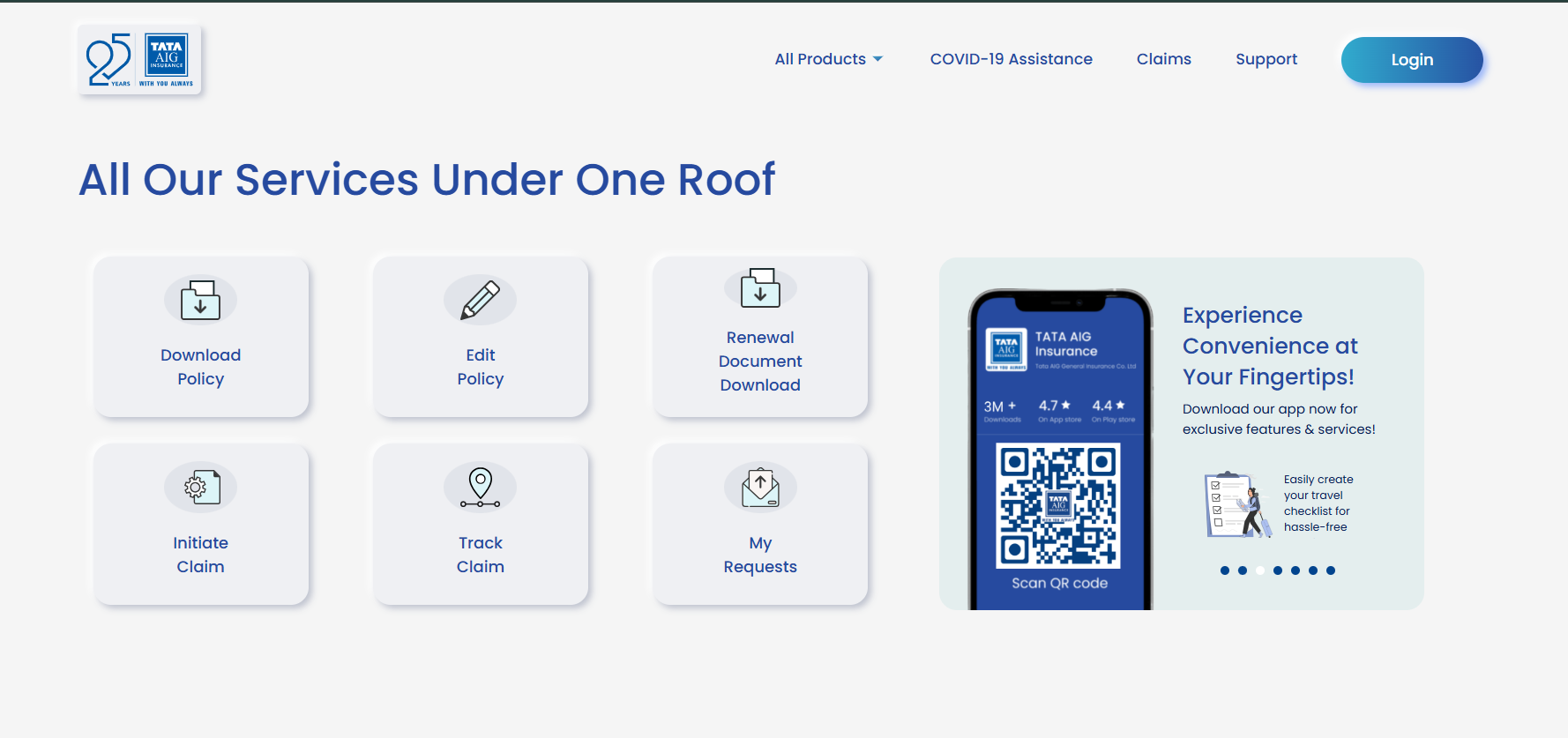
- Choose the option to log in visible in the top right corner.
- Enter your registered mobile number.
- Verify your identity with the OTP sent to your phone.
- Complete your profile by adding your policy number if asked.
Once registered, your account is linked to your mobile number.
How to Log In to Tata AIG Using OTP?
Tata AIG does not require a password for customer login. You can log in with just your mobile number and an OTP. Follow these steps:
- Go to the Tata AIG Self Service page.
- Enter the mobile number registered with your Tata AIG policy.
- Click on "Get OTP." You'll receive a one-time code by SMS.
- Enter the OTP and submit.
You'll be logged in within seconds. This method works the same way on the Tata AIG mobile app (Google Play Store and App Store).
What You Can Do After Logging Into Tata AIG
Once you're logged in, the portal gives you full control over your policy. Here's what you can do:
- View policy details, including coverage, sum insured, and validity.
- Download policy documents, premium receipts, and health cards.
- Renew your policy before it expires. Our Tata AIG Health Insurance renewal guide explains the online and offline renewal process in detail.
- Track the status of cashless and reimbursement claims. For filing steps, documents, and timelines, refer to the Tata AIG Health Insurance Claim Process/Form/Reimbursement guide.
- Locate network hospitals for cashless treatment. You can also check the Tata AIG network hospital list before planning hospitalization.
- Raise service requests, like updating your address or contact details.
You can do all of this through the website or the Tata AIG app, whichever is more convenient for you.
Talk to an expert
today and
find
the right
insurance for you.


Tata AIG Agent Login vs. Customer Login
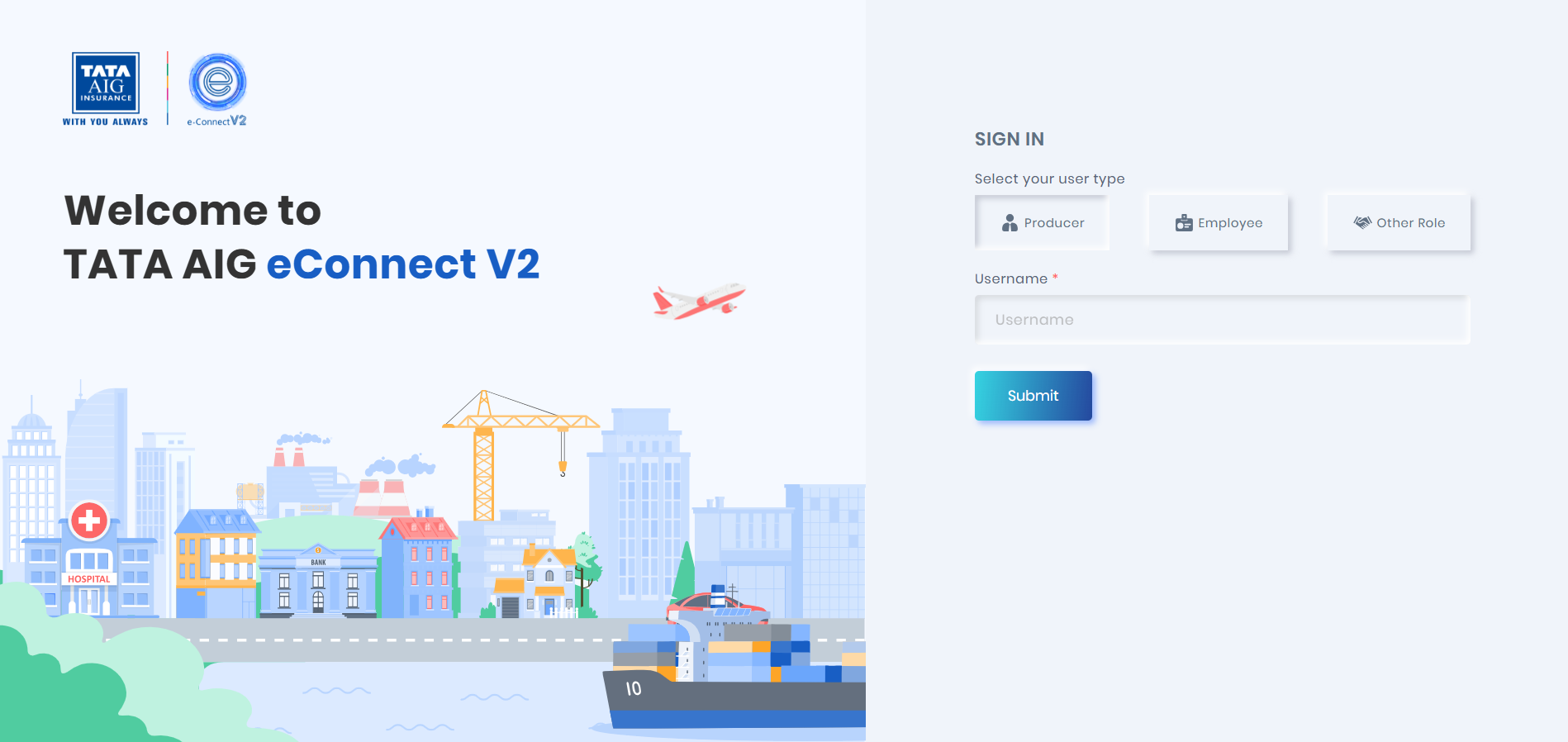
The Tata AIG agent login process is separate from the regular customer login. If you're an agent, Point of Sales Person (POSP), or business partner, you'll use the eConnect V2 Tata AIG login portal instead.
Here's the difference:
- Customer Login: Used to manage your own policy. Access it through the website or the Tata AIG app using your mobile number and OTP.
- Agent Login (eConnect V2): Used by insurance intermediaries to issue policies, manage client accounts, and access business tools. This is available at sellonline.Tataaig.com, where you select your user type (Producer, Employee, or Other Role) before logging in.
Agents can also use the Tata AIG Nova app (Google Play Store and App Store) for managing business on the go.
If you're a customer, stick to the regular self-service login. The online selling portal is meant for agents, not policyholders.
What to Do If You Forget Your Tata AIG Login Details?
Since Tata AIG mainly uses OTP-based login, forgetting a password usually isn't an issue.
If you're unable to log in, try these steps:
- Make sure you're using the mobile number registered with your policy.
- Request a fresh OTP if the previous one expired.
- Check that your number is active and can receive SMS.
- If your registered number has changed, contact Tata AIG customer care to update it.
Contact Details
Why Choose Ditto for Insurance?
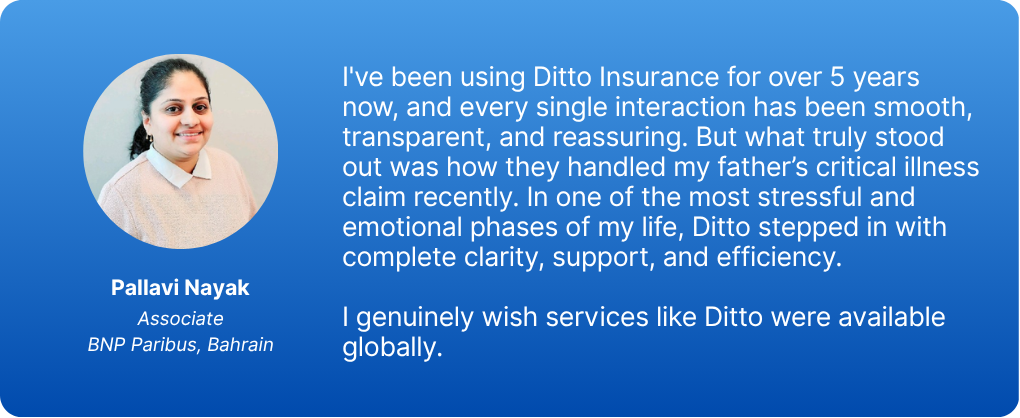
At Ditto, we’ve assisted over 8,00,000 customers with choosing the right insurance policy. Why customers like Pallavi below love us:
- No-Spam & No Salesmen
- Rated 4.9/5 on Google Reviews by 30,000+ happy customers
- Backed by Zerodha
- Dedicated Claim Support Team
- 100% Free Consultation
Confused about the right insurance? Speak to Ditto’s certified advisors for free, unbiased guidance. Book your call or chat with us on WhatsApp now!
Conclusion
Logging into your Tata AIG account is quick once you know where to go. Customers use OTP-based login on the official website or the app, while agents use the separate sell online eConnect portal.
You can complete many routine tasks, including viewing policy information and tracking claims, through Tata AIG’s digital channels. Some requests may require additional verification or support.
As your next step, keep your registered mobile number updated with Tata AIG. Keeping your registered mobile number updated can reduce login problems when you need policy access. If you are evaluating the insurer before buying or renewing a policy, read our detailed Tata AIG Health Insurance review to understand its plans, pricing, claim performance, and overall suitability.
Frequently Asked Questions
Last updated on: