
Overview

You can complete your Tata AIG policy download through the insurer’s self-service portal or mobile app. Online access usually requires your registered mobile number and OTP. 

Steps to Download Online

  • Visit the Tata AIG self-service portal.
  • Enter your registered mobile number.
  • Request and verify the OTP.
  • Select the required policy from your dashboard.
  • Click ‘Download’ to save the policy PDF.

Alternative Methods

  • Mobile App: Log in to the Tata AIG app using your registered mobile number and OTP to view or download policy documents.
  • Customer Support: Contact Tata AIG if the policy does not appear or you need the document re-sent to your registered email address.

Policy documents are often needed at short notice, especially during a hospital admission, claim, or renewal. If the PDF is not easily accessible, finding it at that stage can be unnecessarily stressful.

The Tata AIG policy download process helps you retrieve the document online using your registered mobile number and OTP. 

This article explains how to download your Tata AIG policy through the self-service portal and mobile app, what to do if the document does not appear, and how to contact Tata AIG for support.

What Is Tata AIG Policy Download?

A Tata AIG policy download is the insurer-issued electronic copy of your policy, usually a PDF. It shows the policy number, insured members, coverage, sum insured, exclusions, and policy period. On the other hand, the Tata AIG Downloads page provides policy wordings, brochures, customer information sheets, premium sheets, and claim forms.

Your personalized copy comes from Tata AIG's self-service portal or app. For broader research, see our Tata AIG login guide.

How to Download Your Tata AIG Policy Online?
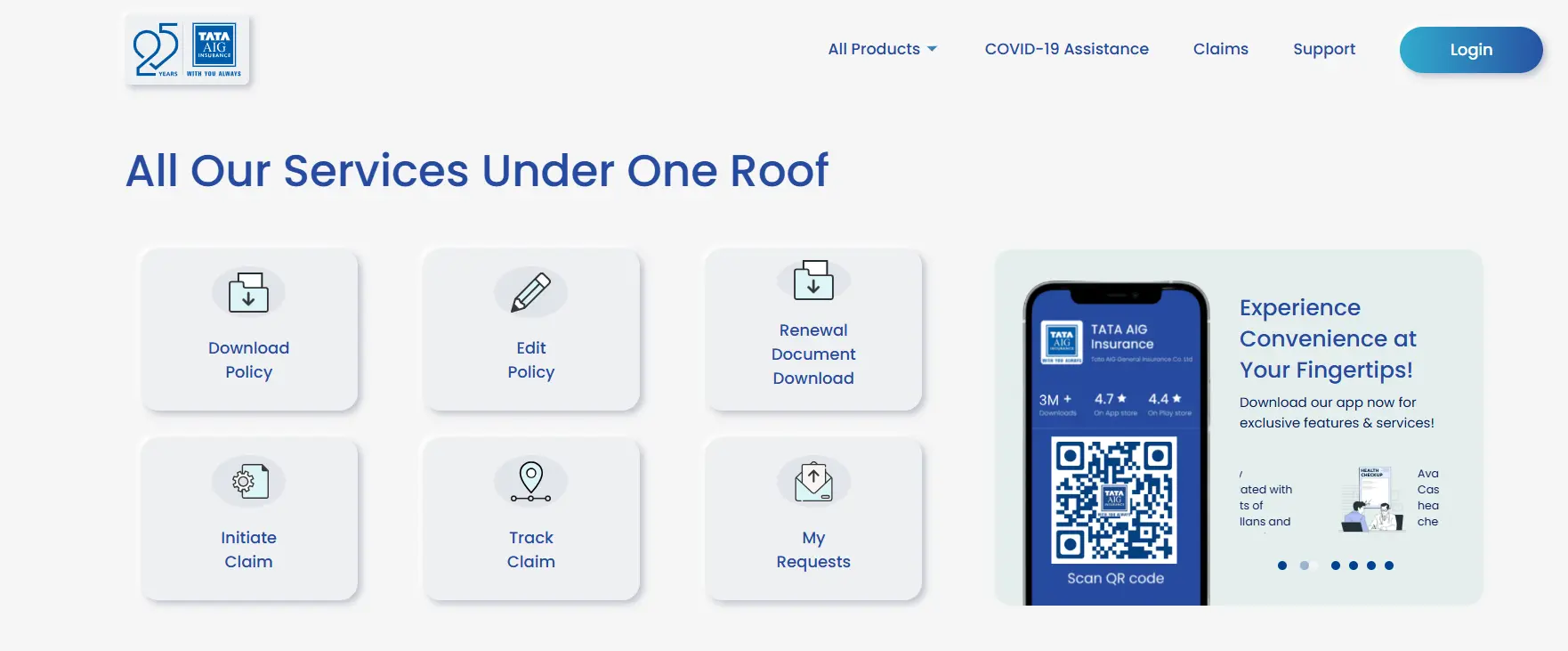
Tata AIG Self-Service Portal
Tata AIG Self-Service Portal Login
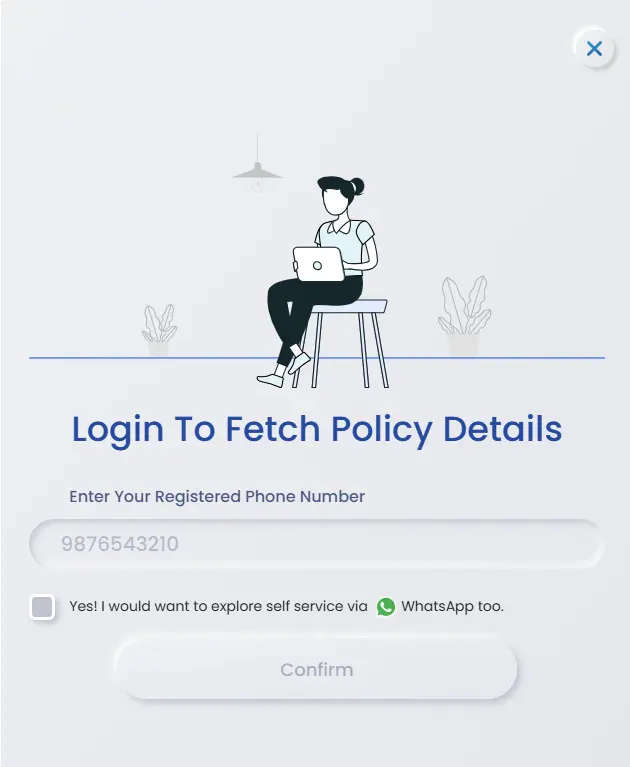
    • Step 2: Enter the mobile number registered with the policy.
    • Step 3: Enter the OTP sent to the registered mobile number.
    • Step 4: Choose the required policy from the list linked to that mobile number.
    • Step 5: View, download, or print the PDF. You can also send a copy to the registered email address.

Tata AIG policy download with mobile number is an easy way to get the PDF. Use the mobile number recorded against the policy. If the policy does not appear, contact Tata AIG with the policy number.

CTA

How to Download Tata AIG Policy by Policy Number?

Tata AIG policy download by policy number is not possible. Tata AIG's current instructions require the registered mobile number and OTP.

If the policy is not linked to your current mobile number, contact Tata AIG with the policy number and registered details. 

How to Download Tata AIG Policy Using the Mobile App?

The Tata AIG Insurance app is available on the Google Play Store for Android and the Apple App Store for iOS. It lets users manage policies, download documents, and keep them available offline.

1. Install and open the app.

2. Log in with the registered mobile number and OTP.

3. Open the policy dashboard and select the required policy.

4. Download the policy document and confirm that it is saved on the device for offline access.

This is usually the fastest option when you're already out and need your policy PDF on hand.

Common Issues While Downloading Your Tata AIG Policy

    • OTP Not Received: Confirm the registered mobile number, request a fresh OTP, and use only the latest code.
    • Expired Session or Error Message: Restart the self-service flow and request a new OTP. Do not reuse an older code.
    • Policy Not Listed: Check the registered email and confirm that the mobile number matches Tata AIG's records. For renewal access, see our Tata AIG Health Insurance renewal guide.
    • Registered Mobile Number Is Inactive: Ask Tata AIG to update the contact details before attempting OTP verification again.
    • Several Policies Appear: Use the policy number, policy period, and insured member details to select the correct record.

Tata AIG Customer Care for Policy Document Help

Use Tata AIG's official support channels if the portal does not show the policy or the registered mobile number is inaccessible. Escalation emails are for unresolved complaints.

ChannelDetails
24/7 Customer Support, Charges Apply022-6489-8282
Senior Citizen Policyholders1800-267-1955
WhatsApp+91-9136160375
Emailcustomersupport@tataaig.com
Escalation Level 1manager.customersupport@tataaig.com
Escalation Level 2head.customerservices@tataaig.com

Unresolved complaints can first be escalated to the manager and then the Head of Customer Services. Tata AIG's grievance policy allows an Ombudsman complaint if no satisfactory response is received within 14 days. IRDAI's Bima Bharosa grievance portal is another grievance route.

Why Choose Ditto for Insurance?

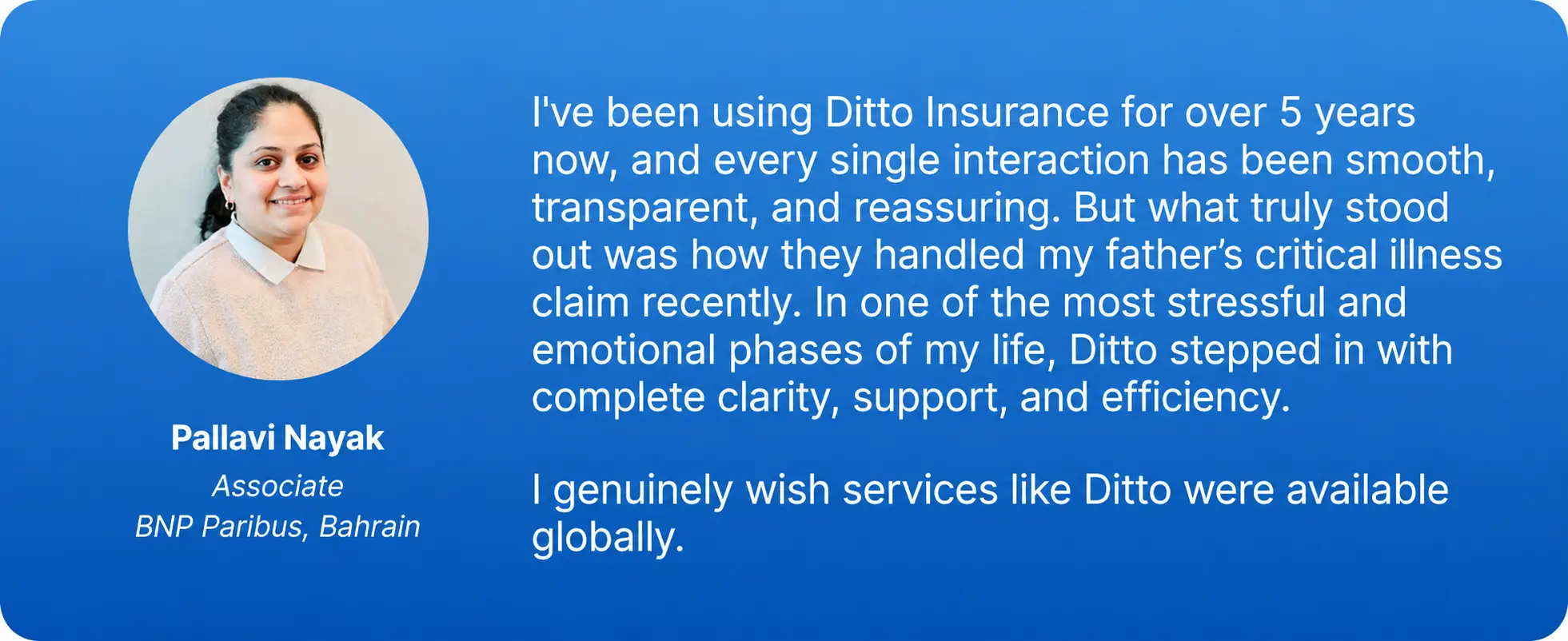
At Ditto, we’ve assisted over 12,00,000 customers choose the right insurance policy. Why customers like Pallavi love us:

Tata AIG policy download
    • 100% Free Consultation
    • No Spam. No Sales Pressure.
    • Rated 4.9/5 on Google Reviews by 30,000+ Happy Customers
    • Backed by Zerodha
    • Dedicated Claim Support Team
    • Compare Plans and Premiums with a Trusted Insurance Advisor

Confused about the right insurance? Speak to Ditto’s certified advisors for free, unbiased guidance. Book your call now or chat with us on WhatsApp. Slots fill up fast!

Conclusion

Downloading a Tata AIG policy doesn't need to be complicated. In most cases, all you need is your registered mobile number and a couple of minutes on the self-service portal or the app. If the portal seems stuck, you can refresh and request a new OTP.

As your next step, save a digital copy somewhere you can find quickly, so you're not scrambling for it during a claim or hospital admission. 

If you're still deciding whether Tata AIG is the right insurer, read our detailed Tata AIG Health Insurance review to understand its plans, pricing, and claim performance before you buy or renew.

Frequently Asked Questions

How can I download my Tata AIG policy online without registering an account?

Use Tata AIG's self-service page and select Download Policy. Enter the mobile number registered with the policy, verify the OTP, and choose the required policy from the list. Tata AIG's published instructions do not require a separate username, password, or account-registration process for this download flow.
Can I download my Tata AIG policy using only my registered mobile number?

You need the registered mobile number and access to the OTP sent to it. The number by itself is not enough. After OTP verification, Tata AIG lists the policies linked to that mobile number, and you can select the correct policy to view, download, print, or email the PDF.

Why does my Tata AIG policy download show an expired session or an error message?

Return to the self-service page and restart the download process. Request a fresh OTP and use only the newest code. If the error continues, clear the browser session or try the Tata AIG app. Contact support if the policy remains unavailable after a new login attempt.

Can I download my Tata AIG premium payment receipt from the same self-service portal?

Tata AIG policy download PDF instructions clearly confirm access to policy copies, but they do not guarantee that a premium receipt appears in the same download flow. Check the renewal or payment section and your registered email. If the receipt is unavailable, request it from Tata AIG customer support.

What should I do if I never received my Tata AIG policy document by email after buying online?

Check the spam, promotions, and trash folders for messages sent to the registered email address. Then use the self-service page to download the policy directly. If the policy is not listed, contact Tata AIG at 022-6489-8282 or customersupport@tataaig.com and provide the policy number for verification.

Is the Tata AIG e-policy PDF legally valid for cashless hospital admission and claims?

An insurer-issued electronic policy is an official policy record. However, showing the PDF alone does not guarantee cashless approval. The hospital must send a preauthorization request, and Tata AIG must verify eligibility and policy terms. Review the Tata AIG Health Insurance claim process, form, and reimbursement guide and the Tata AIG network hospital list before planned hospitalization.

Can I download policy documents for multiple Tata AIG policies from one login?

Yes, Tata AIG states that the policies linked to the registered mobile number are listed after OTP verification. Select each policy separately and download the required PDF. Check the policy number, insured member, and policy period before saving the file so that similarly named policies are not mixed up.

What documents do I need for a Tata AIG policy download with policy number?

For the standard online flow, you generally need the registered mobile number and the OTP sent to it. Keep the policy number ready to identify the correct record. No physical document is normally required for the download itself, though customer support may request identity details if the policy is not linked correctly.

Can I access my downloaded Tata AIG policy on the app without an internet connection later?

Yes. Tata AIG says its app can store policy documents for offline use. Download the PDF while connected to the internet and confirm that the file is saved on the device. Offline availability can depend on app permissions and storage settings, so open the document once before relying on it during an emergency.

How can I get Tata AIG's general documents, like brochures or claim forms, without logging in?

Use the Tata AIG Downloads page. It provides public documents such as policy wordings, brochures, prospectuses, customer information sheets, premium sheets, and claim forms without access to a personalized policy account. Choose the correct product and version because these public documents do not replace your individual policy schedule or endorsements.

Last updated on: