



Overview
Imagine buying a life insurance policy to protect your loved ones and easily accessing its details whenever you need them. That’s the convenience policyholders look for when managing their insurance. SBI Life Insurance offers this convenience.
In this guide, we will walk you through how to access the SBI Life Insurance login portal, the available login options, and other important things you should know.
SBI Life Insurance Login: Customer Portal Steps and Registration
You don't need a separate registration process to access the SBI Life Insurance customer login.
Steps to Log In to the SBI Life SmartCare Portal
1) Visit the official SBI Life SmartCare login page.
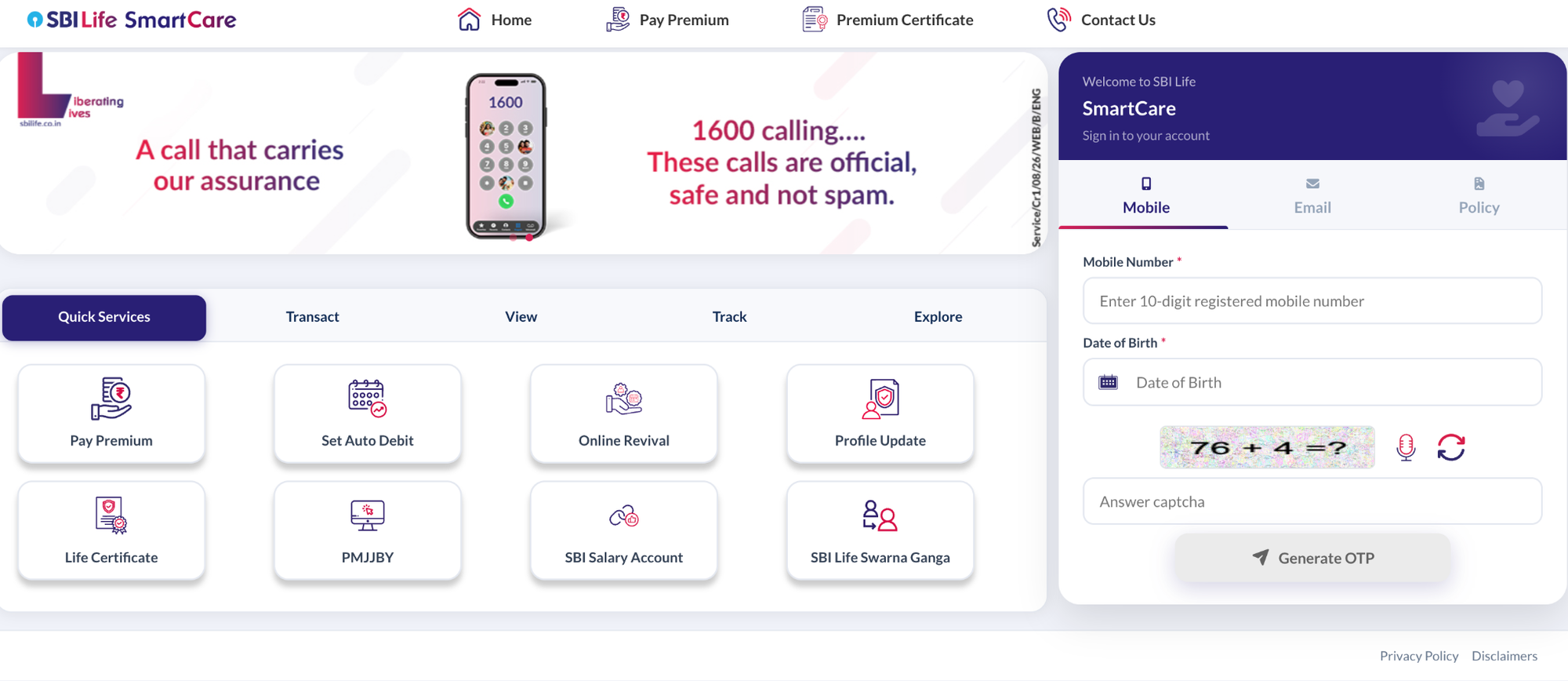
2) Select the preferred login method: registered mobile, email, or policy number.
3) Enter the relevant details and your date of birth.
4) Enter the displayed CAPTCHA.
5) Click on “Generate OTP”.
6) Enter the OTP received on the registered mobile number or email ID to access the policy dashboard.
Once you log in, go to My Policy or Enrolled Policies to view your policy details.
Note: Policyholders should keep their registered mobile number, email address, and policy number handy before starting the SBI Life Insurance login process.
SBI Life SmartCare Mobile App
You can also access your policy through the SBI Life SmartCare mobile app, available on the Google Play Store for Android and the Apple App Store for iOS. Sign in using your registered details to check your policy status, view premium due dates, and make premium payments.
For SBI Life Group Policyholders
If your SBI Life policy is provided through your employer, you may need to use the Smart Group Care portal instead of SmartCare. Check with your employer or SBI Life if you are unsure which portal applies to your policy.
How to Log In With Your Policy or Mobile Number
You can access the SBI Life insurance policy login through the SmartCare portal using your registered mobile number or policy number and your date of birth.
SBI Life Insurance Login With Policy Number
1) Enter the policy number registered with SBI Life.
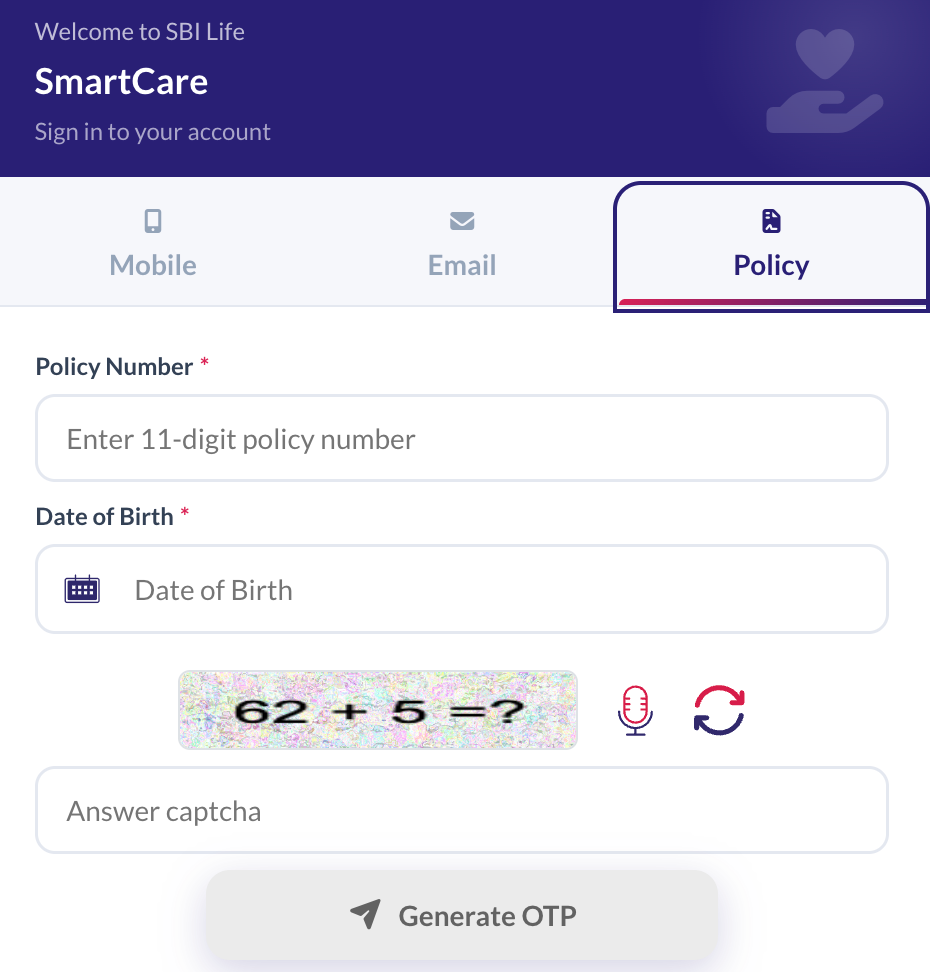
2) Provide your date of birth.
3) Finally, enter the displayed CAPTCHA.
4) Click Generate OTP.
5) Enter the OTP received on the registered contact details to access the policy account.
Select Policy on the SmartCare login page.
SBI Life Insurance Login With Mobile Number
1) Enter the 10-digit registered mobile number.
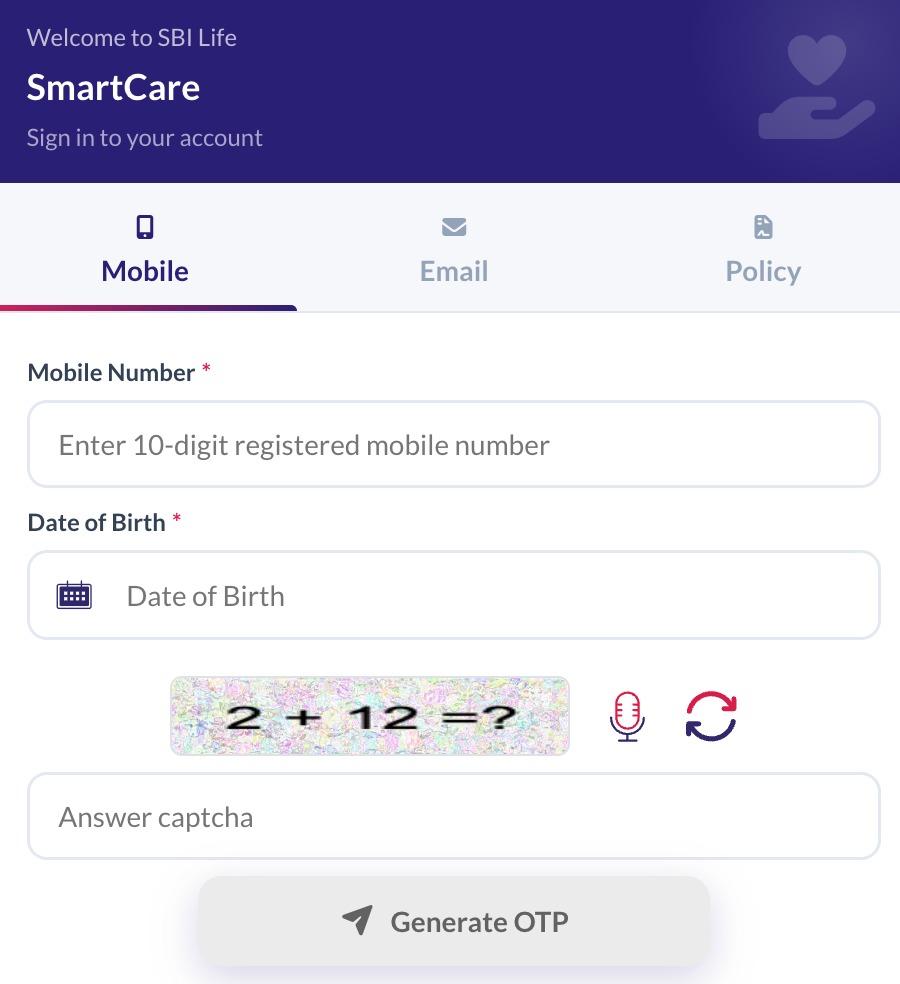
2) Enter the date of birth.
3) Enter the displayed CAPTCHA.
4) Click Generate OTP.
5) Enter the OTP received on the registered mobile number to access the account.
Select Mobile on the SmartCare login page.
Talk to an expert
today and
find
the right
insurance for you.


What You Can Do After SBI Life Insurance Login
Check SBI Life Insurance Policy Status
The SmartCare dashboard allows policyholders to check their SBI Life insurance policy status, including whether the policy is active, lapsed, or reduced paid-up, along with the next premium due date.
Policyholders can also check their SBI Life policy status without logging in. They can send POLSTATUS, followed by a space and their policy number, via SMS to 56161 from their registered mobile number. For a detailed explanation of the available methods, including what to do if a policy has lapsed, refer to the SBI Life policy status guide.
Download Statements and Certificates
After logging in, policyholders can access and download important policy documents, including:
- Policy documents and premium certificates for tax filing
- Premium acknowledgments and TDS certificates
- Unit statements and bonus details
- Payment and payout history
Pay Premiums and Manage Your Policy
The SBI Life SmartCare portal also allows policyholders to manage several aspects of their policies. Depending on the policy, they can:
- Pay renewal premiums or revive a lapsed policy
- Set up auto-debit, change the debit date, or modify premium frequency
- Switch or redirect funds in a Unit-Linked Insurance Plan
- Update PAN, email address, residential address, or bank details
- Generate a partial withdrawal quote
Policyholders can also use the same portal to track a new insurance proposal.
SBI Life Insurance Login Problems and Customer Care Contacts
SBI Life Customer Care
If the login issue persists, policyholders can contact SBI Life through the following channels:
- Toll-Free Helpline (24/7): 1800 267 9090
- Email: info@sbilife.co.in
- Grievances: Email wecare@sbilife.co.in
- WhatsApp: +91 8750633334
- NRI Customers: 022-69289090 or email nriservices@sbilife.co.in
- Branches: Policyholders can use the branch locator on the SBI Life website.
Note: Policyholders should use only the official SBI Life website and avoid sharing their OTP, password, or other login credentials with anyone.
Why Choose Ditto for Life Insurance?
At Ditto, we’ve assisted over 12,00,000 customers with choosing the right insurance policy. Why customers like Aaron below love us:
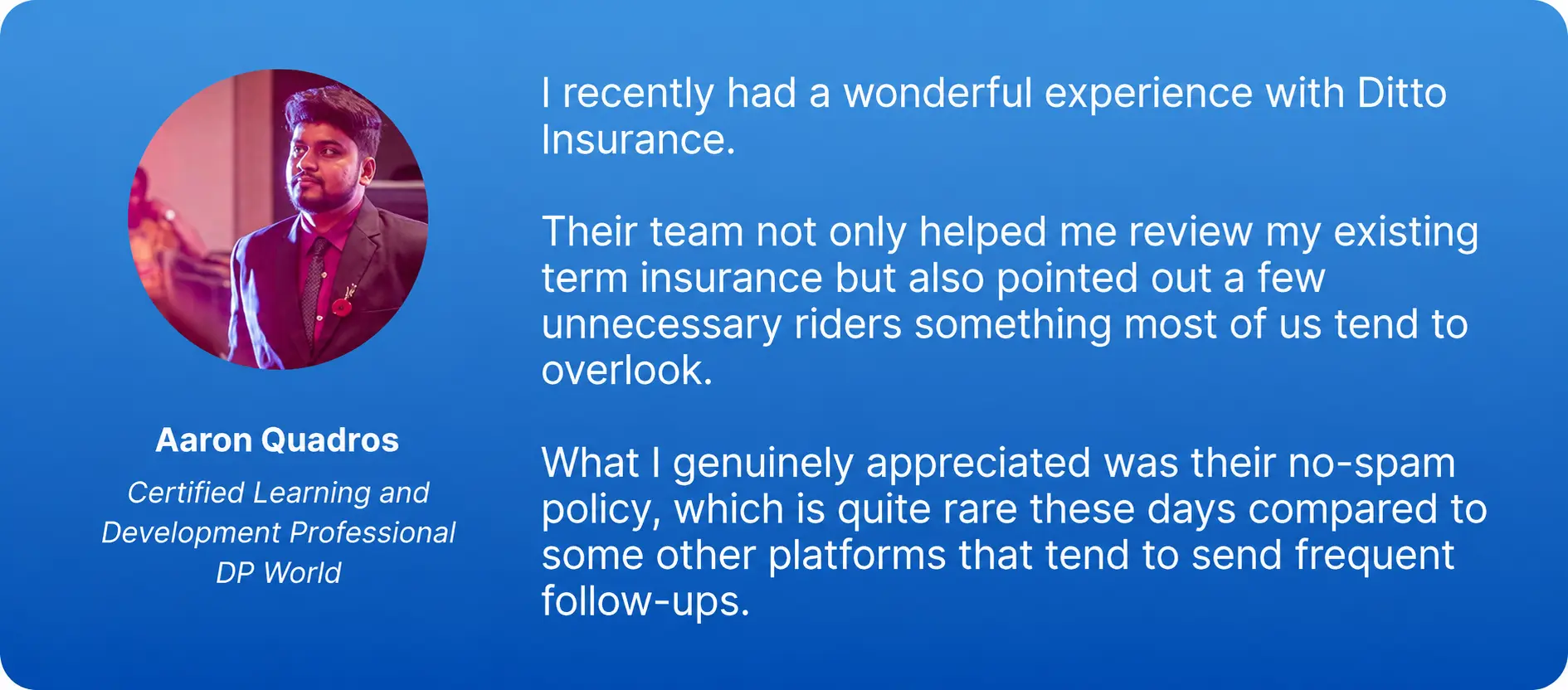
- 100% Free Consultation
- No Spam. No Sales Pressure.
- Rated 4.9/5 on Google Reviews by 30,000+ Happy Customers
- Backed by Zerodha
- Dedicated Claim Support Team
- Compare Plans and Premiums with a Trusted Insurance Advisor
Confused about the right insurance? Speak to Ditto’s certified advisors for free, unbiased guidance. Book your call now or chat with us on WhatsApp. Slots fill up fast!
Conclusion
The SBI Life insurance login makes it convenient for policyholders to access and manage their policies online through the SmartCare portal. Keeping your registered mobile number and email ID updated helps ensure a smooth OTP-based login experience. Policyholders can also log in periodically to check their policy status, premium payments, and other important details.
Frequently Asked Questions
Last updated on: