

Life Insurance

Aviva Life Insurance Login: Customer Portal Guide

Moushmi Kaur

Written by Moushmi Kaur

Insurance Writer

Gaurav Bhat

Reviewed by Gaurav Bhat

IRDAI-Certified Expert at Ditto

SP0738578124

Certified
Aviva Life Insurance Login: Customer Portal Guide

Overview

The Aviva Life Insurance login lets policyholders access their account through the customer portal and view their policy details online.

How to Log In

- Visit the Login Page: Go to the Aviva Life Insurance login page.

- Enter Your Credentials: Provide your registered mobile number or email ID.

- Verify Your Identity: Authenticate using the OTP sent to your registered phone.

Direct Account Actions

- Pay Premiums: Pay your premiums directly without logging in using the Aviva Pay Premium page by entering your policy number and date of birth.

- Track a Proposal: Check the status of a new application on the Aviva Proposal Tracker by entering the proposal number.

Customer Support

- Toll-Free Helpline: 1800-103-7766

- Email: customerservices@avivaindia.com

You can also use Aviva Life’s branch locator to find the branch nearest to you.

Managing a life insurance policy should not mean searching through paperwork every time you need an update. With Aviva Life Insurance, policyholders can use the customer portal to access key policy information, pay premiums, download receipts, and manage their policies online.

The Aviva Life Insurance customer login lets you access these services using your registered mobile number or email ID and verify your identity with an OTP.

In this guide, we’ll explain how to log in to the Aviva customer portal, register as a new user, access services without logging in, and resolve common login issues.

Aviva Life Insurance Login: Customer Portal Steps and Registration

How to Log In to the Aviva Customer Portal

If you have already registered, follow these steps:

1) Visit the official Aviva India website and open the customer login page. You can also access the portal directly.
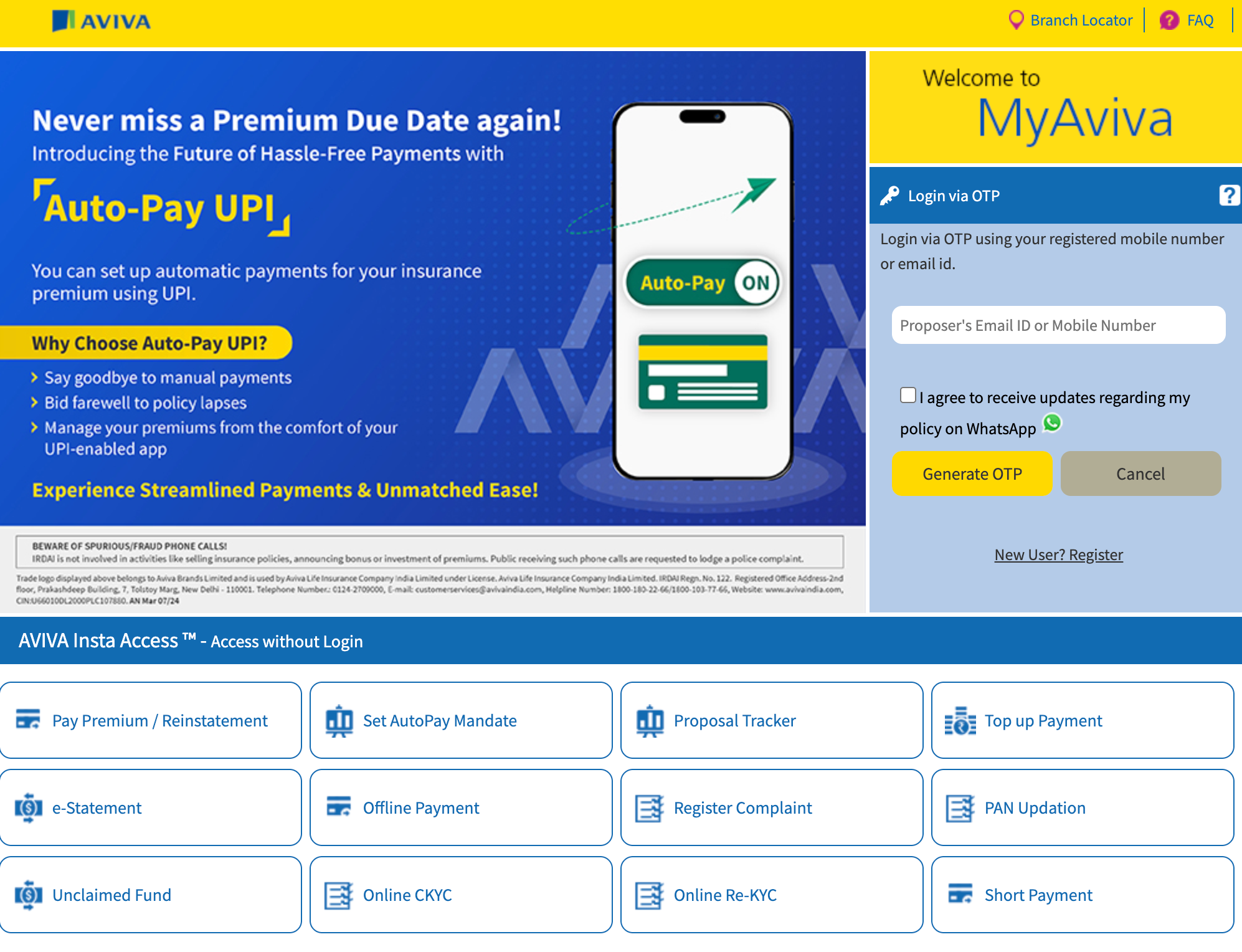
Aviva MyAviva login portal showing OTP access, Insta Access, premium payment, and policy services.

2) Enter your registered mobile number or email ID.

3) Request an OTP to verify your identity.

4) Enter the OTP received on your registered contact details.

5) Submit the OTP to access your account and view your policy information.

If you do not receive the OTP, select ‘Resend OTP’ and try again.

How to Register on the Aviva Customer Portal?

If you are accessing the MyAviva portal for the first time, you can register using your registered contact details.

1) Open the Aviva customer login page and select “New User? Register."

2) Enter the proposer's email ID or mobile number.

3) Enter your date of birth.

4) Enter the code shown on the screen.

5) Click “Submit” and follow the on-screen instructions to complete the registration.

Note: Make sure you enter the email ID or mobile number and date of birth registered with Aviva. If your contact details are outdated, contact Aviva customer care to update them before registering.
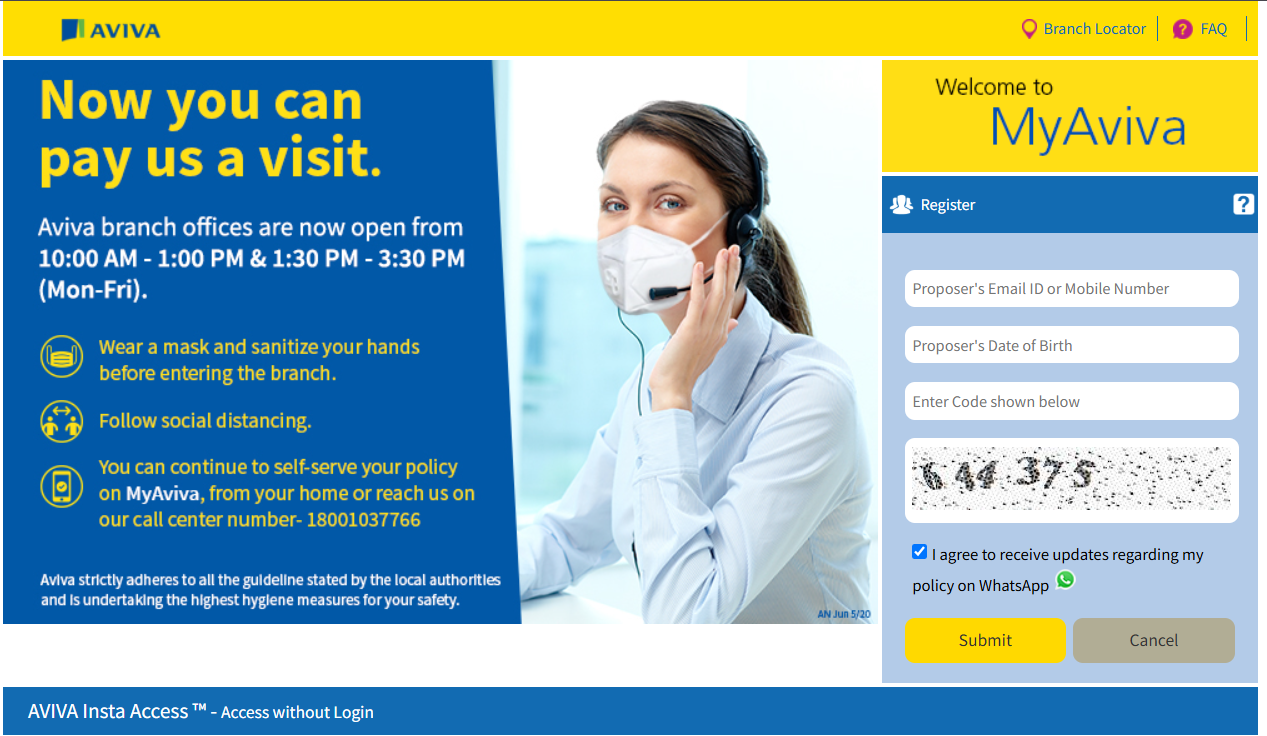
Aviva’s MyAviva registration page displays fields for the proposer’s email ID or mobile number, date of birth, and CAPTCHA, along with a submit button.

Can You Access Aviva Services Without Logging In?

Yes. Aviva’s Insta Access feature allows policyholders to access select services without signing in to their account. Depending on the service, you can use it to pay premiums or initiate reinstatement, set up an AutoPay mandate, track a proposal, register a complaint, access e-statements, and check unclaimed funds. 

However, the services available through Insta Access may vary, so check the official Aviva portal for the latest options.

Talk to an expert
today and find
the right
insurance for you.

Ditto Advisor

What You Can Do After Aviva Life Insurance Login

Once you log in to the MyAviva portal, you can access and manage several policy-related services online.

Check Aviva Life Insurance Policy Details

To view your Aviva life insurance policy details, log in to MyAviva and select ‘Manage my Policy' followed by ‘My Policy Details.' Here, you can check your premium amount, due date, and other policy details. If you have multiple Aviva policies, make sure all of them are linked to your account.

Pay Your Aviva Life Insurance Premium

You can make your Aviva Life Insurance premium payment either after logging in or without signing in. After logging in, select the relevant policy and choose the premium payment option. Alternatively, use ‘Pay Premium’ or ‘Reinstatement’ under Insta Access and enter your policy details. You can also set up an AutoPay mandate to automate future premium payments.

Note: The MyAviva portal also allows you to download renewal premium receipts through My e-statement, request a soft copy of your policy document, update your bank account details, and update PAN, CKYC, and Re-KYC details. You can also register a complaint online and access chat support from the login page.

Aviva Life Insurance Login Problems and How to Fix Them

ProblemHow to Fix It
OTP Not ReceivedSelect Resend OTP, check your network connection and email spam folder, and confirm that you are using the mobile number or email ID registered with Aviva.
OTP ExpiredRequest a new OTP and enter it within the specified validity period.
Unable to RegisterCheck that your policy number and date of birth match your policy records.
Old Registered Contact DetailsContact Aviva customer care to update your mobile number or email ID before trying to register again.
Policy Not Visible After LoginMake sure you are using the mobile number or email ID linked to the relevant policy.
Portal Not LoadingClear your browser cache, try a different browser or device, and check your internet connection.
Password-Related IssueIf the portal asks for a password, use the Forgot Password option to reset it.

Note: If the issue persists, contact Aviva customer care with your policy number and details of the error. Never share your OTP or login credentials with anyone, even if they claim to represent Aviva.

Aviva Life Insurance Customer Care and Support Contacts

If you need help with your policy or face an issue with the customer portal, you can contact Aviva Life Insurance customer care through its helpline, email, or online support channels.

    • Customer Care Number: 1800-103-7766 (toll-free), available from 9 am to 6 pm, Monday to Saturday.
    • Email: customerservices@avivaindia.com
    • Online Policy Support: Email onlinepolicy@avivaindia.com
    • Chat Support: Available through the MyAviva login page.
    • Contact Us: You can also use the Contact Us section on Aviva India's official website.

Keep your policy number and registered mobile number handy when contacting customer care for quicker verification. Since contact details may change, verify the latest information on Aviva India's official Contact Us page before reaching out.

Why Choose Ditto for Life Insurance?

At Ditto, we’ve assisted over 12,00,000 customers with choosing the right insurance policy. Why customers like Aaron below love us:
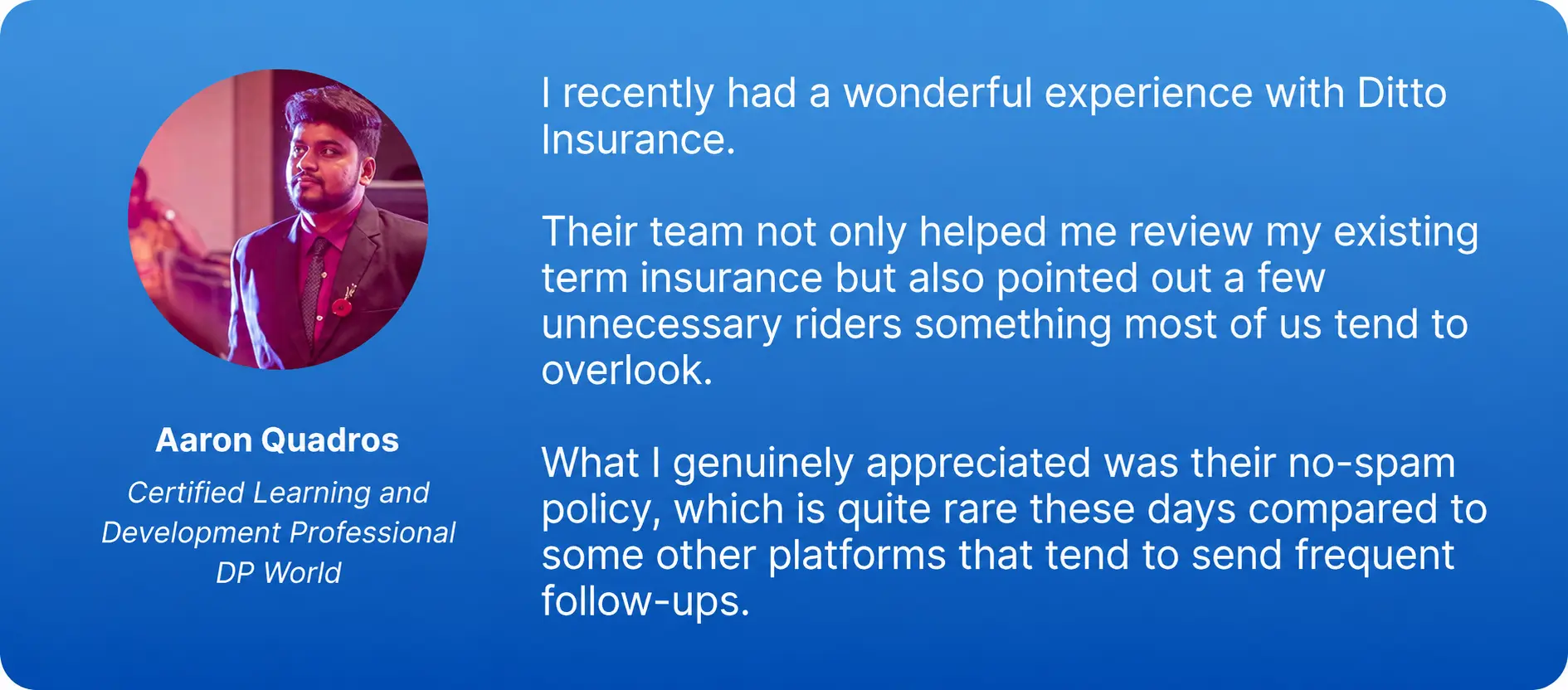
Aaron Quadros LinkedIn Testimonial
    • 100% Free Consultation
    • No Spam. No Sales Pressure.
    • Rated 4.9/5 on Google Reviews by 30,000+ Happy Customers
    • Backed by Zerodha
    • Dedicated Claim Support Team
    • Compare Plans and Premiums with a Trusted Insurance Advisor

Confused about the right insurance? Speak to Ditto’s certified advisors for free, unbiased guidance. Book your call now or chat with us on WhatsApp. Slots fill up fast!

Conclusion

The Aviva Life Insurance customer portal makes it easier to manage your policy online, from checking policy details and paying premiums to downloading receipts and updating your information. 

You can log in using your registered mobile number or email ID and verify your identity through an OTP. If you need only a specific service, Aviva’s Insta Access lets you complete select tasks without logging in. For login issues or other policy-related queries, you can contact Aviva customer care for assistance.

Frequently Asked Questions

Is the Aviva Life Insurance customer login portal still active for existing policyholders?

Yes. Existing Aviva Life Insurance policyholders can access their policies through the MyAviva customer portal. Log in using your registered mobile number or email ID, then complete the OTP verification. The portal allows you to view policy details, pay premiums, download documents, and access other online services.

How do I register for Aviva Life Insurance login with my email ID or mobile number?

To register, visit the Aviva customer login page and select ‘New User? Register’. Enter your proposer's email ID or mobile number, date of birth, and the code displayed on the screen. Click Submit and follow the on-screen instructions to complete your registration.

Can I pay my Aviva Life Insurance premium online without logging in?

Yes. Aviva allows policyholders to pay premiums without signing in through its Insta Access feature. Select Pay Premium / Reinstatement on the customer portal and provide the required policy details. You can also set up an AutoPay mandate to automate future premium payments and reduce the chances of missing a due date.

Which Aviva Life Insurance customer care channels can help with login problems?

You can contact Aviva Life Insurance customer care at 1800-103-7766, available from 9 am to 6 pm, Monday to Saturday. You can also email customerservices@avivaindia.com or onlinepolicy@avivaindia.com. Chat support is available through the MyAviva login page for selected queries and assistance.

Does Aviva Life Insurance send an OTP to the registered email or mobile number during login?

Yes. Aviva uses OTP-based authentication for customer portal access. The OTP is sent to your registered mobile number or email ID, depending on the available login option. Enter the OTP within its validity period to complete verification. If you do not receive it, use the Resend OTP option.

What should I do if my Aviva Life Insurance policy is not visible after login?

If your policy is not visible after logging in, first check that you are using the mobile number or email ID registered with that policy. If you have multiple policies, confirm that they are linked to your account. If the issue continues, contact Aviva customer care with your policy number for assistance.

How can I get Aviva Life Insurance policy details without online login?

If you cannot access MyAviva, you can retrieve policy details via SMS using your registered mobile number. Type the required keyword followed by a space and your policy number, then send it to +91-9880102266. For example, use POLSTAT [Policy Number] to check your policy status. You can also contact Aviva at 1800-103-7767 or 0124-2709046 for assistance.

Last updated on: