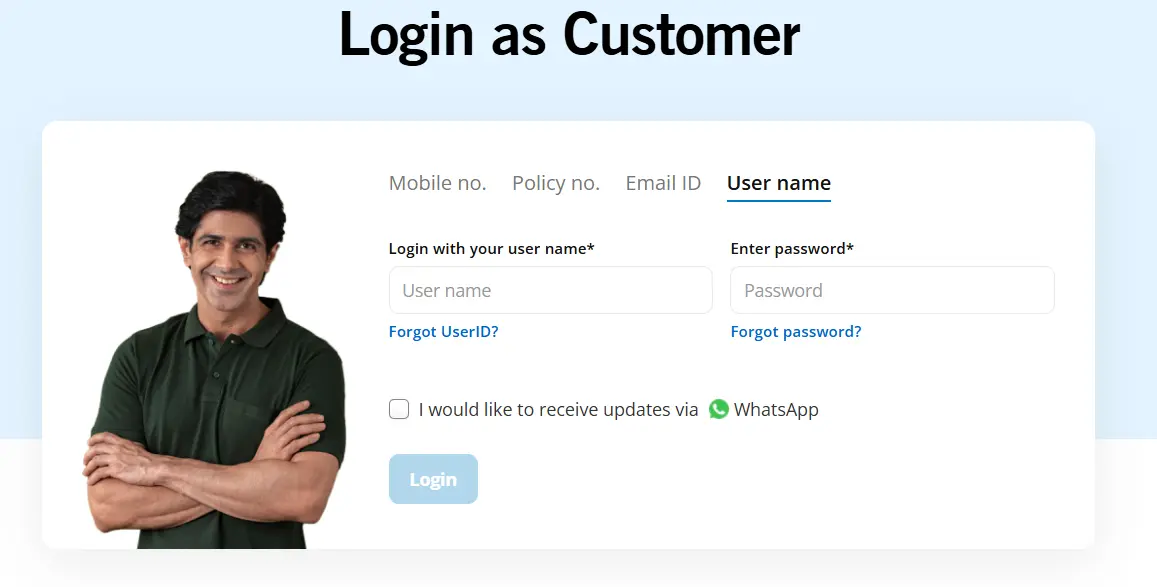
You can access your policy details through the Pramerica Life Insurance log in portal. It allows policyholders to log in using their registered mobile number, policy number, email ID, or username.
How to Log In
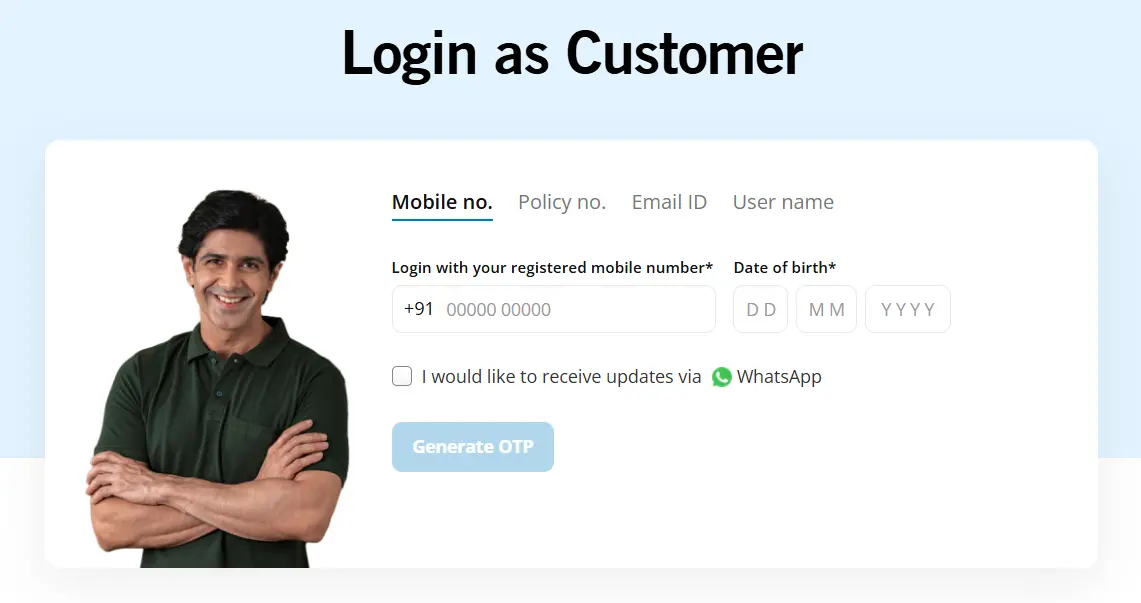
Registered Mobile Number: Enter your 10-digit mobile number and date of birth to receive an OTP.
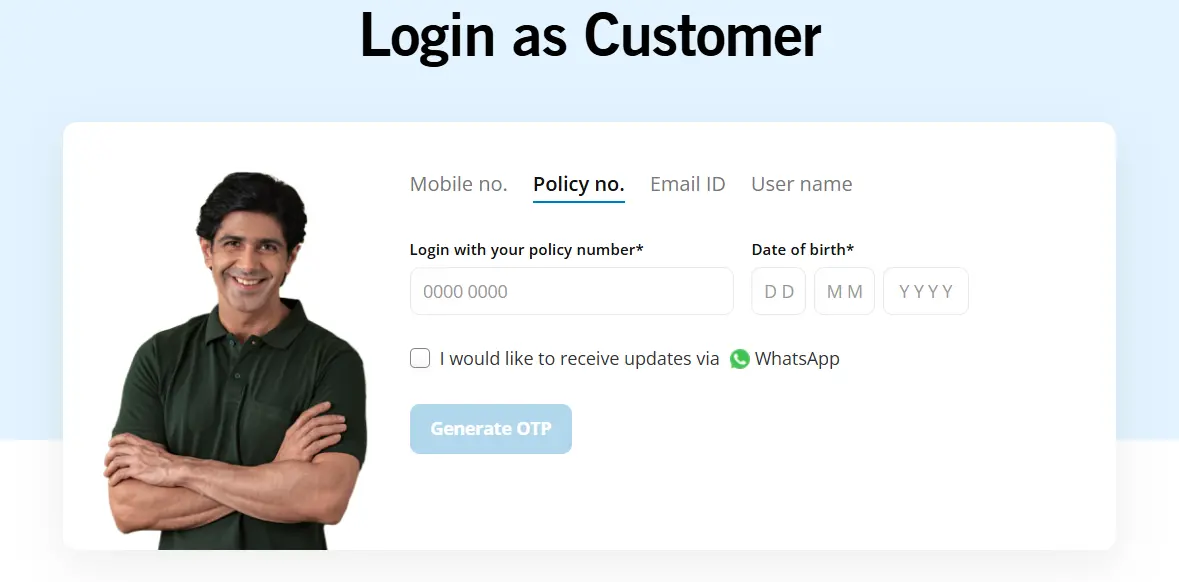
Policy Number: Enter your policy number and date of birth to receive a One-Time Password (OTP) for verification.
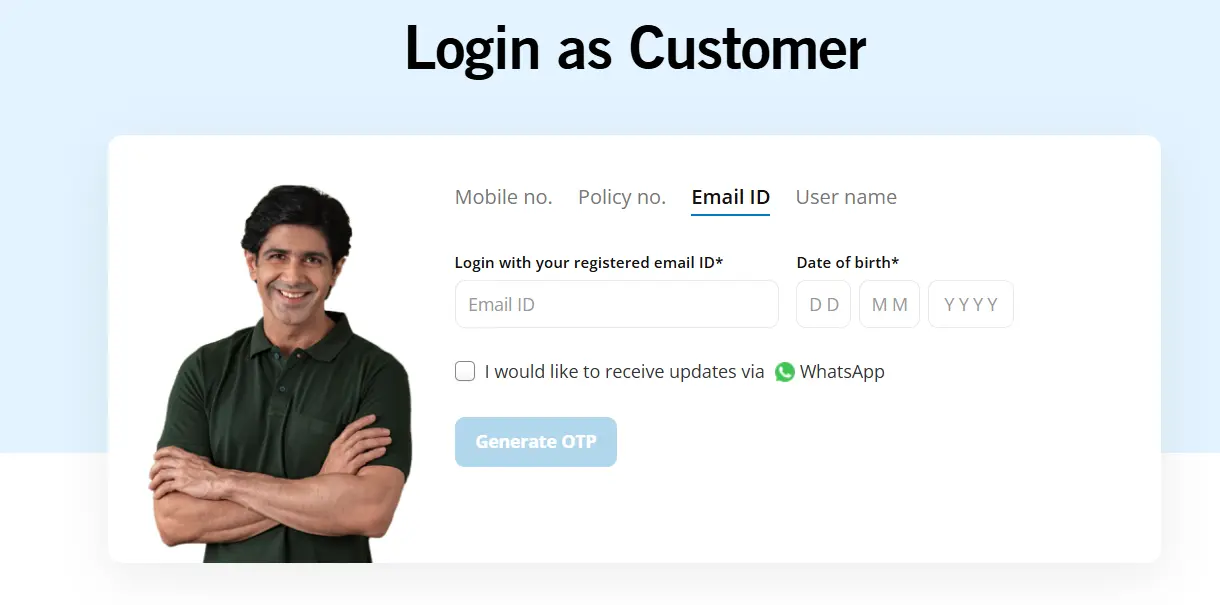
Registered Email ID: Enter your email address and date of birth to receive an OTP.
Username: Log in using your username and password.
Customer Service and Helpline
Helpline: 1860 500 7070 (working hours are Monday to Saturday, from 9 AM to 7 PM)
WhatsApp: Send ‘Hi’ to +91 92891 87070
Email: contactus@pramericalife.in
Need to check your policy or pay a renewal premium? The Pramerica Life Insurance log in portal lets you access key policy services online.
This guide explains how to use the Pramerica Life Insurance customer log in portal to access policy details, pay premiums, download documents, and manage service requests online.
Looking for a term insurance company with convenient customer login methods? Book a free call or chat on WhatsApp with a Ditto advisor.
How to Log In to Pramerica Life Insurance Online?
Pramerica Life’s customer portal offers four ways to access your account. You can log in using your registered mobile number, policy number, email ID, or username and password.
Log In via Registered Mobile Number
1) Enter your 10-digit mobile number registered with Pramerica Life.
2) Provide your date of birth.
3) Click Generate OTP.
4) Enter the OTP you receive to verify your identity and access your account.
Log In via Policy Number
1) Enter your Pramerica Life policy number.
2) Provide your date of birth.
3) Click Generate OTP.
4) Complete the OTP verification to log in.
Talk to an expert today and find the right insurance for you.
Log In via Registered Email ID
1) Enter the email address linked to your policy.
2) Provide your date of birth.
3) Click Generate OTP.
4) Enter the OTP sent to your registered contact details to proceed.
Log In via Username and Password
1) Select the username log in option.
2) Enter your existing user ID.
3) Type your account password.
4) Submit your credentials to access your policy account.
How to Reset Your Pramerica Life Insurance log in Password?
1) Visit the Pramerica Life Customer log in portal.
2) Select the Username log in option.
3) Click on ‘Forgot Password?’ below the password field.
4) Follow the on-screen instructions to verify your identity and reset your password.
5) Once the reset is complete, return to the log in page and sign in with your updated credentials.
Benefits of Logging Into Pramerica Life Insurance
01
Easier Premium Management
Pay renewal premiums online and download payment receipts. This helps you track your payments, avoid missed due dates, and keep your policy records up to date.
02
Easy Document Access
Download policy documents and tax certificates whenever required. Having these records available online makes it easier to review policy details and access important documents.
03
Better Investment Visibility
If you hold an investment-linked policy, you can access unit statements and review relevant fund-related details. This helps you keep track of your policy's investment component.
04
Simpler Policy Maintenance
Use available online servicing facilities to update bank account details and submit other policy-related requests. This makes routine policy maintenance more convenient.
05
Claims Assistance
Access claim-intimation services and relevant information through the portal. This can help you understand the initial steps and find the details needed to start a claim.
06
Less Paperwork
Download documents and submit eligible service requests online instead of relying entirely on physical paperwork. This makes it easier to maintain and retrieve your policy records.
What Can You Do After Logging In to Pramerica Life Insurance?
Pay your insurance premiums online or renew an existing policy.
Download premium payment receipts for your records.
Access and download your policy documents or policy pack.
Obtain tax certificates and other documents for tax reporting.
View unit statements and investment details for eligible unit-linked policies.
Set up or manage e-NACH mandates for automatic premium payments.
Submit requests to update your registered bank account details.
Inform the insurer about a claim through the available online facility.
Note: Some services require you to log in to your customer account, while others may be available through separate verification or service-request pages.
How to Contact Pramerica Life Insurance Customer Support?
Note: You can call the alternative Pramerica Life Insurance customer care number from Monday to Saturday, between 9:00 AM and 7:00 PM.
Why Choose Ditto for Life Insurance?
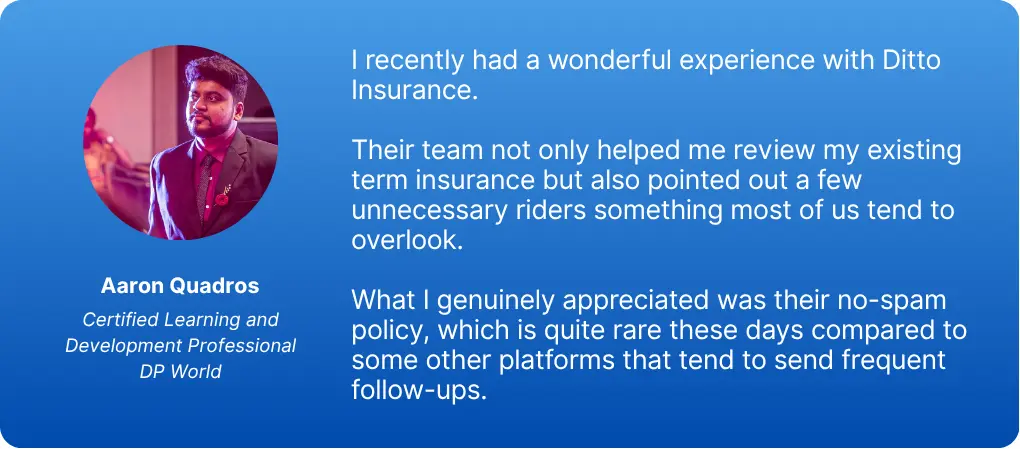
At Ditto, we’ve assisted over 12,00,000 people with choosing the right insurance policy. Why customers like Aaron below love us:
100% Free Consultation
No Spam. No Sales Pressure.
Rated 4.9/5 on Google Reviews by 30,000+ Happy Customers
Backed by Zerodha
Dedicated Claim Support Team
Compare Plans and Premiums with a Trusted Insurance Advisor
You can book a FREE consultation. Slots are running out, so make sure you book a call or chat on WhatsApp now!
Conclusion
The Pramerica Life Insurance Limited customer portal covers essential services such as premium payments, policy documents, tax certificates, and claim intimation. It gives policyholders a convenient way to manage routine requests without visiting a branch.
However, if you prefer app-based access, established insurers like HDFC Life and Axis Max Life also offer dedicated mobile apps for added convenience.
Frequently Asked Questions
Do I need a registered mobile number to log in to Pramerica Life Insurance?
Yes, if you want to log in using your mobile number. However, Pramerica Life offers multiple log in methods through its customer portal. You can access your account using your policy number or email ID with your date of birth and OTP verification. You can also log in with your existing username and password without using the OTP-based options.
Can I log in to Pramerica Life Insurance using my policy number?
Yes. Select the policy number option on the Pramerica Life customer portal. Enter your policy number and date of birth, then click Generate OTP. Complete the OTP verification to access your account. Make sure you enter the policy number correctly and use the date of birth registered with the insurer.
How can I download my premium paid certificate from the Pramerica Life Insurance portal?
Visit Pramerica Life's official customer services page and select “Tax Certificate”. Complete any required policy or identity verification, then follow the instructions to download the available certificate. You can save it for your tax records or share it with your tax advisor. The exact steps may vary based on the portal interface.
Can I check my ULIP fund value after logging in to Pramerica Life Insurance?
Yes. If you hold a Unit Linked Insurance Plan (ULIP), you can access unit statements and relevant investment details through the customer portal. These records help you review your fund-related information and track your policy's investment component. The information available may depend on your specific plan and portal facilities.
How can I update my registered mobile number or email address through the Pramerica Life Insurance portal?
To update your registered mobile number or email address, visit Pramerica Life’s official website and check the available service-request options. You can also contact customer care for assistance. The insurer may ask you to complete identity verification before updating your registered contact details.
How can I pay my Pramerica Life Insurance renewal premium through the online portal?
Visit the Pramerica Life official portal and log in using your policy number or registered mobile number. Select your policy and look for the premium payment option. Follow the instructions to complete payment using an available method. Download or save the payment receipt once the transaction is successful.
Why am I getting an OTP error while logging in to Pramerica Life Insurance?
An OTP error may occur if the code has expired, you entered it incorrectly, or there is a delay in message delivery. Check your registered contact details and request a fresh OTP. If the issue continues, try again later or contact customer care for assistance.
Can I access my Pramerica Life Insurance policy details through WhatsApp instead of the online portal?
Yes. Pramerica Life lists WhatsApp support at +91 92891 87070. You can contact the insurer through this number for assistance with policy-related queries. However, WhatsApp support may not provide all the account features available on the customer portal. Use the official portal for services such as downloading documents and paying premiums.