



Overview
Choosing the right insurance plan can feel complicated when you have to compare premiums, coverage, and benefits. A quick quote can simplify the first step, helping you understand the likely cost of your plan before you decide.
This guide explains how LIC’s Quick Quote works and how to use official benefit illustrations to understand premiums, maturity, surrender, and other policy values more accurately.
What Is the LIC Policy Calculator?
LIC does not have a single tool officially named a “Policy Calculator.” However, there are two alternative options you can explore.
- Quick Quote: LIC provides Quick Quote through its digital portal. Use it when you are comparing plans or estimating premiums and illustrated benefits. It provides immediate estimates without requiring email or OTP verification, but it does not offer rider-selection options.
- Buy Online: Use the LIC Buy Online portal when you are ready to purchase. It asks for more detailed information and lets you add eligible riders.
These are official LIC facilities that can provide plan-specific premium estimates and illustrations, making it a more reliable starting point than most third-party calculators. Third-party calculators can help you get a rough idea of premiums or potential returns, but their projections should not be treated as guaranteed figures. Never use such calculators as the basis for surrendering, borrowing against, or buying a policy.
Note: Quick Quotes are available only for LIC plans that can be purchased directly online. Agent-sold or offline plans may not have a self-service quote facility, so you may need to contact an LIC agent or branch for premium details.
Talk to an expert
today and
find
the right
insurance for you.


How to Use the LIC Policy Calculator by Policy Number?
There is no official LIC calculator that lets you enter a policy number and instantly retrieve your exact maturity, surrender, or loan value. For an existing policy, you need to rely on LIC’s Customer Portal, servicing branch, or agent for the latest policy-specific figures.
However, you can use Quick Quote to calculate premiums and benefits for a new policy, not to retrieve details from an existing contract.
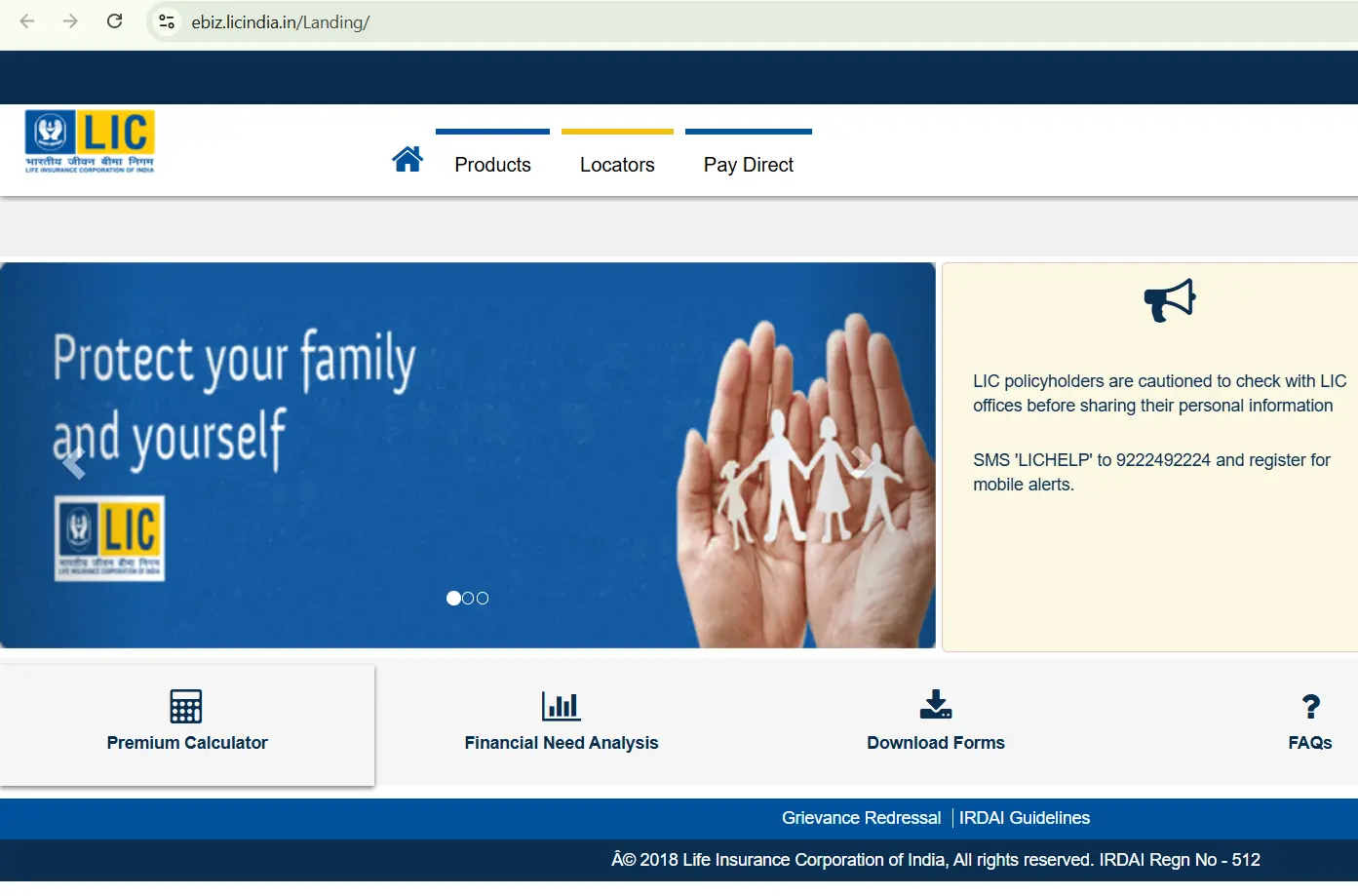
1) For a New Policy Quote: Go to LIC Digital and select “Premium Calculator”.
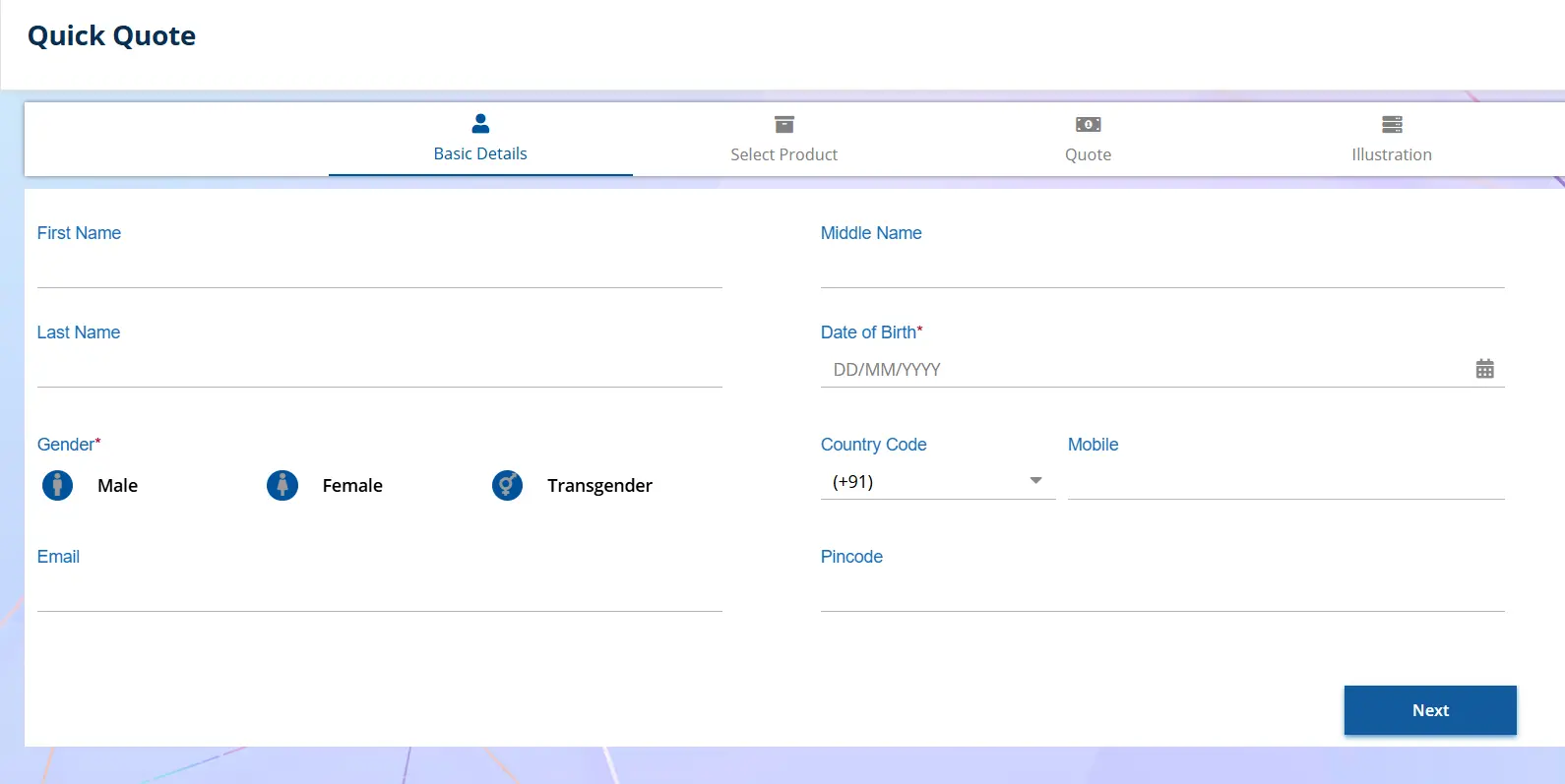
2) Basic Details: Enter your name, date of birth, gender, mobile number, email address, PIN code, and click “Next” and “Quick Quote”.
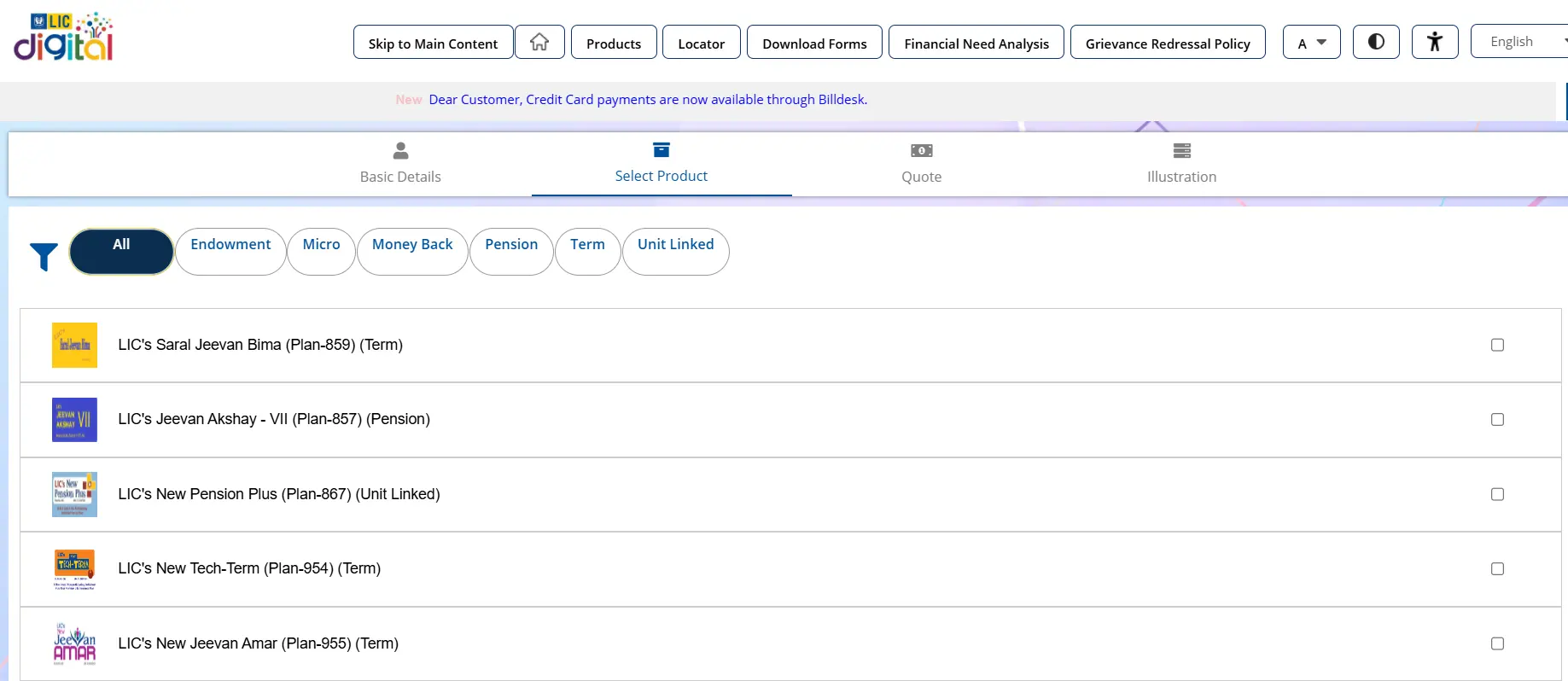
3) Select Product: Choose the relevant category, such as endowment, money back, term, pension, micro, or Unit-Linked Insurance Plans (ULIPs), and click “Coverage”.
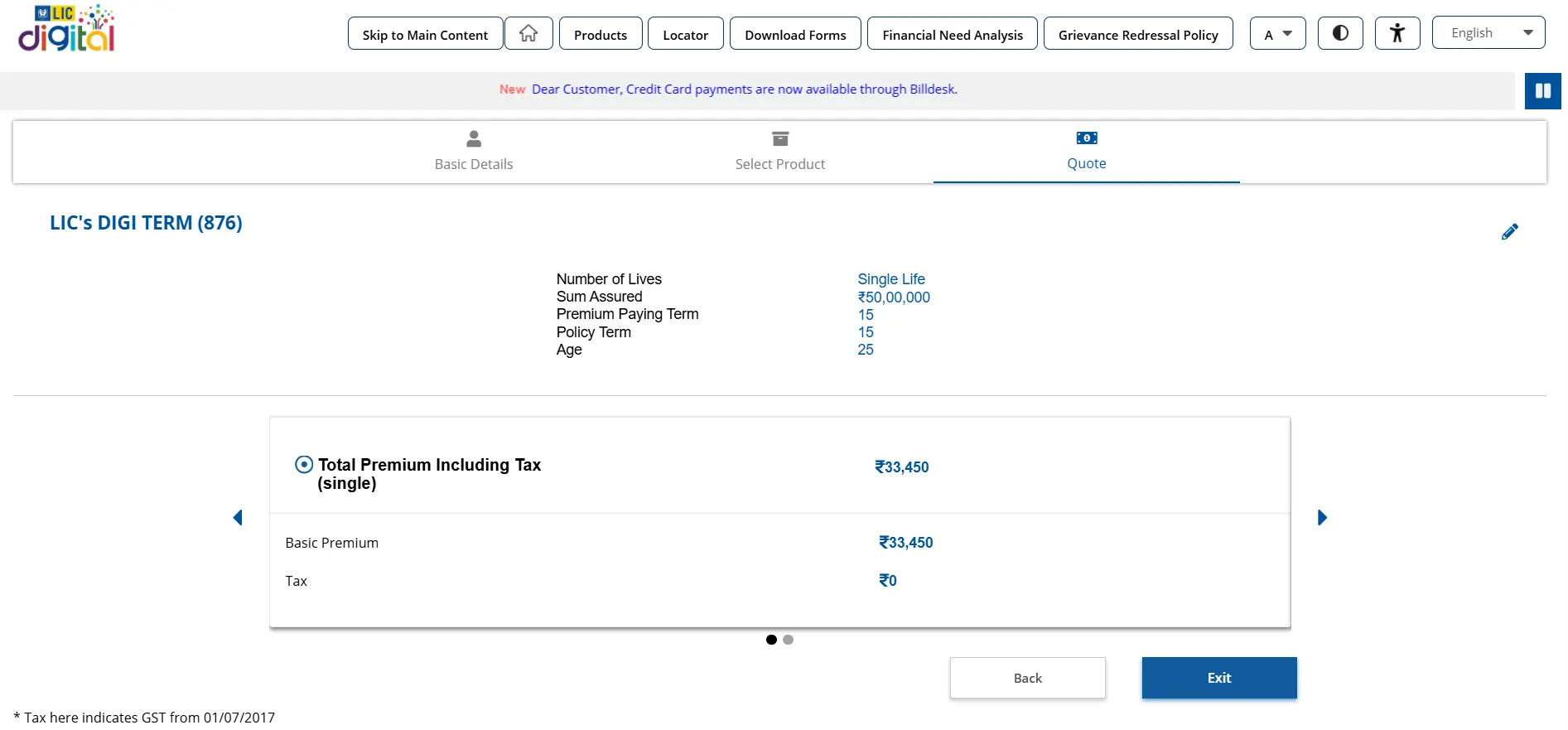
4) Quote: Enter details such as number of lives, sum assured, policy term, and Premium Paying Term (PPT), then select the premium payment type and click “Quote”. The tool displays the basic premium, Goods and Services Tax (GST), and total premium.
If you select LIC Digi Term at age 25 for a single life, with a sum assured of ₹50 lakh, a 15-year policy term and a 15-year PPT, the premium and applicable benefits would be determined based on these inputs and the plan’s prevailing rates.
5) Illustration: If you wish to explore a pension plan like LIC New Pension Plus, enter payment frequency, premium amount, policy term, PPT, and fund. Select “Get Illustration” to generate the official Benefit Illustration (BI) in PDF format, showing applicable year-wise maturity, death, and surrender values.
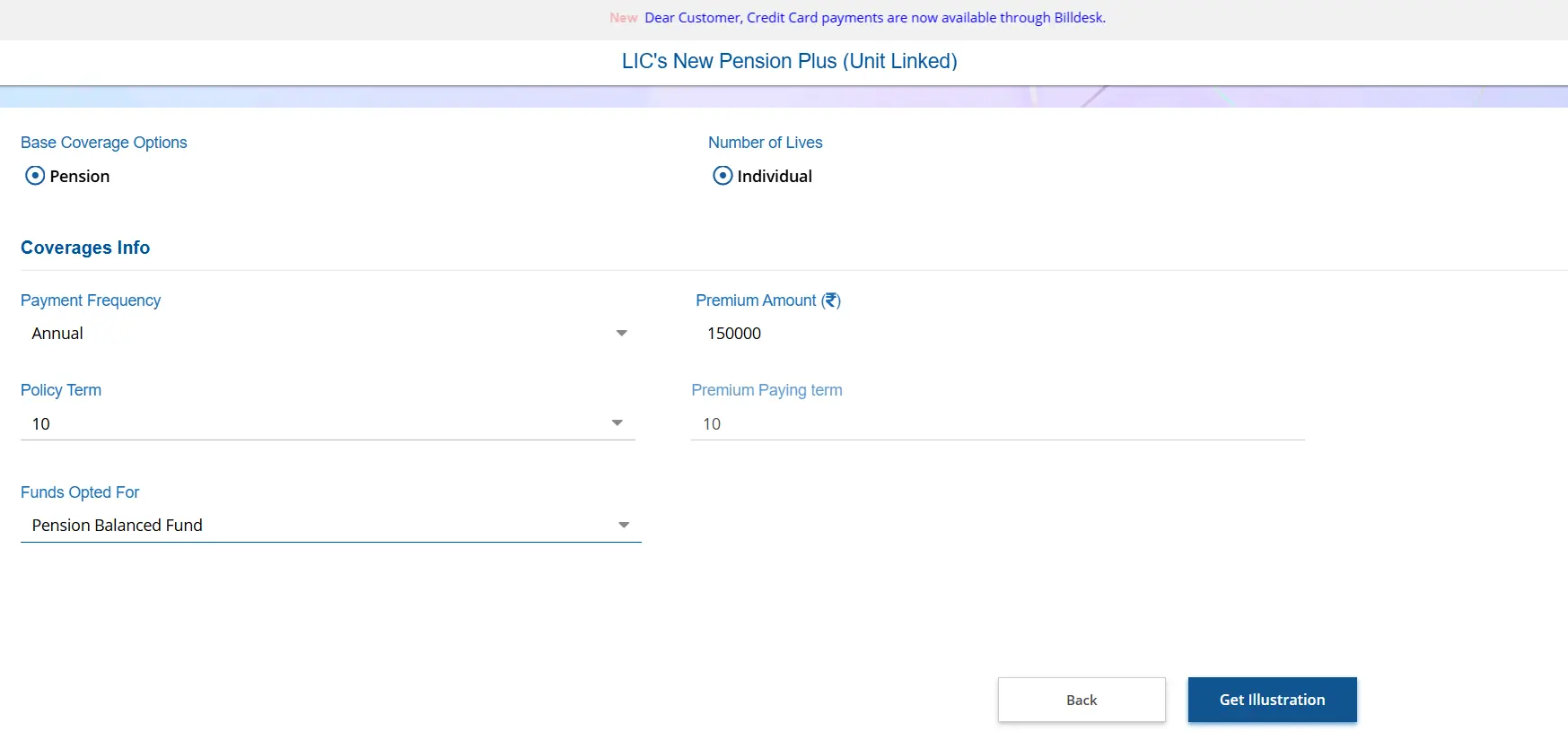
Download and review the benefit illustration carefully. For participating plans and ULIPs, the surrender and maturity values shown are indicative and may vary. For non-linked, non-participating plans, the illustrated benefits represent the guaranteed benefits, subject to the policy terms and conditions.
Details You Need Before Using the LIC Policy Calculator
Before using the quick quote feature, keep in mind that different LIC products can produce very different premium quotes, benefits and maturity illustrations. The figures depend on factors such as your age, sum assured, policy term, premium paying term and selected benefits.
For savings plans, illustrations may also include bonuses that are declared in the future and are therefore not guaranteed. Having the right policy details handy will help you get a more meaningful estimate.
LIC Surrender Value Calculator: GSV Versus SSV Explained
There is no single official LIC calculator that can instantly determine the surrender value of an existing policy. However, LIC policy brochures provide guaranteed surrender value factor tables. These factors are expressed as percentages and vary depending on the policy term and the policy year in which you surrender the policy. LIC pays whichever is higher between GSV and Special Surrender Value (SSV).
Note: The figures are derived from the official New Jeevan Anand brochure. The data is based on an entry age of 30, a basic sum assured of ₹2 lakh, a policy term and PPT of 35 years, and an annual base premium of ₹6,968.
What’s the Difference Between GSV and SSV?
LIC Policy Loan Calculator: How Much You Can Borrow
LIC does not currently offer an official calculator that lets you enter your policy details and instantly determine the exact loan amount. In general, an LIC policy loan is linked to the policy’s current surrender value, rather than the basic sum assured or projected maturity value.
The actual loan eligibility depends on the specific policy terms and applicable LIC rules. You’ll have to contact your LIC agent or branch to confirm the actual surrender value, loan eligibility, and applicable interest rate for your specific policy. As a broad reference, eligible loans may be up to 90% of the surrender value for in-force policies and 80% for paid-up policies, subject to the plan’s terms and conditions.
Sample LIC Policy Calculator Outputs for Jeevan Anand and Jeevan Sathi
Since LIC does not provide a single official calculator for projecting all policy values, the examples below are based on premium illustrations from the official LIC New Jeevan Anand policy brochure and LIC New Jeevan Sathi Single Premium brochure.
New Jeevan Anand Sample Premiums
Note: The annual premiums across policy terms for a ₹2 lakh basic sum assured are calculated for standard lives.
New Jeevan Sathi Single Premium Sample Premiums
Note: The one-time single premium across policy terms for a ₹3 lakh basic sum assured (Option II), calculated for standard lives assuming both spouses are of the same age.
Factors That Affect Your LIC Policy Maturity Amount
- Type of Policy: A pure term plan typically has no maturity benefit. Endowment, money back, and ULIPs can build a surrender value, subject to policy terms and performance.
- Basic Sum Assured: This forms an important part of the maturity benefit under applicable plans.
- Policy Term and Premium Paying Term: The duration of the policy and premium paying period can affect the benefit structure.
- Premiums Actually Paid: Missed premiums, paid-up status, or policy lapses can materially change the maturity benefit.
- Vested Bonuses: Participating policies may accumulate simple reversionary bonuses declared during the policy term.
- Final Additional Bonus (FAB): Where applicable, a FAB may increase the maturity payout, but it depends on the insurer's declaration.
- Guaranteed Additions: Non-participating policies may provide guaranteed additions according to their specific terms.
- Policy Status: Whether the policy is in-force, paid-up, revived, or otherwise affects the amount ultimately payable.
- Outstanding Loan and Interest: Any policy loan and accumulated interest can reduce the net amount received.

Common Mistakes to Avoid When Using an LIC Policy Calculator
Using a Third-Party Premium Calculator
These tools are generally designed for new-policy estimates, not exact values for an existing contract.
Treating 4% or 8% Illustrations as Actual Returns
These are prescribed illustration assumptions, not the policyholder’s guaranteed investment return.
Adding the Entire Bonus to Surrender Value
Participating bonuses may be subject to separate surrender-value factors.
Ignoring Paid-up Status
A paid-up or lapsed policy can have materially different maturity, bonus, surrender, and loan benefits.
Ignoring Outstanding Loan Interest
Existing policy loans and accumulated interest can reduce the final amount payable and may affect the policy's status.
Confusing Guaranteed Additions With Investment Returns
Guaranteed Additions are calculated according to the policy-defined premium base and should not automatically be treated as an annual return on the fund.
Ignoring the Internal Rate of Return (IRR)
A large maturity amount can look attractive in absolute terms, but the IRR may reveal a much lower annualized return. Compare it with alternatives such as Fixed Deposits (FDs) or the Senior Citizens’ Savings Scheme (SCSS).
Why Choose Ditto for Life Insurance?
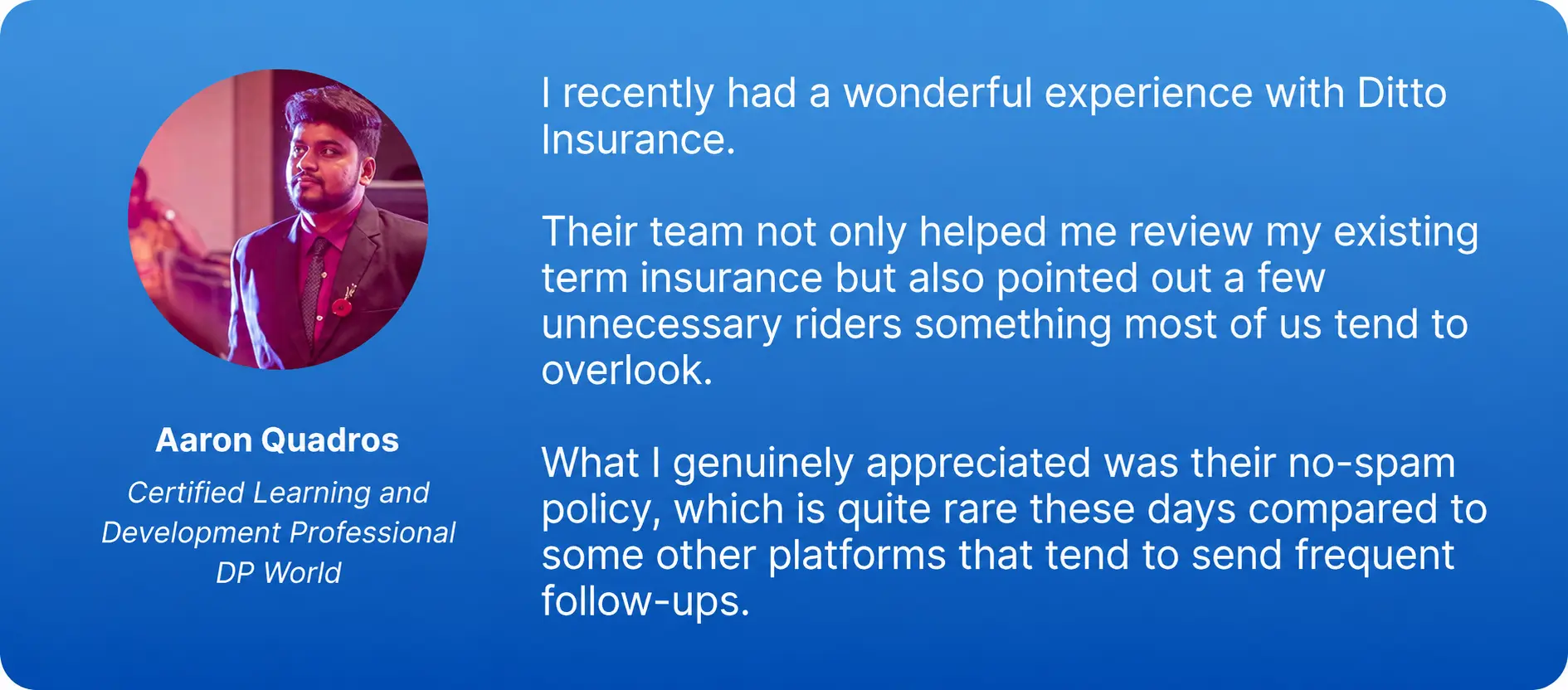
At Ditto, we’ve assisted over 12,00,000 customers with choosing the right insurance policy. Why customers like Aaron below love us:
- 100% Free Consultation
- No Spam. No Sales Pressure.
- Rated 4.9/5 on Google Reviews by 30,000+ Happy Customers
- Backed by Zerodha
- Dedicated Claim Support Team
- Compare Plans and Premiums with a Trusted Insurance Advisor
Confused about the right insurance? Speak to Ditto’s certified advisors for free, unbiased guidance. Book your call now or chat with us on WhatsApp. Slots fill up fast!
Conclusion
As there is no official LIC calculator, third-party LIC calculators can be useful for reference and rough estimates, but they should not be treated as the final source of truth. Always verify the figures against the official benefit illustration, your LIC agent or customer portal, and, where required, your LIC branch.
Frequently Asked Questions
Last updated on: