



Overview
Since April 1, 2024, IRDAI has required insurers to issue all new policies in electronic form, which you can store in an e-Insurance Account (eIA). As a result, most policyholders now manage their insurance online, from paying premiums to downloading tax certificates.
With the Kotak Life Insurance login, you can do all this on the Online Policy Manager portal without visiting a branch, as long as your registered details are up to date.
In this guide, we break down how to log in, what you can do after logging in, how to fix common login problems, and how to reach customer care.
Kotak Life Insurance Login: Customer Portal and Registration
Kotak Life’s customer portal has no separate registration or password. You log in with the mobile number or email ID and the policy owner’s date of birth associated with your policy. Here’s how the Kotak Life insurance login with mobile number works:
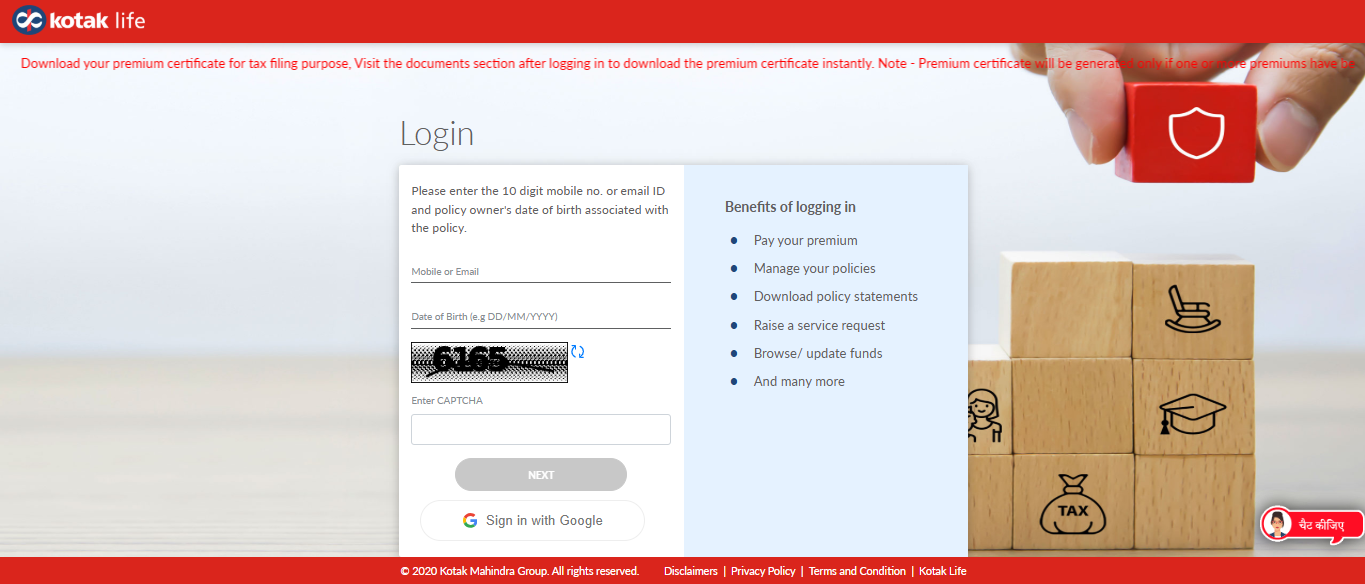
1) Go to the Kotak Life Online Policy Manager.
2) In “Mobile or Email”, enter your 10-digit registered mobile number or email ID.
3) In “Date of Birth”, enter the policy owner’s date of birth in DD/MM/YYYY format. If you bought a policy on someone else’s life, such as a parent’s, enter your own date of birth.
4) Type the CAPTCHA in the “Enter CAPTCHA” field. Click the refresh icon if it’s hard to read.
5) Click “NEXT” and enter the One-Time Password (OTP) sent to your registered contact.
Once you’re in, you’ll see the policies linked to your mobile number or email ID. You can also click “Sign in with Google” on the login page, but it works only with the Google account that uses the email ID registered with your policy.
If you’re covered under a group policy, such as one from your employer, use Kotak Life’s separate group customer login, which asks for a username and password.
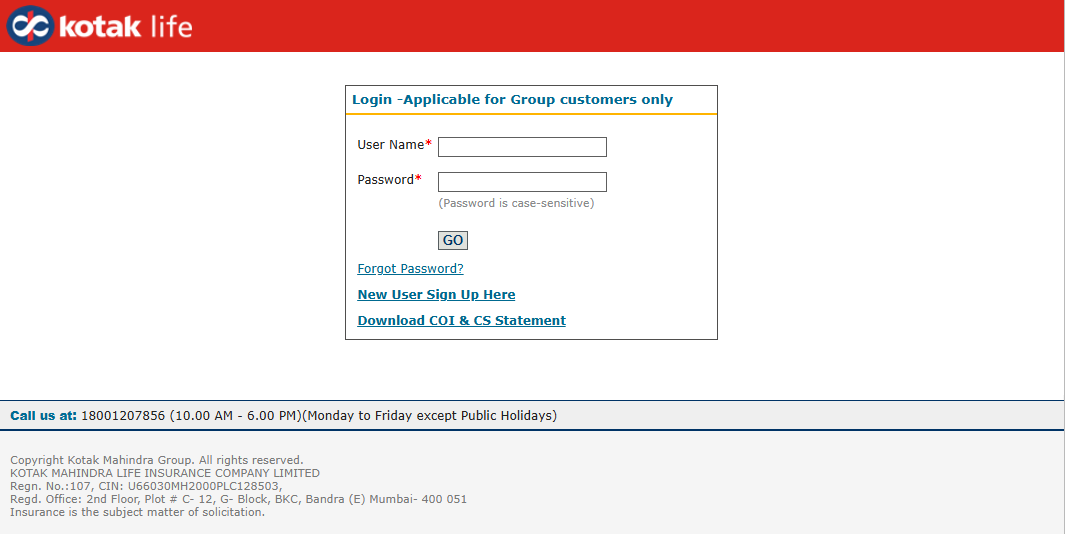
Note: Log in only through Kotak Life’s official website. Never share your OTP or policy details with callers who say they’re from Kotak Life or IRDAI.
Talk to an expert
today and
find
the right
insurance for you.


What Can You Do After Kotak Life Insurance Login?
- Check Policy Details: See your Kotak Life insurance policy status, policy term, premium paying term, life assured details, and, for Unit-Linked Insurance Plans (ULIPs), fund and bonus values.
- Download Documents: Get your policy document, premium certificate, premium deposit receipt, renewal notice, unit-linked statement, and Tax Deducted at Source (TDS) certificate.
- Pay Premiums: Pay renewal premiums online, or set up auto-debit through "Activate ECS" under "Frequently used services".
- Update Details: Change your contact number, email ID, address, bank details, Permanent Account Number (PAN), or nominee. For bank details, go to "Personal Details", then "Bank Details", and click the edit icon. Kotak Life says these requests take 48 working hours, and you can track them under "Case History".
- Manage Your Policy: Switch funds, take a loan against your policy, or revive a lapsed policy. Online revival works only if the policy owner and life assured are the same person.
You can find all these services and more on Kotak Life’s existing customer page.
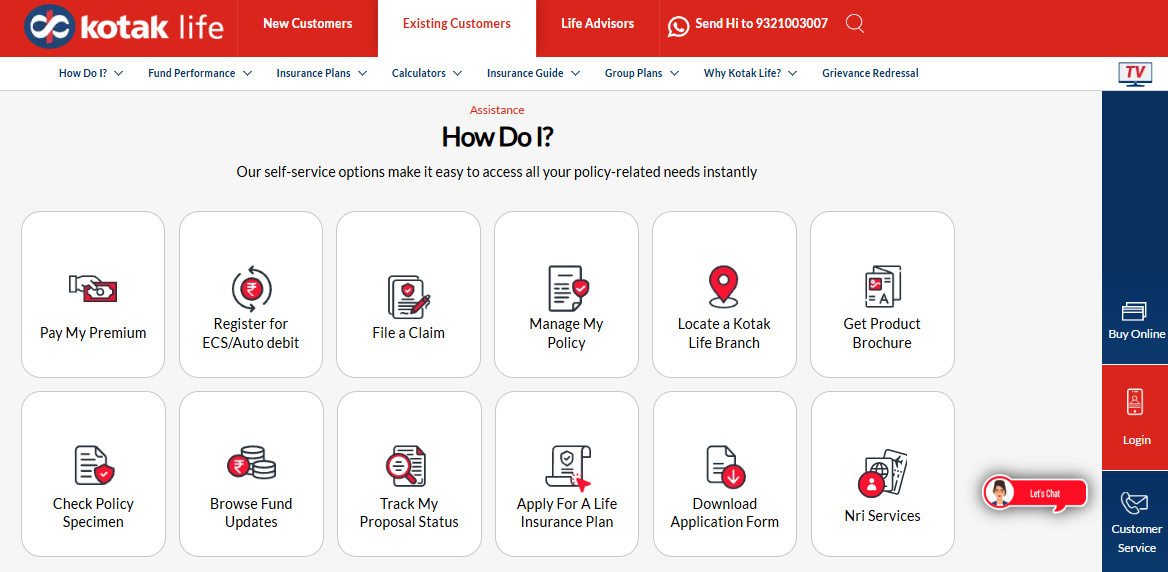
Note: You don't have to log in to pay a premium. Kotak Life also accepts payments through its instant payment link, UPI apps, NEFT, and WhatsApp.
How to Log In to Kotak Life Insurance via the Mobile App?
Kotak Life's customer app is HappyYou, which combines policy services with health and wellness features. According to Kotak Life, it offers instant login with your registered details and lets you download premium certificates, renew policies through ECS (Electronic Clearing Service), and access your documents.
To use it, download the HappyYou app by Kotak Life from the Google Play Store or Apple App Store, then log in with the contact details registered with your policy.
Remember that HappyYou doesn't cover every service. For example, Kotak Life's digital guide doesn't list the TDS certificate or contact number updates for the app. Use the Online Policy Manager or WhatsApp for those.
Kotak Life Insurance Login Problems and How to Fix Them
Most login problems come down to the details you enter. Here’s how to fix the common ones:
- “No Registered User Found”: The mobile number, email ID, or Google account you used isn’t linked to your policy. Use the contact details you gave when buying the policy, or update them on the query form under “Personal Details Alteration”.
- OTP Not Received: Your registered mobile number or email ID may have changed. Log in with your other registered contact, or update it on the query form under “Personal Details Alteration”.
- Several Verification Attempts: If you see a warning about too many attempts at generating verification codes, the portal locks verification for a few minutes. Wait, refresh the CAPTCHA, then re-enter your details carefully.
- Details Don’t Match: Check that you’ve entered the policy owner’s date of birth in DD/MM/YYYY format.
- “We’re Unable to Process Your Request Right Now”: This usually means a temporary issue with the portal. Clear your browser cache, switch to a different browser, or try again after a few minutes. Meanwhile, you can use WhatsApp or the KAYA chatbot.
- Premium Certificate Missing: It appears only if you’ve paid at least one premium in the current financial year. Otherwise, request it through WhatsApp, the query form, or customer care.
Kotak Life Insurance Customer Care and Support Contacts
If you can’t log in or need help with your policy, use these official Kotak Life channels:
For the full list of contacts, visit Kotak Life’s contact us page.
If your complaint isn’t resolved, write to the Grievance Officer at kli.grievance@kotak.com. Kotak Life says it decides on complaints within 14 days. If you’re still not satisfied, you can approach the Insurance Ombudsman.
For more on the insurer, read our detailed Kotak Life Insurance review.
Why Choose Ditto for Term Insurance?
At Ditto, we’ve assisted over 12,00,000 people with choosing the right insurance policy. Why customers like Aaron below love us:
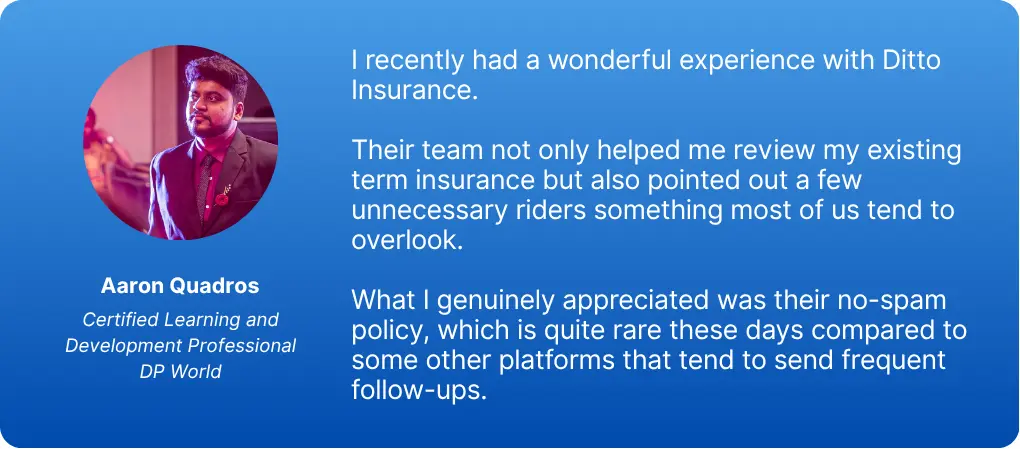
- 100% Free Consultation
- No Spam. No Sales Pressure.
- Rated 4.9/5 on Google Reviews by 30,000+ Happy Customers
- Backed by Zerodha
- Dedicated Claim Support Team
- Compare Plans and Premiums with a Trusted Insurance Advisor
You can book a FREE consultation. Slots are running out, so make sure you book a call or chat on WhatsApp now!
Conclusion
The Kotak Life Insurance login needs only your registered mobile number or email ID, the policy owner’s date of birth, and an OTP. Once you’re in, you can check your policy details, pay premiums, download certificates, and update your personal details without visiting a branch. If you can’t log in, WhatsApp and the KAYA chatbot offer most of the same services around the clock.
As a next step, check that your mobile number and email ID with Kotak Life are up to date. If they’ve changed, update them through WhatsApp, the query form, or 1800 209 8800 before your next premium is due.
Frequently Asked Questions
Last updated on: