
Life Insurance

IndiaFirst Life Insurance Customer Login: Full Guide

Moushmi Kaur

Written by Moushmi Kaur

Insurance Writer

Gaurav Bhat

Reviewed by Gaurav Bhat

IRDAI-Certified Expert at Ditto

SP0738578124

Certified
IndiaFirst Life Insurance Customer Login: Full Guide

Overview

The IndiaFirst Life Customer Portal allows policyholders to manage their life insurance policies online. 

Ways to Log In

  • Via Registered Mobile/Email: Customers can enter their registered mobile number or email address.
  • Via Policy Number: Policyholders can use their IndiaFirst Life policy number to access their account.
  • OTP Verification: After clicking “Get OTP”, customers need to enter the one-time password sent to their registered mobile number.

Alternative Support Channels: Customers facing portal issues can contact IndiaFirst Life through WhatsApp at +91 22 6274 9898, call 1800-209-8700, or email customer.first@indiafirstlife.com for policy-related queries. The toll-free helpline operates Monday to Saturday, from 9 AM to 7 PM.

A life insurance policy often involves more than just paying premiums. Policyholders may need to check their policy status, access important documents, or get updates without contacting customer support every time. Having an online portal can make these routine tasks much easier.

The IndiaFirst Life customer login lets policyholders access their account using their registered mobile number, email address, or policy number. OTP verification is required to complete the login.

This article explains how to log in to the IndiaFirst Life customer portal, the information policyholders can access after logging in, and the customer support options available if they face login issues.

IndiaFirst Life Insurance Customer Login: Registration Rules and Requirements

There is no separate registration process for the IndiaFirst Life customer portal. Once your policy has been issued, you can log in using your policy details and complete OTP verification. Keep the following details ready:

    • Policy Details: Policy number and date of birth.
    • Registered Contact Details: Active registered mobile number and email ID for OTP verification.
    • Login Credentials: You can use your policy number, mobile number, email address, or client ID to access the portal.
    • OTP Verification: A 6-digit OTP is required to authenticate the login.

Step-by-Step IndiaFirst Life Insurance Customer Login

Policyholders can follow these steps to log in:

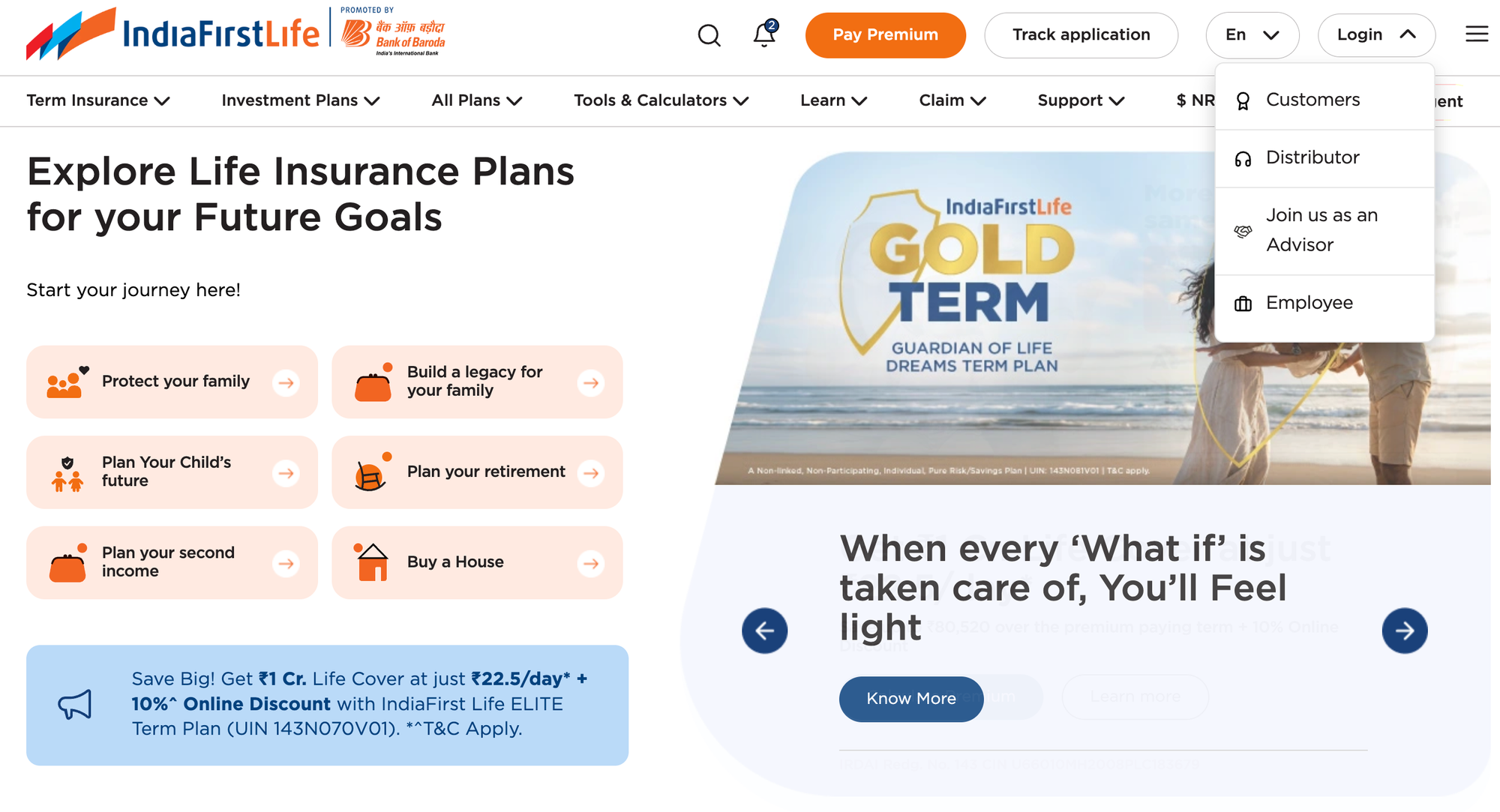
Visit the IndiaFirst Life website, click “Login” in the top-right corner, and select “Customers” to access the customer portal.
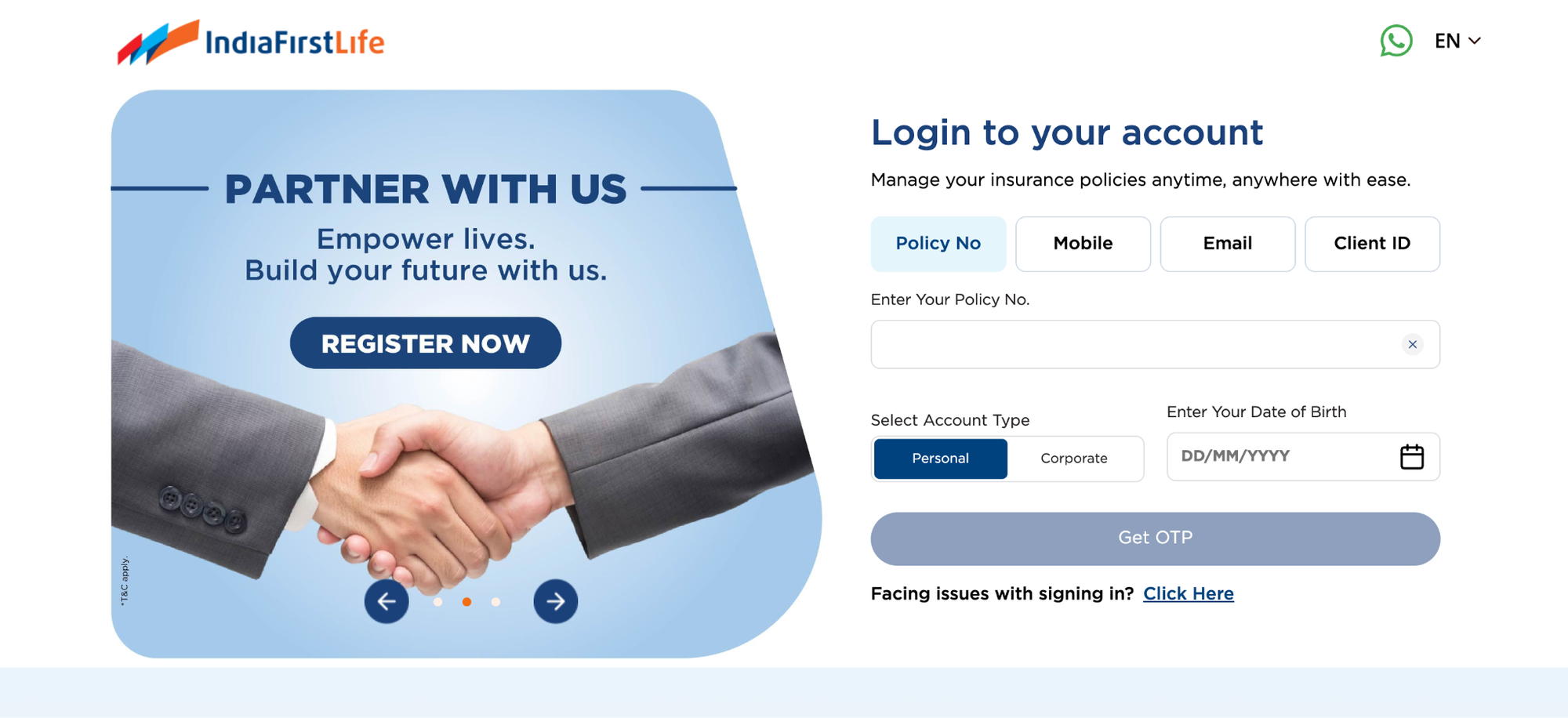
You can also directly access the IndiaFirst Life customer login portal to log in and manage your policy details.
    • Log in with your policy number, mobile number, email address, or client ID.
    • Enter the relevant details and date of birth, then click “Get OTP.”
    • Enter the 6-digit OTP sent to the registered mobile number and email.
    • Once verified, you will be logged in to the dashboard.

Note: If a policyholder can't remember their policy number or client ID, they can still log in using their registered mobile number or email. Once logged in, the portal displays their policy details.

Is There a Password Reset Option for the IndiaFirst Life Customer Portal?

No. The IndiaFirst Life customer portal does not require a password to log in. Policyholders authenticate using their policy number, mobile number, email address, or client ID, then verify with an OTP. Therefore, there is no separate password reset process.

What You Can Do After IndiaFirst Life Insurance Customer Login

Once logged in, the portal lets policyholders:

    • Download policy statements and premium-paid certificates for tax filing.
    • View policy details and coverage summary.
    • Pay renewal premiums online.
    • Update contact details, address, and bank information.
    • Raise service requests and track their status.
    • Access multiple policies under one login via single sign-on, if you hold more than one IndiaFirst Life policy.

Talk to an expert
today and find
the right
insurance for you.

Ditto Advisor

Common IndiaFirst Life Login Problems and How to Fix Them

ProblemLikely CauseFix
“Policy Number Not Registered" ErrorTypo or policy still in processingRecheck the number. If the policy is new, wait for policy issuance confirmation before logging in
OTP Not ReceivedThe registered mobile or email is outdated, or there is a network delayWait a minute and retry. If it persists, update contact details through customer care
OTP ExpiredThe 60-second validity window has lapsedClick "Resend OTP" and enter it immediately
Date of Birth MismatchThe DOB entered does not match the insurer's recordsRefresh the page and re-enter it carefully, or verify the DOB on file with customer care
Page Not Loading or Blank ScreenServer maintenanceWait and retry later, or clear the browser cache and cookies
Biometric Login FailingDevice or browser compatibility issueSwitch to OTP-based login instead

Note: Since login attempts aren't capped and there's no password to get "locked out" of, most issues come down to outdated contact details or a mismatched DOB. Customer care can help fix both.

Need Help Beyond the Portal?

If self-service does not resolve the issue, IndiaFirst Life customer care can be reached through the following channels:

  • Toll-Free: 1800-209-8700
  • WhatsApp: +91 22 6274 9898
  • Email: customer.first@indiafirstlife.com
  • Branch Visit: Policyholders can use the branch locator to find their nearest office.

Why Choose Ditto for Life Insurance?

At Ditto, we’ve assisted over 12,00,000 customers choose the right insurance policy. Why customers like Vijay love us:
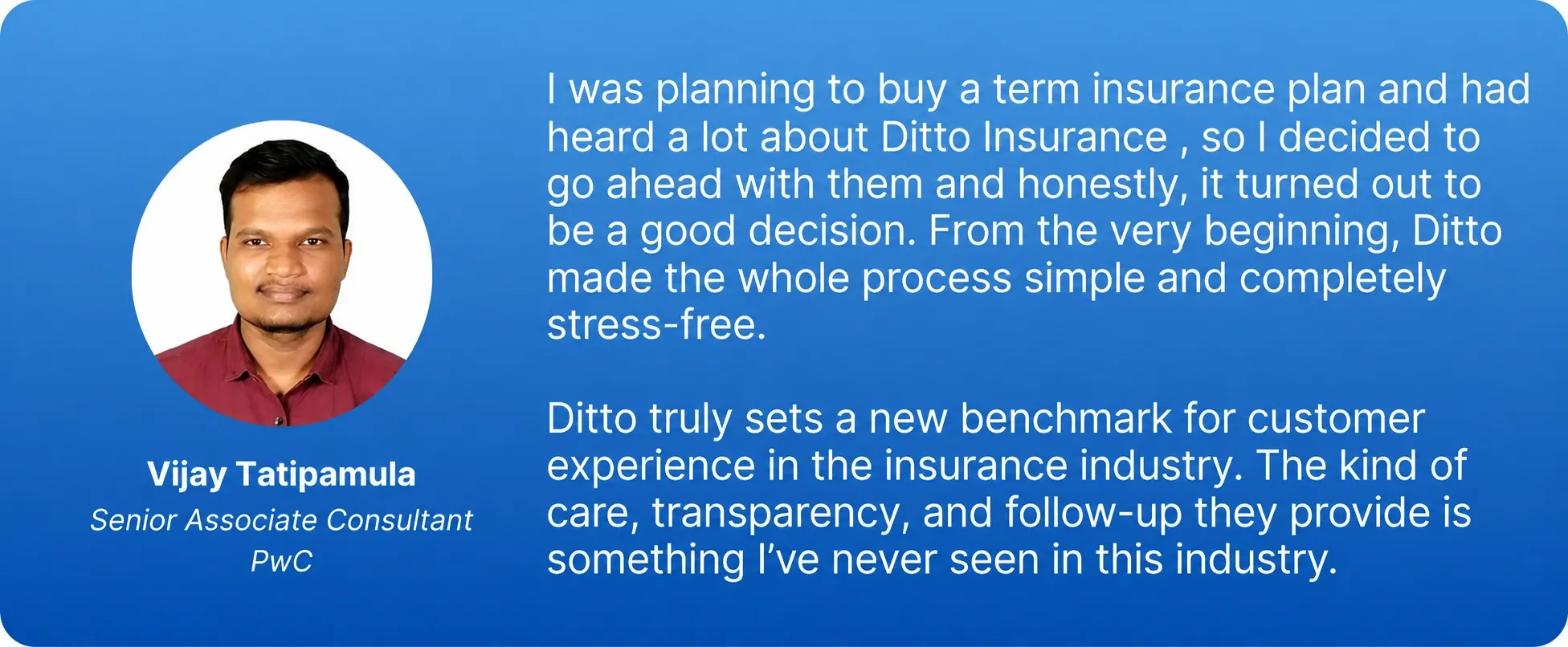
Vijay Tatipamula LinkedIn Customer Testimonial
    • 100% Free Consultation
    • No Spam. No Sales Pressure.
    • Rated 4.9/5 on Google Reviews by 30,000+ Happy Customers
    • Backed by Zerodha
    • Dedicated Claim Support Team
    • Compare Plans and Premiums with a Trusted Insurance Advisor

Confused about the right insurance? Speak to Ditto’s certified advisors for free, unbiased guidance. Book your call now or chat with us on WhatsApp. Slots fill up fast!

Conclusion

The IndiaFirst Life Insurance customer login portal makes it easier for policyholders to access policy details, download important documents, pay premiums, and manage their accounts online. Since the portal uses OTP verification instead of passwords, keeping the registered mobile number and email address updated is important for uninterrupted access.

Policyholders should check their dashboard periodically and ensure their contact and policy details are accurate. If they face any login or account-related issue that cannot be resolved online, IndiaFirst Life customer care can assist with the necessary updates.

Frequently Asked Questions

How do I register for the first time on the IndiaFirst Life Insurance customer login portal?

There is no separate registration process. The account is created automatically once the policy is issued using the registered mobile number and email address. Policyholders can log in using their policy number, mobile number, email address, or client ID and verify their identity through OTP.

What do I need to reset my IndiaFirst Life Insurance login password if I no longer have the registered mobile number?

IndiaFirst Life does not use passwords for customer portal login, so there is no password reset process. Since OTPs are sent to the registered contact details, policyholders who no longer have access to their registered mobile number should contact customer care to update their details.

Can I check my IndiaFirst Life policy status without logging in to the customer portal?

The customer portal provides policyholders with access to their policy details and status after logging in. If a policyholder cannot access the portal, they can contact IndiaFirst Life customer care for assistance with policy-related information and account access.

How do I download my IndiaFirst Life premium paid certificate for income tax filing?

After logging into the IndiaFirst Life customer portal, policyholders can access their policy-related documents and download the premium-paid certificate. You can use this certificate as supporting documentation when filing income tax returns or claiming eligible deductions for premiums paid.

Why does the IndiaFirst Life customer login say my policy number is not registered?

The error may occur because you entered the policy number incorrectly or the policy is still being processed. Policyholders should recheck the 8-digit policy number. For newly bought policies, you should wait until the policy is issued and you receive the issuance confirmation before attempting to log in again.

Can I pay my IndiaFirst Life renewal premium directly through the customer login portal?

Yes. Once logged into the IndiaFirst Life customer portal, policyholders can pay their renewal premiums online. The portal provides access to policy details and premium payment services, allowing customers to manage their renewal payments without visiting a branch.

Which IndiaFirst Life customer care number should I contact if my login is blocked after multiple failed attempts?

IndiaFirst Life does not use passwords for customer portal login, so there is no password-based account lockout. For persistent login issues, policyholders can contact the IndiaFirst Life toll-free customer care number at 1800-209-8700 for assistance.

Last updated on: