



Overview
Paying your HDFC Life premium is simple, thanks to the insurer's multiple online and offline payment options. Whether you prefer using UPI, net banking, the HDFC Life app, or visiting a branch, you can choose the method that works best for you.
This guide covers the different payment methods, auto-debit facilities, grace period rules, premium receipt downloads, and what happens if you miss a premium payment.
How to Pay HDFC Life Insurance Premium
Online
- Quick Pay Portal (No Login Required): Visit the HDFC Life Quick Pay portal, enter your policy number and date of birth, verify the premium details, and complete the payment using UPI, debit card, credit card, or net banking.
- Customer Portal and Mobile App: Log in to your HDFC Life account through the customer portal or mobile app, select your policy under the "My Policies" section, and make the payment using your preferred payment method.
- UPI and Digital Wallets: You can also pay premiums through platforms such as Paytm, PhonePe, Google Pay, and MobiKwik by selecting HDFC Life under insurance payments and entering your policy details.
- Auto-Debit Facility: To avoid missed payments, you can register an e-mandate and link your bank account, debit card, or credit card. Premiums will then be deducted automatically on the due date.
Offline
- HDFC Life Branches: Pay your premium at any HDFC Life branch using cash (subject to applicable limits), cheque, or a demand draft.
- Bank Branches and Drop Boxes: Premiums can also be paid through designated bank branches and cheque drop boxes.
- Common Service Centers (CSC): Authorized CSC and MahaOnline centers also facilitate premium payments.
Important Things to Remember
- Ensure your Permanent Account Number (PAN) is linked to your policy.
- Online payments generally need to be made using the policyholder's own bank account or card.
- Premium receipts for payments made after 3:00 pm may be generated on the next working day.
- You can pay advance premiums within the limits permitted by HDFC Life.
- Always save your premium payment receipt for future reference.
How To Pay Premium Via The HDFC Life App
- Download the HDFC Life Insurance app from the Google Play Store or Apple App Store.
- Log in using your Client ID, registered mobile number, or registered email ID.
- Verify your identity by entering your date of birth and completing the login process.
- Set up an mPIN or enable biometric authentication for faster access in the future.
- Navigate to the policy dashboard and select the policy for which the premium is due.
- Choose your preferred payment method, such as UPI, net banking, debit card, or credit card.
- Review the payment details and complete the transaction.
If you prefer not to log in, you can make an HDFC Life online premium payment through the Quick Pay facility by entering your policy number and the life assured's date of birth.
Quick Comparison Of HDFC Life Online Payment Methods
Note: Auto-debit availability depends on the payment mode, bank, card issuer, and HDFC Life's prevailing guidelines.
Talk to an expert
today and
find
the right
insurance for you.


Available Payment Methods
HDFC Life supports a wide range of online payment methods through its Quick Pay portal.
- Net Banking: Available for 75+ banks, including HDFC Bank, ICICI Bank, Axis Bank, State Bank of India (SBI), Punjab National Bank (PNB), Kotak Mahindra Bank, Yes Bank, and IDFC First Bank. Certain banks also allow you to register an auto-debit mandate while making the payment.
- Credit Cards: Premiums can be paid using Visa, Mastercard, RuPay, American Express (Amex), Diners Club, and eligible international credit cards. Auto-debit registration may be available for select domestic credit cards.
- Debit Cards: HDFC Life accepts Visa, Mastercard, RuPay, and eligible international debit cards. Policyholders can also set up auto-debit mandates through supported domestic debit cards.
- Unified Payments Interface (UPI): Premiums of up to ₹2 lakh can generally be paid through UPI, subject to limits imposed by your bank or UPI service provider.
- UPI RuPay Credit Cards: Customers can also pay premiums using RuPay credit cards linked to UPI.
- Digital Wallets: Wallet options available on the Quick Pay portal can be used for premium payments.
- Bank Transfer: Premiums can also be paid via National Electronic Funds Transfer (NEFT), Real-Time Gross Settlement (RTGS), and Immediate Payment Service (IMPS).
- Equated Monthly Installments (EMI): Eligible customers may pay renewal premiums through EMI options available on supported credit or debit cards or via cardless EMI facilities.
Note:
- UPI transaction limits depend on your bank and payment service provider.
- Premium payments above ₹2 lakh may require alternative payment methods such as net banking or bank transfer.
- Convenience or internet handling charges, if applicable on credit card transactions, are generally non-refundable.
- After a successful payment, download and save your HDFC Life premium payment receipt for future reference and tax documentation purposes.
How to Pay HDFC Life Premium Offline
- Common Service Centers (CSC): You can also pay your premium at authorized Common Service Centers (CSC) and MahaOnline centers by providing your policy details and making the payment through the available modes.
- Bank Branches and Drop Boxes: You can submit a cheque or a demand draft at designated HDFC Bank branches, ATM drop boxes, and select partner bank branches. Ensure the cheque or demand draft is made payable to "HDFC Life Policy No. [Your Policy Number]" and include your name and mobile number on the back side.
- HDFC Life Branches: Visit your nearest HDFC Life branch and pay your premium through cash (subject to applicable limits), cheque, or demand draft. You will receive a payment acknowledgment after the transaction.
Important Things to Remember
- Cheque payments may take 2-3 working days to be processed.
- Policy records are updated only after the payment is successfully realized.
- Use local cheques wherever applicable to avoid delays.
- The payment instrument should generally belong to the policyholder or an eligible family member.
How to Set Up Auto-Debit For HDFC Life Insurance Premiums
Online Setup: You can register an e-mandate through the HDFC Life mandate registration portal using your bank account, debit card, or credit card.
- Step 1: Enter your policy details.
- Step 2: Choose your preferred auto-debit option, such as National Automated Clearing House (NACH), direct debit, or credit card standing instructions.
- Step 3: Complete the verification process through your bank.
- Step 4: Authorize the mandate using the required authentication method.
Offline Setup: You can also submit a physical NACH or standing instruction form at an HDFC Life branch along with the required bank documents, such as a canceled cheque.
What Happens If You Miss a Premium Payment?
- Can You Revive a Lapsed Policy? Yes, HDFC Life allows policyholders to revive a lapsed policy within 5 years of the first unpaid premium. To revive the policy, you may need to pay all outstanding premiums along with applicable charges. In some cases, the insurer may also request a declaration of good health or additional medical information before approving the revival request.
- If the Grace Period Expires: If the premium remains unpaid after the grace period, the policy will lapse, and your life cover could cease. Depending on the policy type and the premiums already paid, certain policies may continue with reduced benefits under a paid-up status. The exact outcome will depend on the terms and conditions of your policy.
- Grace Period: If you miss a premium payment, HDFC Life gives you a grace period to pay the outstanding amount without losing your policy benefits. The grace period is 15 days for monthly premium modes and 30 days for quarterly, half-yearly, and annual premium modes. During this period, your policy remains active, and eligible claims may still be considered, subject to policy terms and conditions.
Why Choose Ditto for Life Insurance?
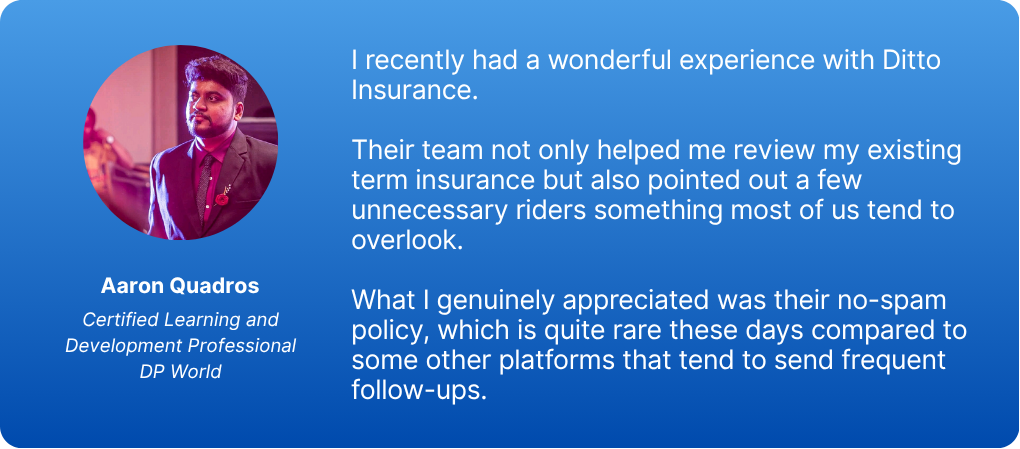
At Ditto, we’ve assisted over 8,00,000 customers with choosing the right insurance policy. Why customers like Aaron below love us:
- No-Spam & No Salesmen
- Rated 4.9/5 on Google Reviews by 24,000+ happy customers
- Backed by Zerodha
- Dedicated Claim Support Team
- 100% Free Consultation
You can book a FREE consultation. Slots are running out, so make sure you book a call now or chat over WhatsApp with our advisors.
Ditto's Take
HDFC Life Premium Payment is simple and flexible, with multiple online and offline payment options, including the Quick Pay portal, mobile app, UPI, net banking, auto-debit facilities, and branch payments. Choosing a convenient payment method and paying premiums on time can help you avoid policy lapses and ensure uninterrupted coverage.
If you've purchased your HDFC Life term insurance plan through Ditto, our advisors can assist with premium payment queries, policy servicing, and claim-related support throughout your policy journey, helping you make the most of your insurance coverage.
Frequently Asked Questions
Last updated on: