



Overview
You can make an Aditya Birla Sun Life Insurance online payment through its official website, UPI, net banking, debit cards, credit cards, and auto-pay facilities.
This guide covers available payment methods, auto-pay options, payment receipts, the grace period, and other key details to help policyholders keep their ABSLI policy active.
How to Pay Your ABSLI Insurance Premium Online?
Policyholders can make a one-time ABSLI premium payment online without logging in. The insurer's “Pay Premium” page lets you pay using the policy number, registered mobile number, or email ID.
1) Visit the official ABSLI Pay Premium page.
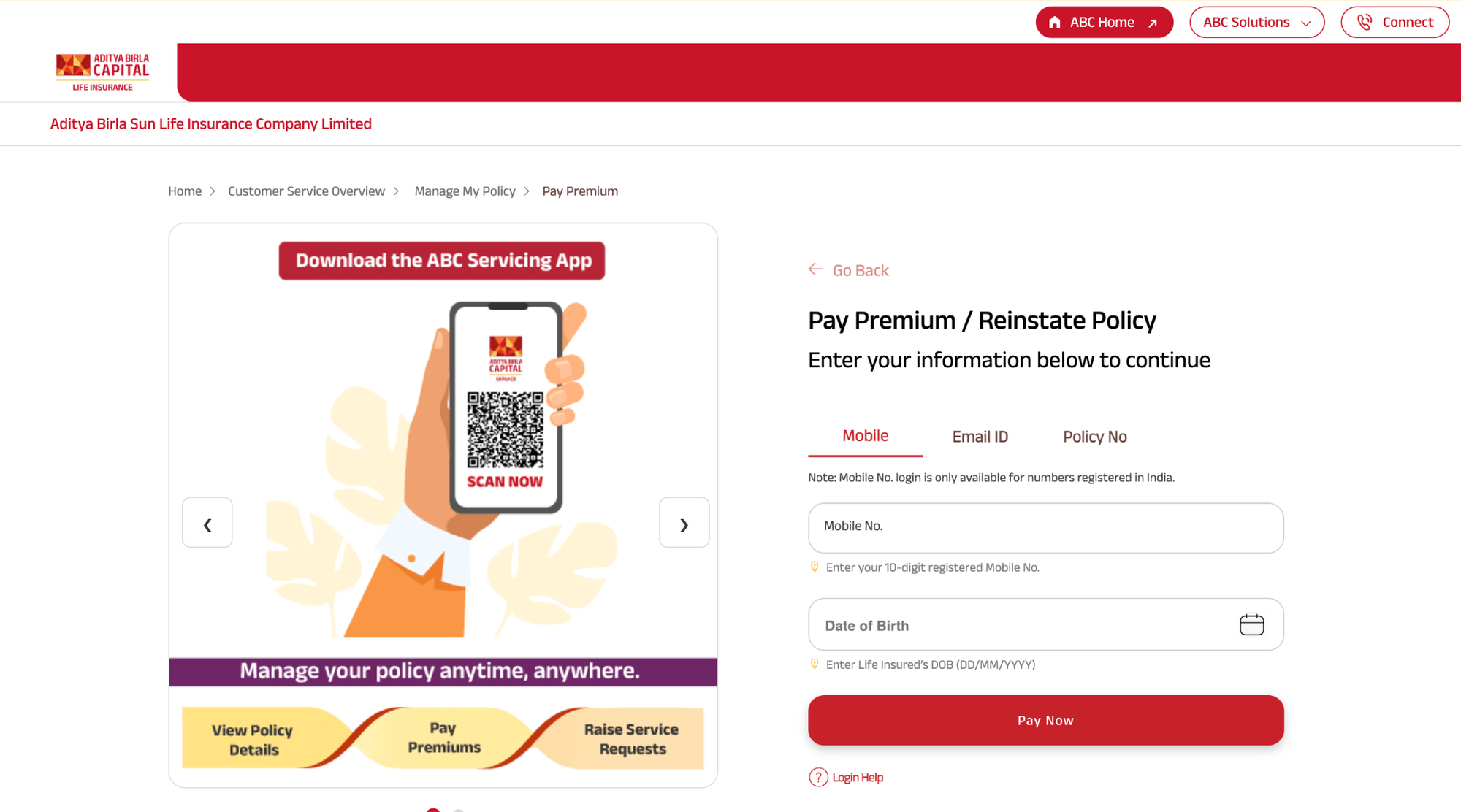
2) Select how to identify the policy: mobile number, email address, or policy number.
3) If using a registered mobile number, enter the 10-digit mobile number and the life insured's date of birth in DD/MM/YYYY format. This option is available only for mobile numbers registered in India.
4) Click “Pay Now” and verify the premium amount displayed.
5) Select the preferred payment mode and complete the transaction.
6) Save the premium payment receipt received after the successful transaction.
Policyholders can also log in to the ABSLI customer portal to make payments from their dashboard. This option can be useful for those managing multiple policies or accessing services such as auto-pay registration.
Payment Modes & Methods Accepted by ABSLI
Note: The available premium payment frequency also depends on the policy. Depending on the plan, policyholders may pay premiums monthly, quarterly, semi-annually, or annually.
The chosen frequency can affect the premium due dates and applicable grace period.
For policyholders who prefer to avoid manual payments, ABSLI also provides ABSLI auto-pay facilities, which can help ensure premiums are paid on time.
Premium Payment Deadlines & Grace Periods
The policy schedule specifies the premium due date. If a policyholder misses the due date, the ABSLI grace period provides additional time to pay the premium before the policy may lapse.
- Annual, semi-annual, and quarterly payment modes: 30 days from the due date.
- Monthly payment mode: 15 days from the due date.
The insurance cover continues during the grace period, subject to the policy terms. However, if a claim arises during this period, ABSLI may deduct the unpaid premium from the claim amount. The grace period does not waive the premium, and the outstanding amount remains payable.
If the premium is not paid within the grace period, the policy may lapse, and the coverage may stop. Depending on the policy, the policyholder may be able to revive it by paying the overdue premiums and meeting the applicable revival conditions. Terms may vary by policy, so check the policy document.
ABSLI Payment Security & Verification
Policyholders should use ABSLI's official payment channels for online premium payments. Following a few basic precautions can help protect their payment and personal information.
- Use the Official Website: Check that the payment page is on the official ABSLI domain and that the website shows a secure connection.
- Verify Policy Details: Check the policy details and premium amount displayed before completing the transaction.
- Do Not Share Sensitive Information: Never share OTPs, UPI PINs, passwords, or card details with anyone claiming to represent ABSLI.
- Be Cautious of Fraudulent Calls: ABSLI warns policyholders about fraudulent communications involving IRDAI and its officials. Do not share personal or financial information in response to suspicious calls.
- Keep Contact Details Updated: Ensure your registered mobile number and email address are current so you can receive payment confirmations and receipts.
If you have a payment-related issue or receive suspicious communication, contact ABSLI customer care at 1800-270-7000.
Talk to an expert
today and
find
the right
insurance for you.


How to Set Up Auto-Pay for Your ABSLI Plans?
ABSLI auto-pay lets policyholders automate premium payments and avoid missing due dates. ABSLI supports UPI Autopay, standing instructions, and auto-debit mandates.
Option 1: Set Up UPI Autopay During Premium Payment
Policyholders can set up UPI Autopay while making their premium payment:
1) Visit the ABSLI Pay Premium page and select UPI as the payment mode.
2) Enter the registered UPI ID.
3) Select Send Autopay Request.
4) Approve the mandate through the linked UPI app.
Option 2: Set Up UPI Autopay Through the Customer Portal
Policyholders can also register a UPI Autopay mandate from their ABSLI customer dashboard:
1) Log in to the ABSLI customer portal.
2) Go to Service Requests.
3) Select Set UPI Autopay.
4) Follow the instructions to register the mandate.
Things to Know About ABSLI Auto-Pay
What to Do If ABSLI Online Premium Payment Fails?
An ABSLI online premium payment may fail because of incorrect policy details, insufficient bank balance, transaction limits, or a temporary technical issue. Policyholders can follow these steps to resolve the issue:
1) Check the Payment Details: Verify the policy number, registered mobile number, and date of birth. Also check the available bank balance and transaction limit.
2) Check Whether the Amount Was Debited: If the amount has been debited but the payment shows as failed, avoid making another payment immediately. ABSLI states that such amounts are refunded within 24 hours.
3) Try Another Payment Mode: If UPI does not work, policyholders can try net banking, a debit card, a credit card, or another available payment method.
4) Retry After 24 hours: If the failure appears to be due to a temporary technical issue, try making the payment again after 24 hours.
5) Contact ABSLI: If the issue continues, contact ABSLI at 1800-270-7000 or email care.lifeinsurance@adityabirlacapital.com. Policyholders should keep their policy number and transaction reference handy when contacting customer support.
Note: If an auto-pay deduction fails, ABSLI sends a notification to the policyholder. The premium must then be paid manually, preferably within the applicable grace period.
Why Choose Ditto for Life Insurance?
At Ditto, we’ve assisted over 12,00,000 customers with choosing the right insurance policy. Why customers like Aaron below love us:
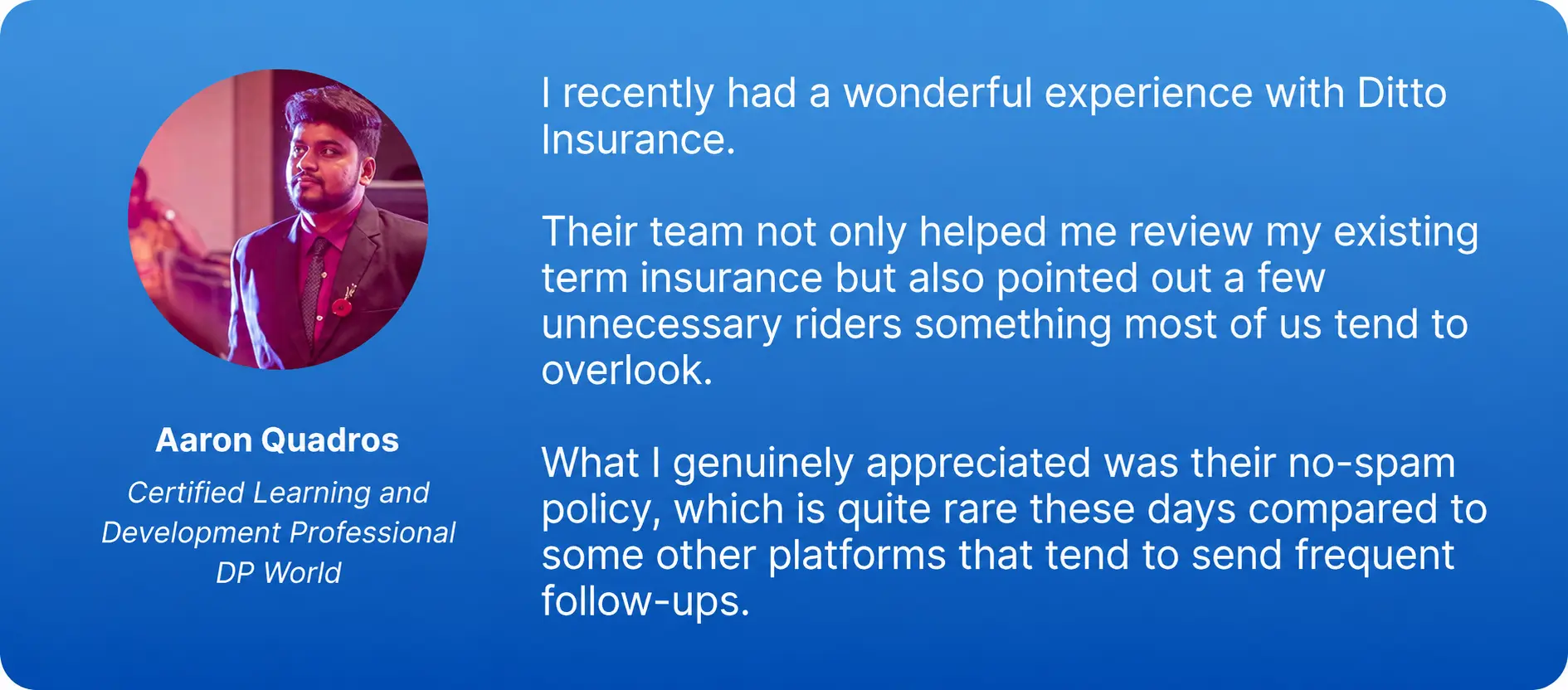
- 100% Free Consultation
- No Spam. No Sales Pressure.
- Rated 4.9/5 on Google Reviews by 30,000+ Happy Customers
- Backed by Zerodha
- Dedicated Claim Support Team
- Compare Plans and Premiums with a Trusted Insurance Advisor
Confused about the right insurance? Speak to Ditto’s certified advisors for free, unbiased guidance. Book your call now or chat with us on WhatsApp. Slots fill up fast!
Conclusion
Making an Aditya Birla Sun Life Insurance premium payment online is simple. Policyholders can enter their policy details, choose a suitable payment mode, and save the payment receipt for future reference.
Setting up ABSLI auto pay can help avoid missed premium due dates. Policyholders should also keep track of their due dates and use the grace period only as a backup if a payment is missed.
Frequently Asked Questions
Last updated on: