You can check your Bajaj Life Insurance policy status immediately through multiple online and offline channels.
Online Channels
Official Website Portal: Visit the Bajaj Life Customer Portal and log in using your registered mobile number or email ID, along with an OTP.
WhatsApp Services: Message "Hi" to their official customer service number at +91 8806727272 from your registered mobile number.
Mobile Application: Download the Bajaj Life mobile app via Android or iOS to monitor your real-time fund performance, maturity details, and nominee information.
Offline & Helpline Channels
Customer Care Call: Dial the customer helpline number at 020-6712-1212 between 10:00 AM and 07:00 PM (Monday to Saturday).
Email Support: Write a formal query containing your full name and policy number to customercare@bajajlife.com
Branch Visit: Walk into any physical Bajaj Life Insurance branch with your policy configuration documents and a valid government ID.
A policy that has quietly lapsed offers your family zero protection if something happens, and the only way to know for sure is to check the status yourself rather than assume the last payment went through.
This guide walks through every way you can do a simple Bajaj Life Insurance policy status check, what each status label actually means, and exactly what to do if it shows lapsed or discontinued instead of active.
Not sure if your current Bajaj Life policy still covers what you actually need? Book a call or chat on WhatsApp with Ditto's IRDAI-certified advisors.
What Is Bajaj Life Insurance Policy Status?
Your policy status is simply a label Bajaj Life assigns to your policy based on whether your premiums are up to date. Checking it regularly matters because a status change, especially a lapse, can happen quietly if a premium payment fails or an auto-debit mandate expires without you noticing.
Checking your policy status is not limited to after your policy is issued. If you have just applied for a Bajaj Life insurance policy, you may need to track your application while it is still going through the underwriting process. The insurer may request additional documents, issue a counteroffer, or require further medical information. Staying on top of your application status ensures you respond to these requests promptly and avoid unnecessary delays in policy issuance.
Ditto's Insight
Most policyholders only think to check their status when they are filing a claim or a nominee is trying to, which is the worst possible time to discover a lapse. Set a calendar reminder around your premium due date instead, or register for auto-pay so the status question rarely comes up.
Status
What It Means
What to Do Next
In-Force (Active)
Premiums paid on time (or within the grace period). Full life cover is active, and bonuses keep accumulating (depending on the plan).
Register an auto-pay mandate through Life Assist so a failed payment can't quietly lapse the policy, and confirm your registered mobile number and email are current.
Lapsed
Premiums weren't paid within the grace period, and the policy hadn't yet acquired a paid-up value. Life cover has stopped, and no claim is payable.
Revive within 5 years (non-linked) by paying arrears plus interest. A health declaration or medical test may be required. If you're outside the window, compare fresh cover.
Paid-Up / Reduced Paid-Up (RPU)
You stopped paying after the policy acquired paid-up value. Cover continues at a reduced sum assured. Future bonuses and most rider benefits stop.
Decide deliberately rather than by default: reviving keeps your original entry age and premium rate. Get the revival quote and the surrender value before choosing.
Discontinued (ULIPs Only)
Premiums stopped during the five-year lock-in. The fund value moved to a discontinued fund after a discontinuance charge. It earns an IRDAI-specified minimum rate, but no life cover is in force.
Revive within 3 years of the first unpaid premium. If you don't intend to revive, note that the proceeds are released at the end of the revival period or lock-in, whichever is later.
Surrendered
You voluntarily terminated the policy before maturity, and Bajaj Life has paid the applicable surrender value as per your policy terms.
Nothing further on this policy. If it was your only life cover, treat the gap as urgent. Surrendering doesn't replace the protection it was providing.
Matured
The policy has reached its end date. For savings, endowment and ULIPs, the maturity benefit is due. Pure term plans have no maturity benefit, and the cover simply ends. Nothing is payable.
If a payout is due but hasn't landed, the usual cause is old bank/NEFT details. Update them in Life Assist, then check Bajaj Life's Unclaimed Amounts lookup before calling customer care.
Claims Paid / Closed
A death or maturity claim has been settled. The policy is no longer active.
Nothing further. If a nominee believes an amount is still outstanding, request the claim settlement statement and escalate through the grievance route if it doesn't reconcile.
How to Check Bajaj Life Insurance Policy Status Online?
The fastest way to check your Bajaj Life Insurance policy status is through the Life Assist customer portal or the Bajaj Life Insurance mobile app (available on Android and iOS).
Log in with your registered mobile number or email ID, verify with the OTP sent to you, and your dashboard shows every active policy along with its current status, next premium due date, and sum assured.
If you are a new applicant and your policy has not been issued yet, use the separate Application Tracker instead, which tracks your proposal using your application number and date of birth, since your policy status only becomes visible once the proposal itself has been approved and issued.
How to Check Bajaj Life Insurance Policy Status by Policy Number?
If you do not have your login credentials handy, your policy number alone can still get you there. On the Life Assist portal, entering your policy number along with your registered mobile number or email ID triggers an OTP, and once verified, you land directly on that policy's status page without needing to create a full account first.
You can also call Bajaj Life's customer care at 020-6712 1212, Monday to Saturday, 10 AM to 7 PM, and give the representative your policy number for a status update over the phone.
Send "Hi" to 8806727272 on WhatsApp and follow the prompts to check by policy number directly in the chat.
Talk to an expert today and find the right insurance for you.
How to Check Bajaj Life Insurance Policy Status via the BOING Chatbot?
Bajaj Life's AI chatbot, BOING, handles policy status checks alongside other routine service requests, and it works in multiple languages, which helps if English or Hindi is not your first preference. Open the chatbot from the official Bajaj Life website, enter your policy number when prompted, and it pulls up your current status along with premium and maturity details without needing human intervention.
What to Do If Your Bajaj Life Insurance Policy Shows Lapsed
A lapsed status means your coverage has stopped and any claim filed on the policy right now would not be payable. The first thing to check is how long ago it lapsed, since Bajaj Life allows revival within a defined window (usually 5 years) from the date of the first unpaid premium.
To revive a lapsed policy, you will typically need to pay all outstanding premiums along with applicable interest, and depending on how long it has been lapsed, you may also need to submit a fresh health declaration or undergo a medical test. You can start the revival process through the Life Assist portal, by calling customer care, or by visiting your nearest branch using the branch locator.
NOTE
It is recommended to confirm the exact revival period per product category directly from your policy document.
Bajaj Life Insurance Customer Care for Policy Status Help
If the portal, app, or chatbot do not resolve your query, or you would simply rather speak to someone, Bajaj Life's service line is 020-6712 1212, Monday to Saturday, 10 AM to 7 PM, for existing policyholders. You can also write to customercare@bajajlife.com from your registered email address, or visit your nearest branch and speak with someone in person.
Ditto's Insight
Always contact customer care from your registered mobile number or email from your registered email ID. This speeds up identity verification and helps the team pull up your records quickly. Before you call, keep the following handy: your policy number, the mobile number and email registered on the policy, and the date of birth of the life assured.
Why Choose Ditto for Life Insurance?
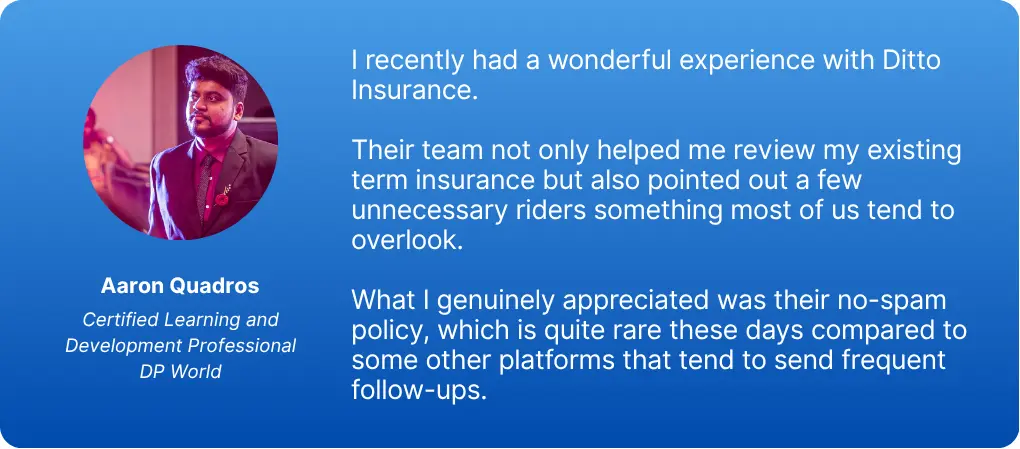
At Ditto, we’ve assisted over 8,00,000 customers with choosing the right insurance policy. Why customers like Aaron below love us:
No-Spam & No Salesmen
Rated 4.9/5 on Google Reviews by 30,000+ happy customers
Backed by Zerodha
Dedicated Claim Support Team
100% Free Consultation
You can book a FREE consultation. Slots are running out, so make sure you book a call or chat on WhatsApp now!
Conclusion
Checking your Bajaj Life Insurance policy status takes a couple of minutes through the Life Assist portal, app, WhatsApp, or BOING, and doing it once or twice a year is enough to catch a lapse before it becomes a problem. If your policy shows lapsed, act quickly to revive it, since the window to do so without extra medical checks and penalties only gets narrower with time.
At Ditto, we rank Bajaj Life eTouch II as one of our top term plan recommendations, particularly for NRIs. If you bought your policy through us, our team helps with renewal guidance and claims support whenever you need it.
Frequently Asked Questions
How can I check my Bajaj Life Insurance policy status without registering an online account?
You can check without registering by calling Bajaj Life's customer care at 020-6712 1212, Monday to Saturday, 10 AM to 7 PM, and providing your policy number and date of birth for verification. Sending "Hi" to 8806727272 on WhatsApp also lets you check status directly in the chat without setting up an account first. Both routes need your policy number, so keep it handy before reaching out.
What does it mean if my Bajaj Life Insurance policy status shows as "discontinued" instead of "active"?
When a ULIP premium stops during the five-year lock-in period, Bajaj Life deducts a discontinuance charge (capped by IRDAI, zero after year five) and moves the remaining balance into a Discontinued Policy Fund earning a minimum 4% p.a. interest. No life cover is available during this period. You can revive the policy within three years of the first unpaid premium. If you do not, the fund proceeds are paid out at the end of the revival period or lock-in period, whichever is later. The money comes back, but without the growth or protection you were paying for.
Can I check my Bajaj Life Insurance policy status using just my registered mobile number?
Yes. On the Life Assist portal or the mobile app, your registered mobile number combined with an OTP is enough to log in and view your policy status, without needing your policy number as a separate input. This works because Bajaj Life links all policies registered under that mobile number to your account automatically.
How long can I wait before my lapsed Bajaj Life Insurance policy becomes permanently non-revivable?
Bajaj Life gives you a 5-year revival window for term and traditional plans, counted from your first unpaid premium or up to the policy's maturity date, whichever comes first. For ULIPs, IRDAI's regulation shortens this to 3 years from the first unpaid premium. Once the window closes, the original policy can no longer be revived. What happens next depends on whether it had acquired paid-up or surrender value before lapsing, check the 'Non-forfeiture benefits' section of your policy document. If it had, the policy continues with reduced benefits or the surrender value becomes payable. If not, it terminates with no value. Revival also restarts the Section 45 contestability clock. Under the Insurance Act 1938, a policy cannot be questioned after 3 years from issuance, commencement of risk, or revival, whichever is latest, so reviving a lapsed policy opens a fresh 3-year window on the revived risk.
Does checking my Bajaj Life Insurance policy status online also show my next premium due date?
Yes. The Life Assist dashboard displays your next premium due date alongside the status itself, so you get both pieces of information in the same view. This is useful if you are trying to plan cash flow around an upcoming payment rather than just confirming the policy is active.
Can I download my Bajaj Life Insurance policy document from the same portal that shows policy status?
Yes. The Life Assist portal lets you download your e-policy bond, premium receipts, and bonus statements from the same dashboard where you check status, so you do not need to visit a separate section or contact customer care for routine document downloads.
What should I do if my Bajaj Life Insurance policy status page shows incorrect personal details?
You can correct details like your address, contact information, or bank details directly through the Life Assist portal or app under the profile update section, or by messaging "Hi" to 8806727272 on WhatsApp and selecting the update option. Most changes need an OTP confirmation and, for some fields, supporting documents, so keep those ready before you start.
What happens if I miss a premium payment on my Bajaj Life Insurance policy?
Missing a premium payment does not immediately cancel your policy. Bajaj Life offers a grace period of 15 days for monthly premium policies and 30 days for quarterly, half-yearly, and annual modes. Your cover stays fully active during this window. If the life assured passes away during the grace period, the death claim is still payable, though the insurer deducts the unpaid premium for that policy year from the final payout. The policy lapses only if the grace period ends without the premium being paid.