



Quick Overview
When you’re dealing with insurance, knowing exactly where to go for help can save you time, stress, and unnecessary back-and-forth. Whether you’re an existing policyholder looking to manage your policy, raise a complaint, or check details online, or a new buyer exploring options, having the correct contact details and login access matters.
In this guide, we break down how to get in touch with Bajaj Life Insurance, what their customer support covers, and how their online portals work, so you know exactly where to turn when you need assistance.
How Can You Contact Bajaj Life Insurance?
What Services Does Bajaj Life Customer Support Offer?
Bajaj Life Insurance provides a wide range of customer support services through its digital platforms, customer portal, branches, and helplines to help policyholders manage their life insurance policies smoothly.

Policy Management & Account Services
Bajaj Life assists customers with accessing the Life Assist customer portal, downloading e-policy bonds and bonus statements, submitting certificates of existence, and updating bank details, PAN, address, contact information, and nominee details.
Premium & Payment Support
Customers can pay premiums online, register for auto-debit, and download premium receipts and premium-paid certificates directly through the insurer’s digital services.
Grievance & Issue Resolution
Bajaj Life enables customers to raise and track complaints online, access the grievance redressal policy, understand service turnaround times, and refer to the citizen charter and Bima Bharosa framework.
Digital & Self-Service Access
Policyholders can use the Bajaj Life Insurance mobile app on Android and iOS or the Life Assist portal to track applications, download documents, locate branches, access DigiLocker and e-Insurance accounts, and manage policies digitally.
Claims Assistance
Bajaj Life Insurance supports policyholders through the entire claims process by helping them initiate a claim, submit and upload required documents, and track claim status online. Customers can use the Life Assist customer portal or digital platforms to monitor progress and access relevant claim information, and receive support through customer care and grievance channels.
Note: IRDAI rules require insurers to protect your personal data. That is why insurance companies use security steps like OTP verification. It ensures only you can access your account.
What Are the Steps to Bajaj Life Insurance Login?
Step 1: Open the Bajaj Life Insurance official website.
Step 2: Navigate to the upper-right corner of the screen and click the second-last icon.

Step 3: Select the ‘Login’ option under the ‘Customer’ section.
Step 4: The screen shown below will pop up.
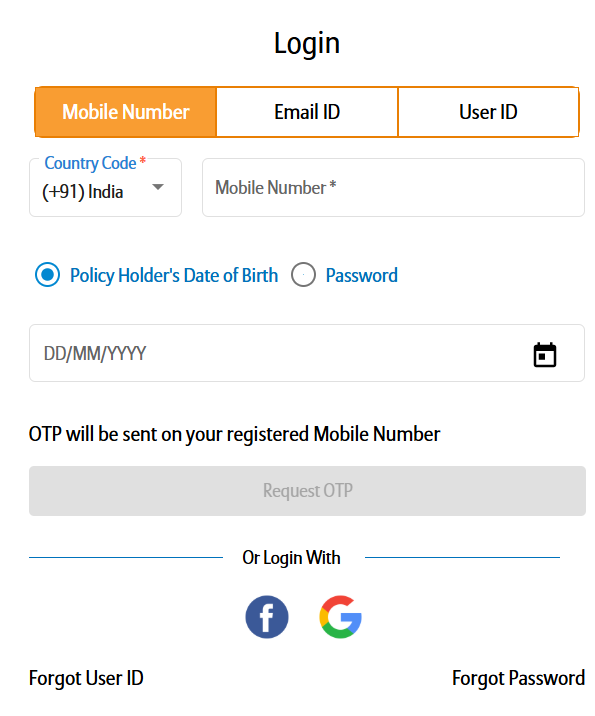
Step 5: Fill in the required information, and you’ll be taken to the Life Assist portal instantly.
Why Choose Ditto for Term Insurance?
At Ditto, we’ve assisted over 8,00,000 customers with choosing the right insurance policy. Why customers like Aaron below love us:
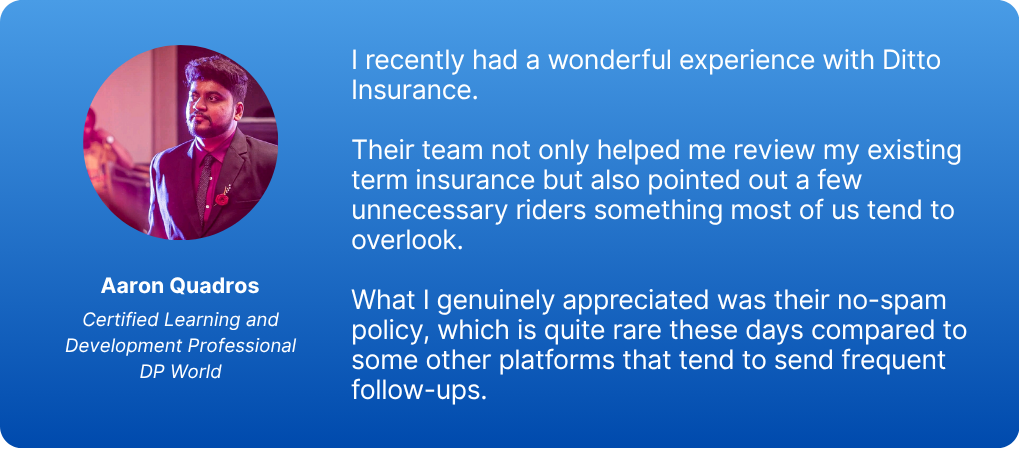
- No-Spam & No Salesmen
- Rated 4.9/5 on Google Reviews by 15,000+ happy customers
- Backed by Zerodha
- 100% Free Consultation
You can book a FREE consultation. Slots are running out, so make sure you book a call now!
Ditto’s Take on Bajaj Life Insurance Login & Support
Bajaj Life Insurance offers a fairly robust digital setup through its Life Assist portal and mobile app, covering most routine policy, payment, and claim-related needs. For existing policyholders, the separation between service, claims, and grievance channels helps reduce confusion.
That said, like most insurers, turnaround times and clarity matter most during claims, so keeping documents ready and using the online tracking tools can make the process smoother. If you’re unsure which term plan fits your needs or how reliable support actually is in real life, getting expert guidance before buying can save you trouble later.
Disclaimer: Bajaj Life Insurance is a partner insurer with Ditto. If you’ve purchased your policy through Ditto, you can reach out to our advisors for help with any aspect of your policy, including servicing, claims, or follow-ups with the insurer.
Frequently Asked Questions
Last updated on: