



Overview
Picture this. It is the end of the month, your premium is due in two days, and you cannot remember where you saved your policy document. This happens to many policyholders, and it is one of the most common reasons people miss premium due dates and end up with a lapsed policy.
This is exactly where the Axis Max Life Insurance login comes in. It gives you one place to check your policy, pay premiums, and stay on top of things, all from your phone or laptop.
In this article, we will walk you through registering on the portal for the first time, logging in, what you can do once you are in, and how to use the mobile app.
How to Access the Axis Max Life Portal for the First Time?
If you have never logged in before, here is how you can do it in under five minutes:
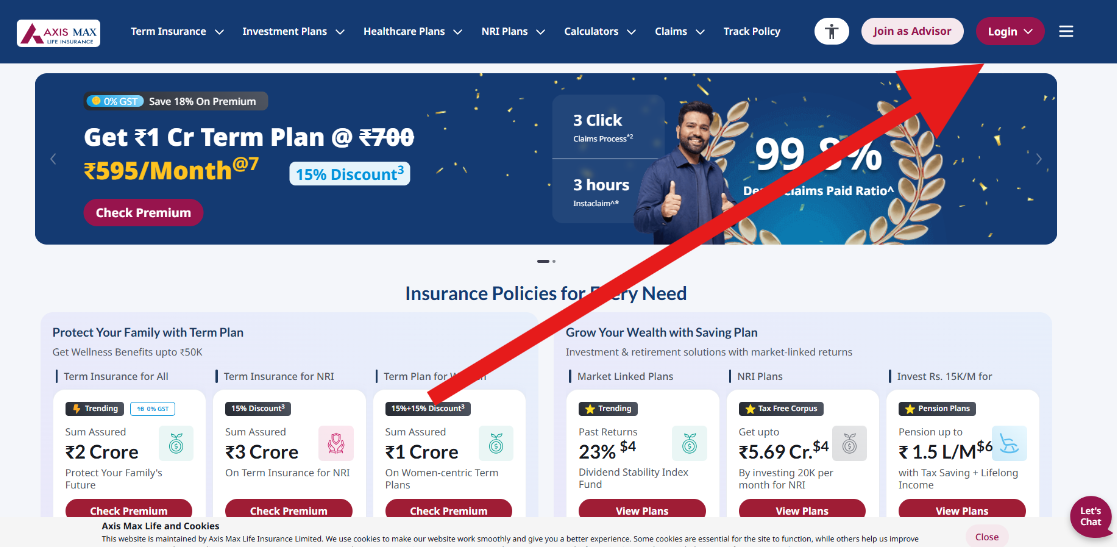
- Visit the Axis Max Life Insurance website and click "Login" at the top right. Select “Individual”.
- Enter your registered mobile number and date of birth exactly as they appear on your policy document. You can also log in using your policy number or registered email ID.
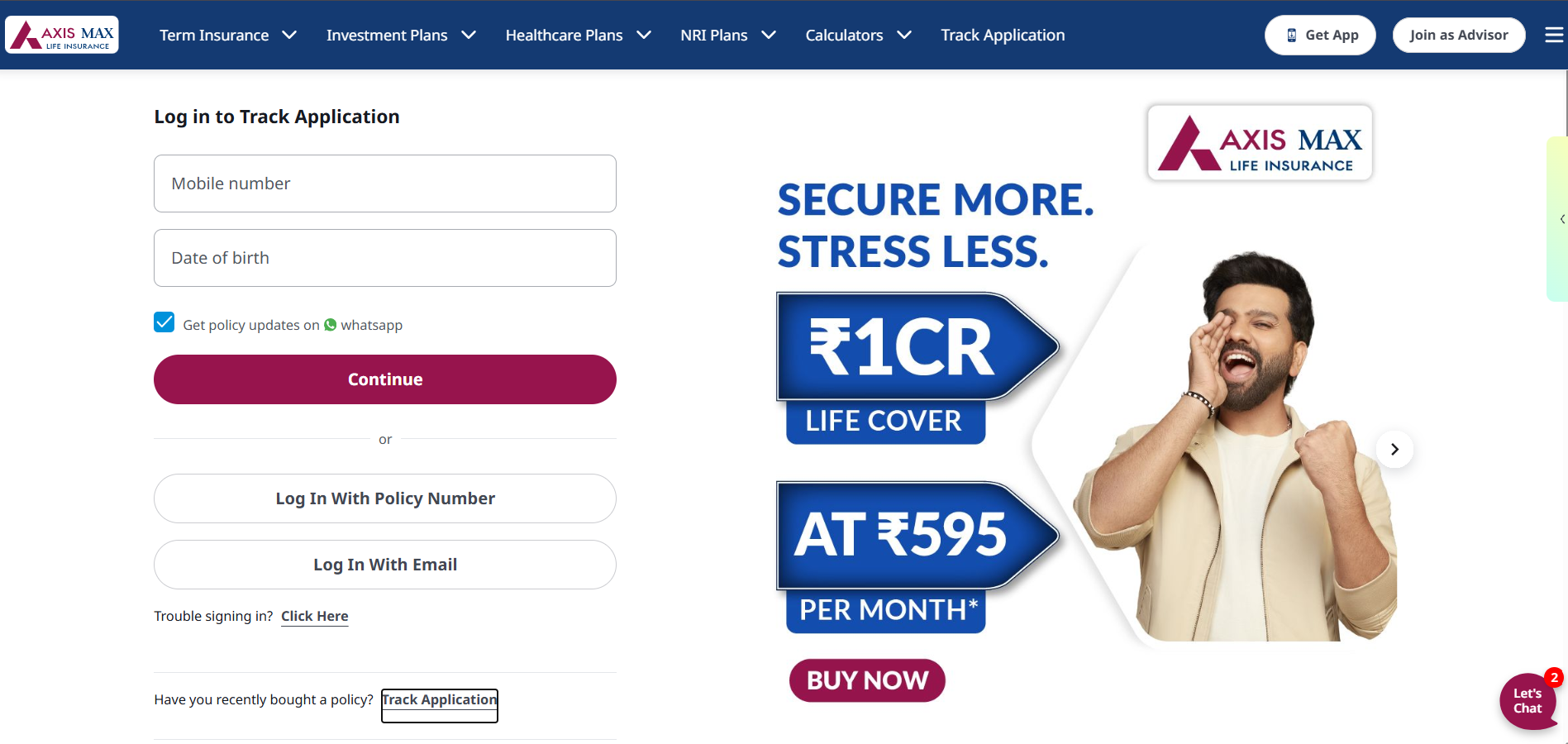
- Click “Continue”.
- Axis Max Life will send a One-Time Password (OTP) to your registered mobile number.
- Enter the OTP to verify your identity, and your registration is complete.
Keep your policy number, date of birth, and registered mobile number handy before you start so you can register in one go.
How to Log In to Axis Max Life Insurance Online?
Once you’ve registered online, logging in is pretty simple and uses almost the same steps as the first time.
- Go to the Axis Max Life Insurance customer portal.
- Choose how you want to log in: registered mobile number, policy number, or email ID.
- Enter the chosen identifier along with your date of birth.
- If using OTP, click “Continue” and check your phone/email.
- Enter the OTP and click “Submit” or “Login”.
- You will land on your policy dashboard, where you can view policy details, premium due dates, receipts, service requests, and claim status if applicable.
If you do not remember your policy number, registered mobile number, or email ID, contact Axis Max Life Insurance customer care.
Security Tip: Never share your OTP with anyone, not even someone claiming to be an Axis Max Life representative. Always log out after your session, especially on a shared device.
Talk to an expert
today and
find
the right
insurance for you.


Benefits of Logging Into Axis Max Life Insurance
- Skip the branch visit and long hold times for routine tasks
- Access your account any time, from anywhere
- Pay premiums instantly using UPI, cards, or net banking
- Get a real-time view of your policy status and claim progress
- Keep your nominee and contact details updated without paperwork

What Can You Do After Logging In?
Pay Premiums
You can pay renewal premiums online through the customer portal using available digital payment options. Policyholders can also use the Axis Max Life Insurance premium payment page to pay only the renewal premium.
Download Policy Documents
You can access and download key policy documents, premium receipts, and other service-related documents from your dashboard. This is useful when you need proof of payment or policy details for your records.
Update Details
You may be able to update basic contact details, communication preferences, and nominee-related information through the portal. Some changes may require additional verification or supporting documents.
Track Claims
If you have filed a claim, you can use the portal to check its current status and see whether any documents or actions are pending on your side. This helps you avoid delays in claim processing.
Check Fund Value (for ULIPs, etc)
For Unit-Linked Insurance Plans (ULIPs), you can view fund value, policy performance, and related investment details after logging in. This does not apply to pure term insurance plans, since they do not have an investment-linked fund value.
How to Log In via the Axis Max Life Mobile App?
Step 1: Download the official Axis Max Life app from the Google Play Store or Apple App Store.
Step 2: Open the app and tap "Login".
Step 3: Enter your registered mobile number, email ID, or policy number, along with your date of birth.
Step 4: Tap "Generate OTP", enter the received OTP, then tap "Submit".
Step 5: On your first login, the app will prompt you to set up fingerprint or Face ID login, so you do not need an OTP every time going forward.
If the app does not work, make sure it is updated. If that does not help, try uninstalling and reinstalling it, or simply use the web portal instead.
Why Choose Ditto for Life Insurance?
At Ditto, we’ve assisted over 8,00,000 customers with choosing the right insurance policy. Why customers like Aaron below love us:
- No-Spam & No Salesmen
- Rated 4.9/5 on Google Reviews by 25,000+ happy customers
- Backed by Zerodha
- Dedicated Claim Support Team
- 100% Free Consultation
You can book a FREE consultation. Slots are running out, so make sure you book a call or chat on WhatsApp now!
Conclusion
Logging into your Axis Max Life account helps you stay ahead of premium due dates, keep your documents handy, and ensure your nominee details are correct. Set a reminder to check your dashboard every few months, especially near your premium due date.
If you bought your term plan through us, Ditto’s dedicated advisors can help you sort this out directly.
Frequently Asked Questions
Last updated on: