



Quick Overview
In 2015, the United Nations adopted the ‘2030 Agenda for Sustainable Development’. One of the goals adopted being, “Leave no one behind”. To honor this goal, the central government of India came up with the ‘Ayushman Bharat program’ in 2018. It was conceived to provide well-rounded healthcare to the bottom 40% of the population, representing nearly 50 crore beneficiaries.
It not only covers primary healthcare (common illnesses and preventive health checkups through 1.5 lakh AAMs), but also secondary and tertiary healthcare (specialized and ultra-specialized treatments covered in empanelled public or private hospitals across India through PM-JAY health insurance). For better implementation of PM-JAY, the National Health Authority (NHA) was reconstituted by the cabinet from the National Health Agency in January 2019.
In this guide we will walk you through these PM health insurance programs in detail.
What Is the PM Health Insurance (PMJAY) Scheme?
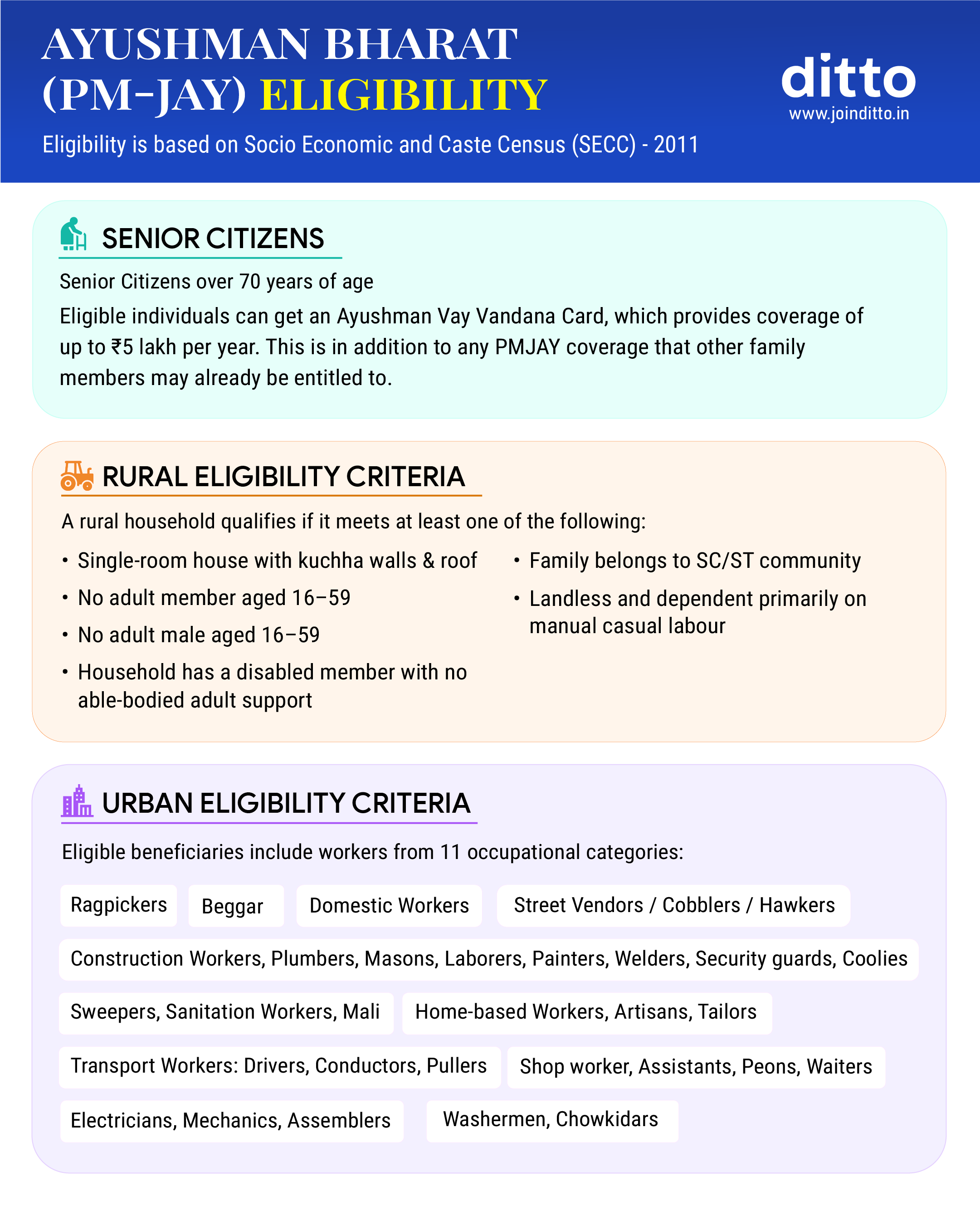
Eligibility Criteria for PM Health Insurance (PMJAY) Scheme?
Who is Excluded From the PM Health Insurance (PMJAY) Scheme?
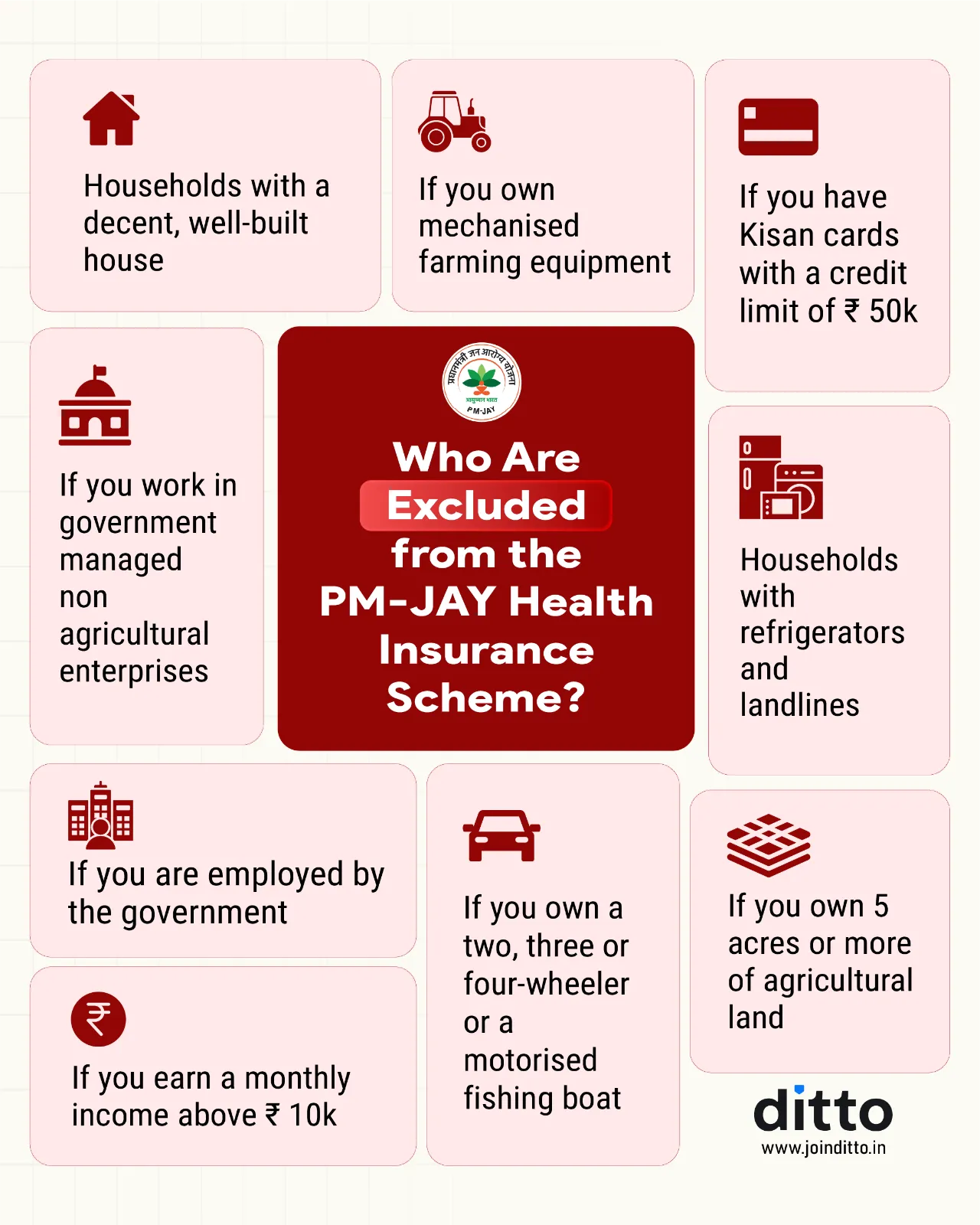
Inclusions and Exclusions of PM Health Insurance (PMJAY)
How to Apply for the PM Health Insurance (PMJAY) Scheme?
You can download your PM-JAY card through the official website or the ‘Ayushman’ mobile app. Here is a step-by-step guide to apply for the PM health insurance scheme:
- PMJAY Website
- Visit the official PM-JAY website.
- Click on “Am I Eligible” in the top menu.
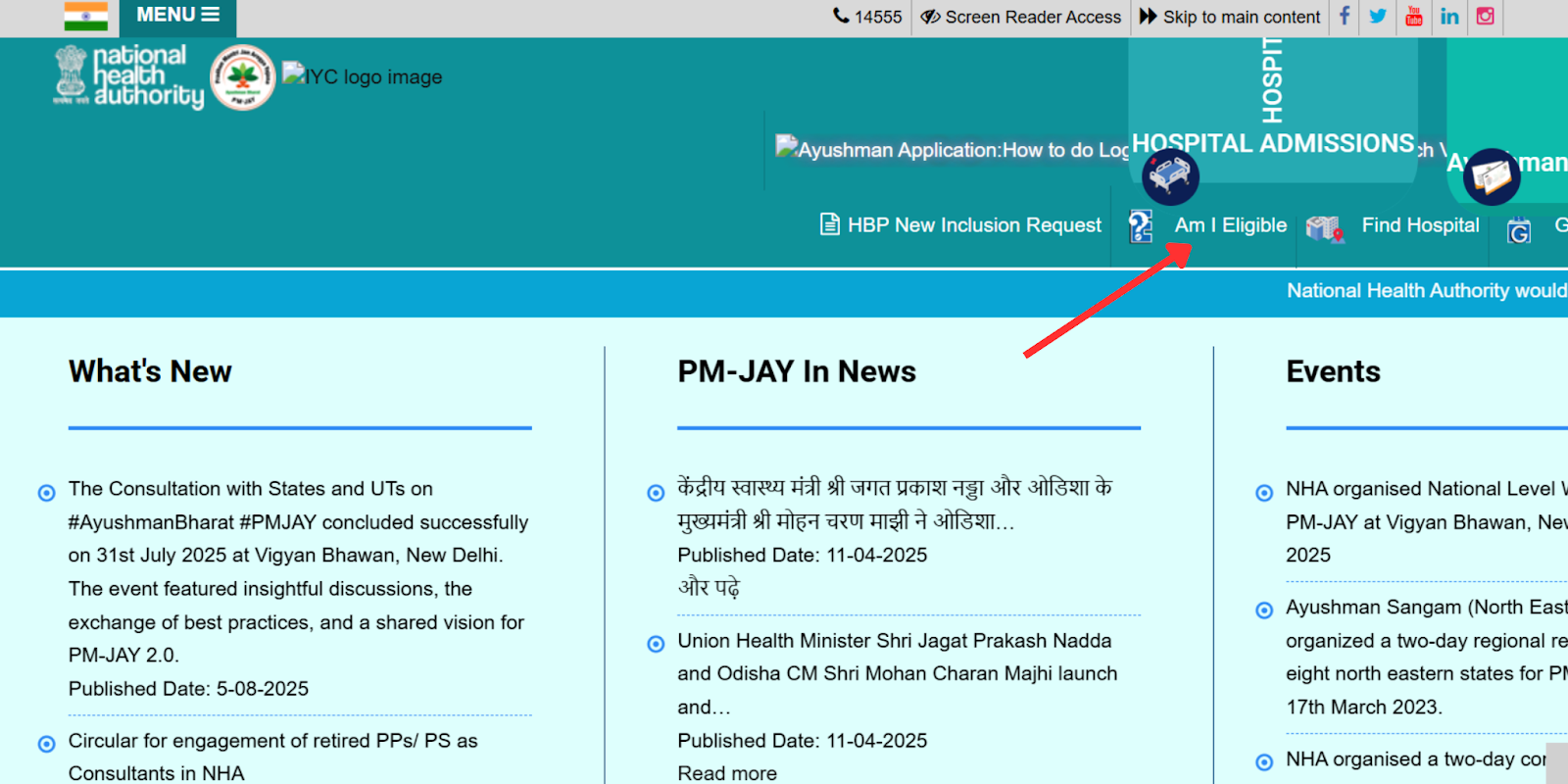
- Log in using your registered mobile number and OTP.
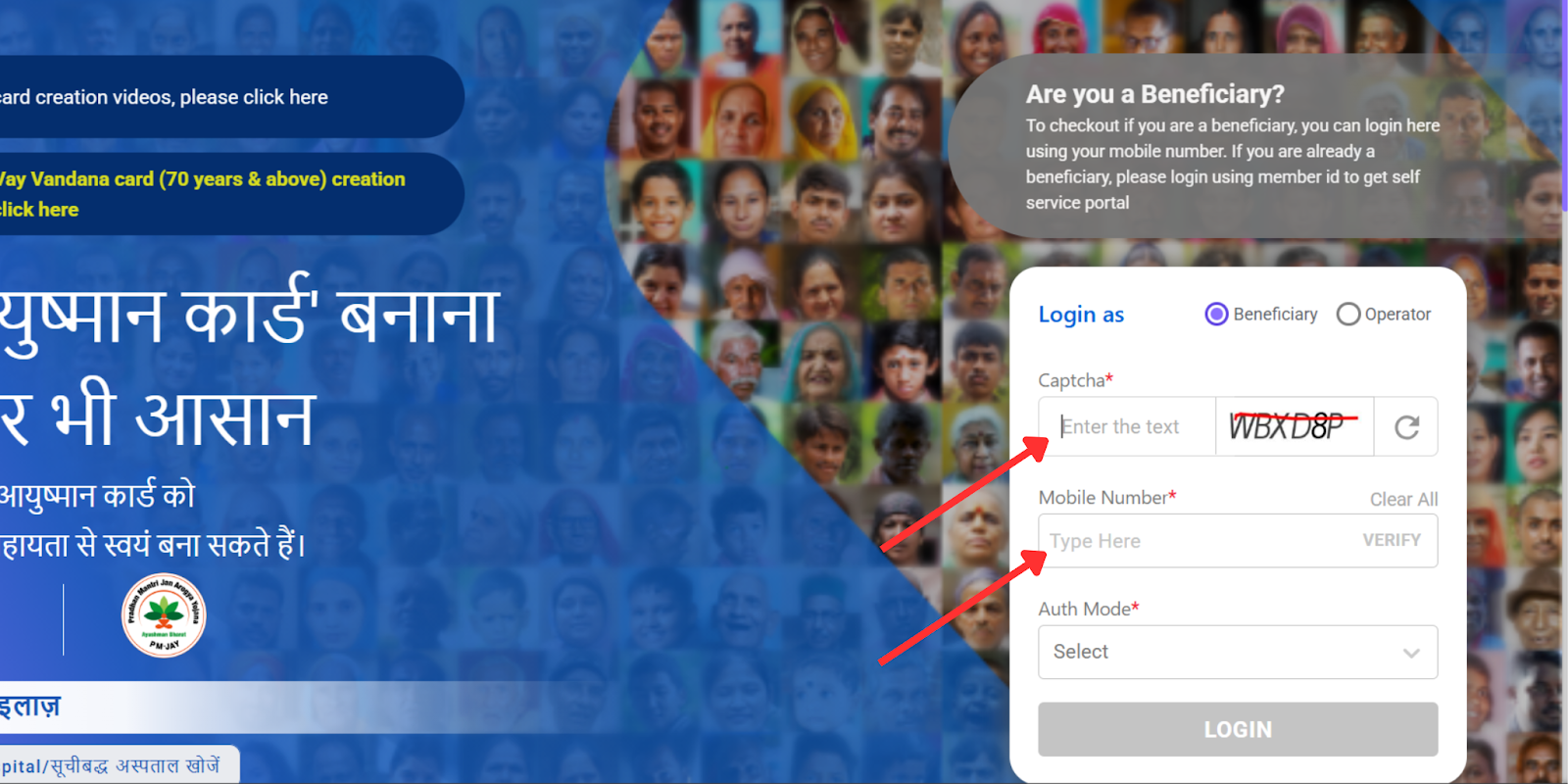
- Search for your beneficiary record using your State, District, Aadhar number, Family ID, or PM-JAY number.
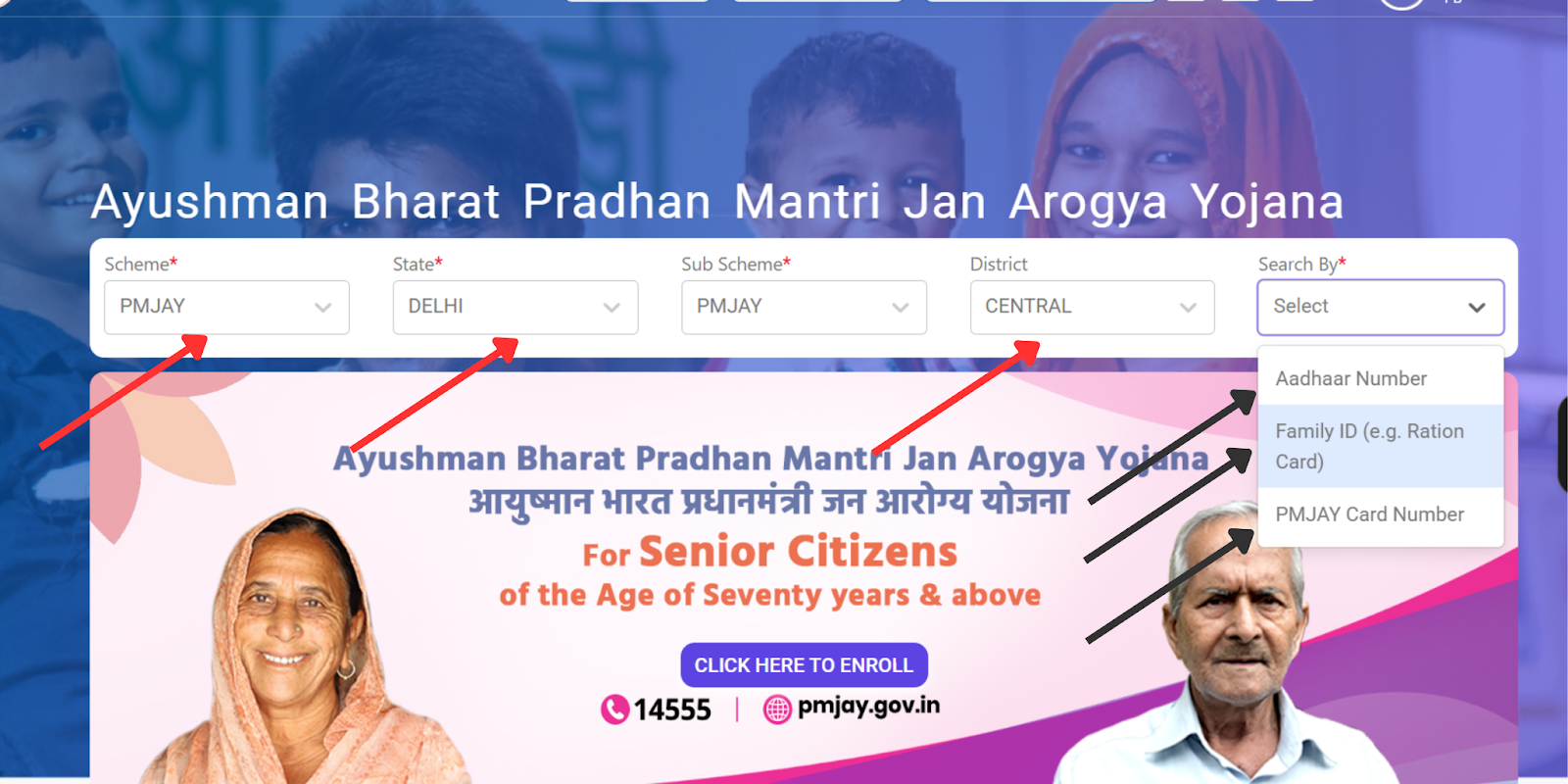
- Complete Aadhaar-based e-KYC.
- Once verified, your application will be sent for approval. Once approved, you can use the same page to download the card.
- ‘Ayushman’ App
- In-person through Atal Seva Kendras(CSCs)
- Request for PM-JAY card generation or download.
- Verify your mobile number, and provide the OTP.
- Submit the required documents.
- After verification, the staff will process your request.
- You can collect your card within a few days.
Note: Aadhaar OTP verification is required at least once to activate and download the card.
Differences Between PM Health Insurance (PMJAY) and Private Health Insurance
PM-JAY is an excellent scheme working towards providing universal coverage for the marginalized population and the elderly. This means that not everyone is eligible for the scheme. In our experience, the cover amount of ₹5,00,000 is not enough, especially in urban areas, considering a 14% annual medical inflation. This necessitates having private health insurance for a well-rounded coverage.We recommend enrolling in the scheme if you are eligible for it, or if you are not able to get or afford private health insurance due to your medical history or age.
Key Insights: Since the launch of PMJAY, some private healthcare providers have shown reluctance to accept patients under the scheme due to concerns about delayed payouts. It is advisable to check with your hospital or treating doctor in advance to avoid such issues.
Why Choose Ditto for Health Insurance?
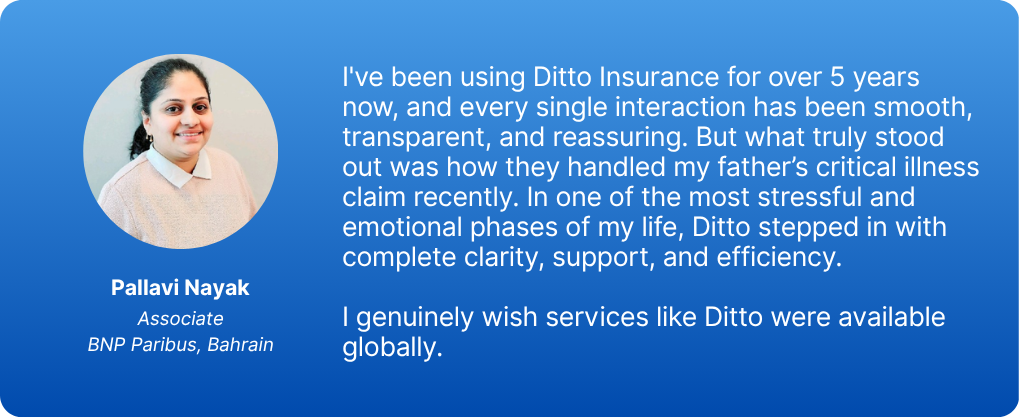
At Ditto, we’ve assisted over 8,00,000 customers with choosing the right insurance policy. Why customers like Pallavi below love us:
- No-Spam & No Salesmen
- Rated 4.9/5 on Google Reviews by 15,000+ happy customers
- Backed by Zerodha
- Dedicated Claim Support Team
- 100% Free Consultation
Confused about the right insurance? Speak to Ditto’s certified advisors for free, unbiased guidance. Book your call now or chat over WhatsApp, slots fill up fast!
Ditto’s Take on Ayushman Bharat Program and PMJAY
The Ayushman Bharat program is a great effort by the Indian government to provide well-rounded healthcare to the lowest rung of the population, who might not be able to afford the expenses otherwise. It provides accessible preventive care and reasonable health insurance coverage of ₹5,00,000 for a wide range of ailments. However, whether it is suitable for you depends on factors like your budget, age, pre-existing conditions, and location.
Comparing options carefully and choosing a comprehensive private health insurance alongside at a price you’re comfortable with can help ensure adequate coverage. Do not forget to read the terms of the scheme carefully to avoid any surprises later.
Frequently Asked Questions
Last updated on: